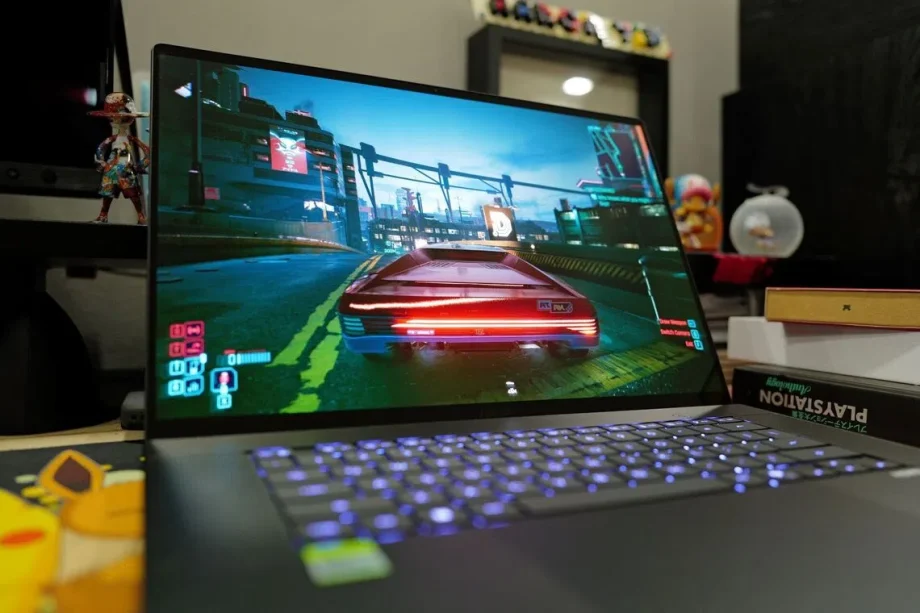
Remember NVIDIA’s RTX Spark?
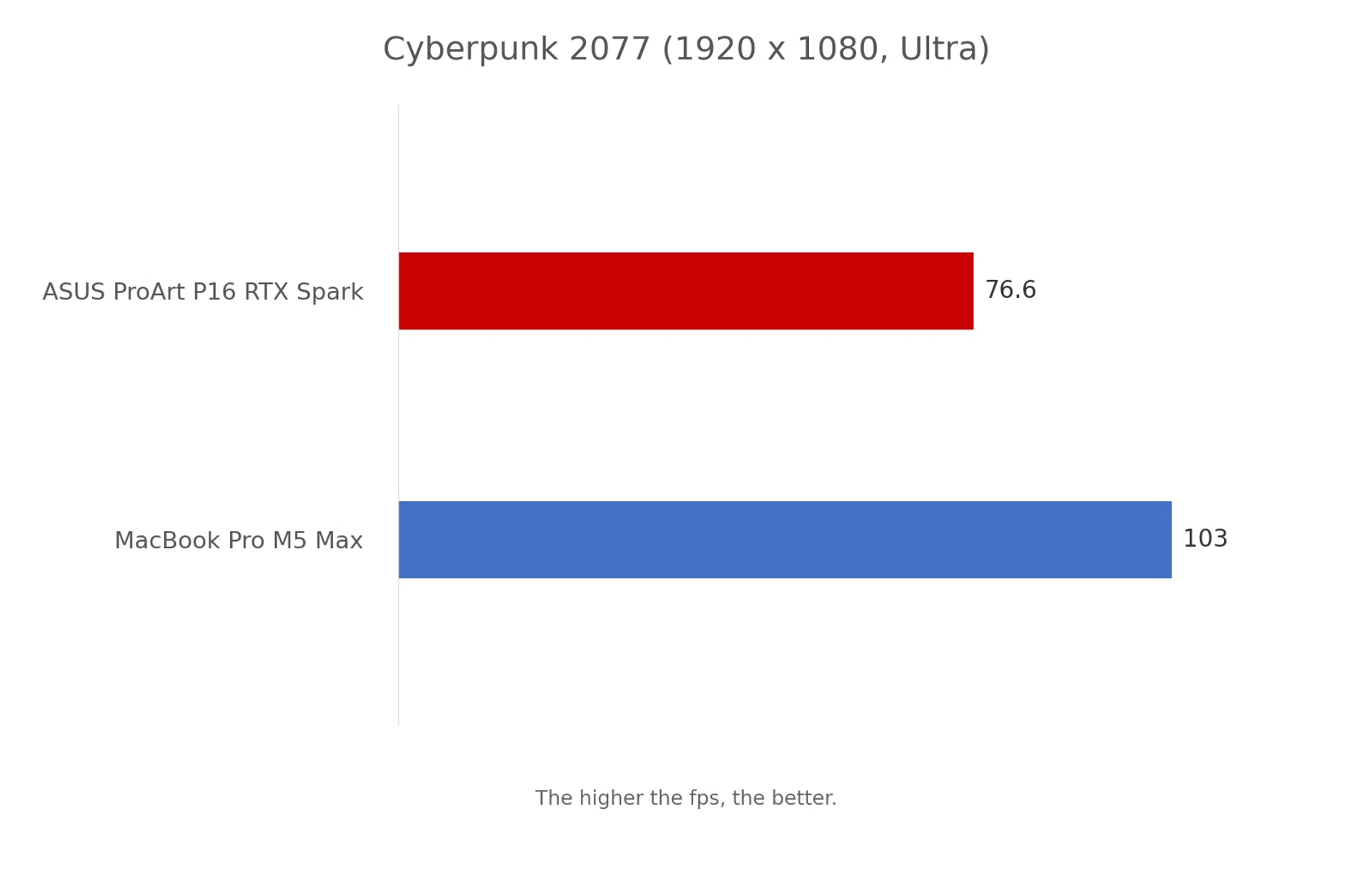
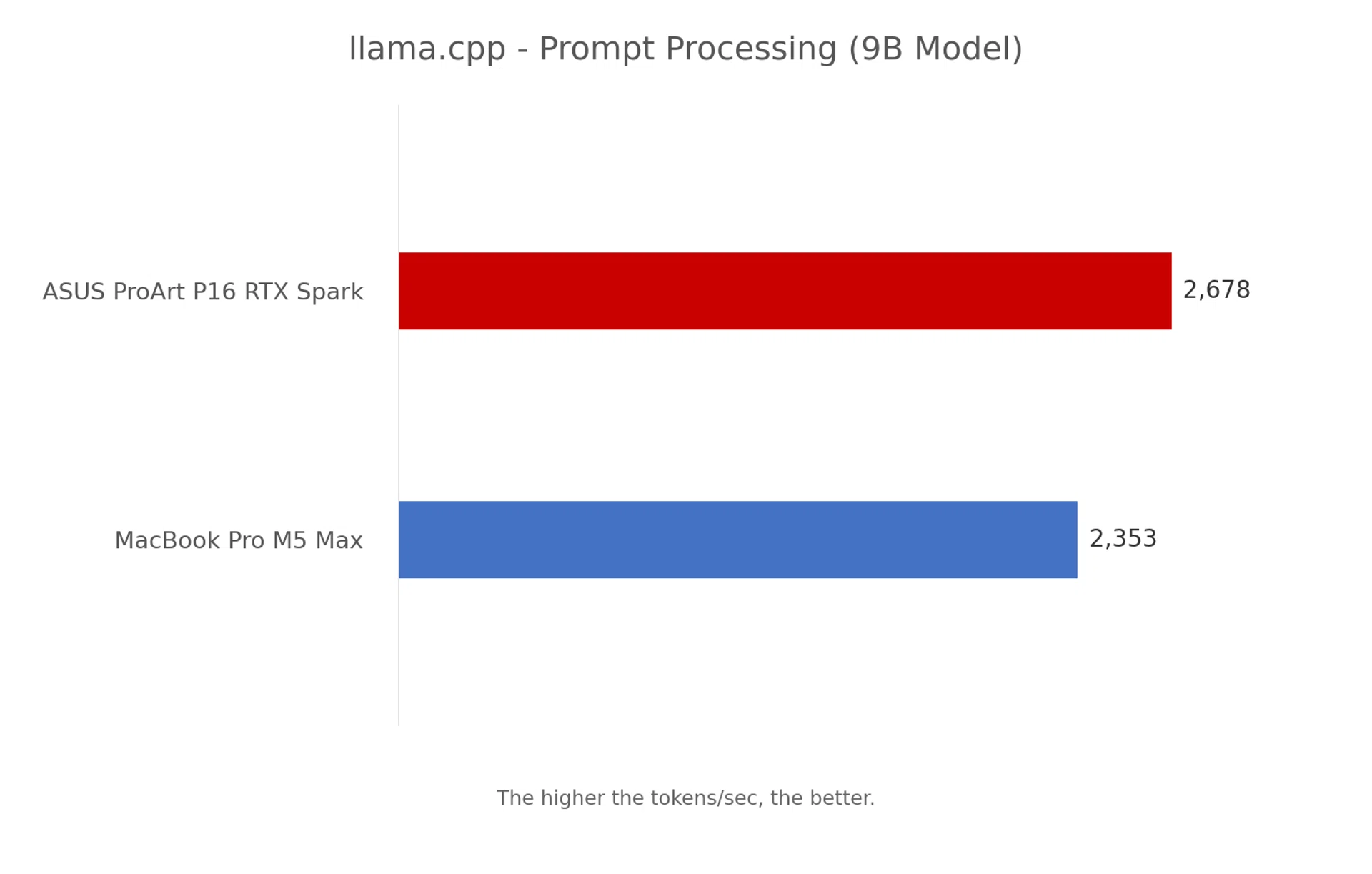
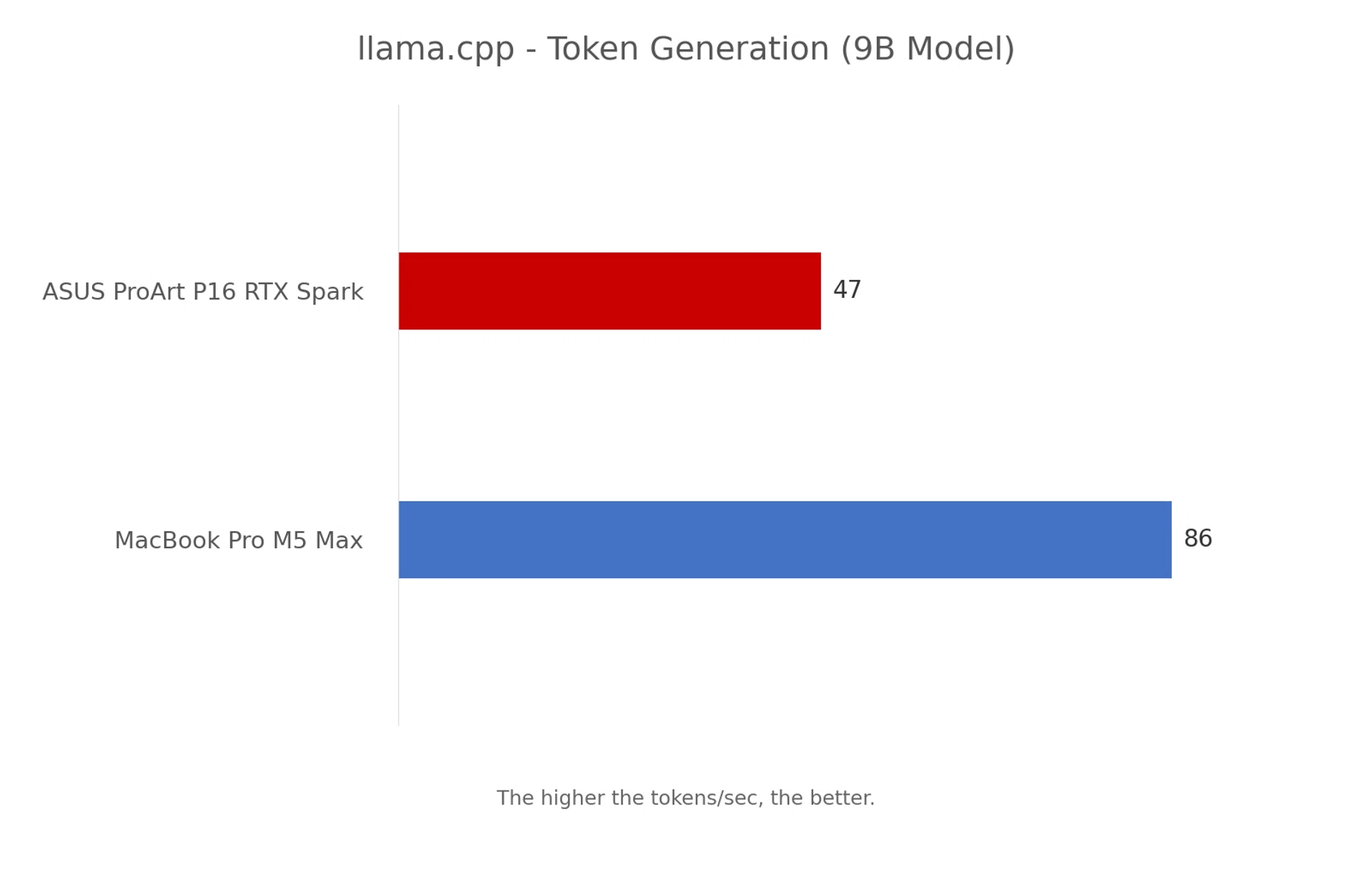
Last month, I spent a few days exploring NVIDIA’s new RTX Spark platform and came away thinking that it could make Windows on Arm a much more interesting proposition than what we have seen so far. Not because it suddenly makes Intel and AMD processors irrelevant, but because NVIDIA is approaching the platform from a different direction, with a strong emphasis on graphics performance, content creation and, perhaps more importantly, running AI workloads locally (aka on-device).
For those unfamiliar with RTX Spark, it combines an Arm-based NVIDIA Grace CPU with a Blackwell RTX GPU and unified memory, much like how Apple’s M-series processors work. The difference is that NVIDIA brings its CUDA ecosystem into the equation, which is particularly useful for developers working with AI models and applications that already take advantage of its GPUs. Depending on the configuration, you can get up to 128GB of unified memory, and that is a considerable amount to have available in a laptop.
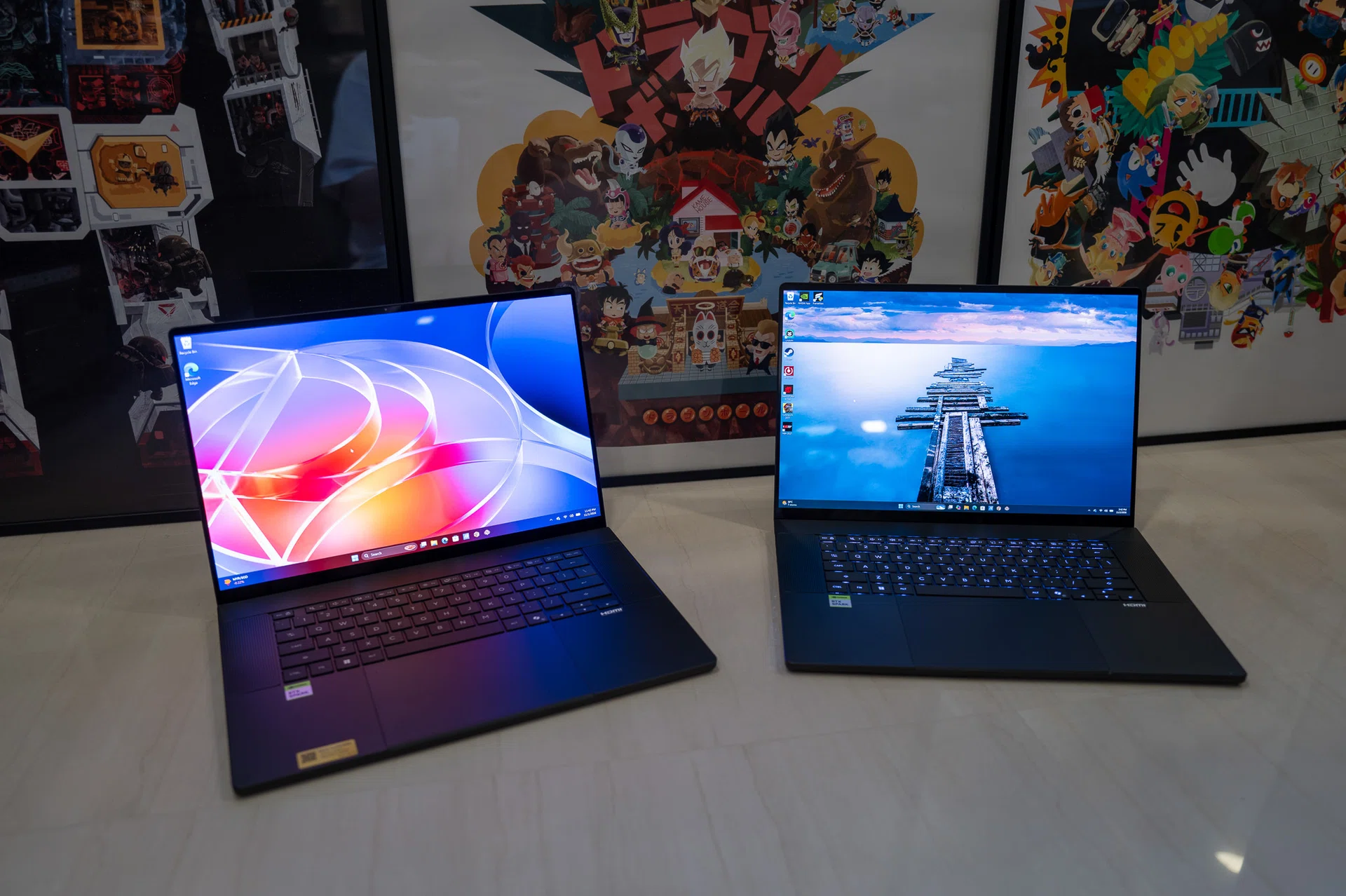
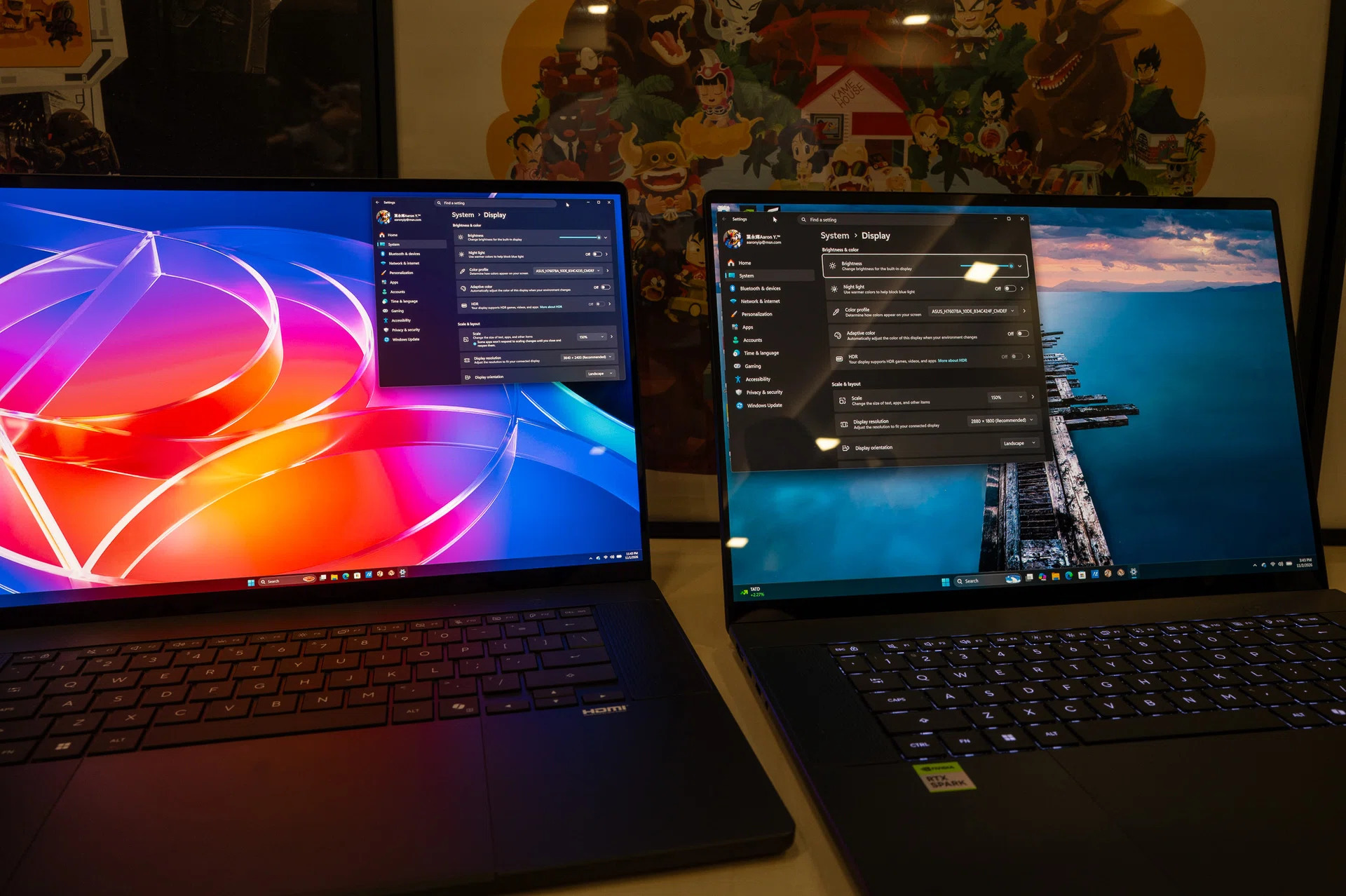
A tale of 2 ASUS ProArt P16 laptops.
Photo: HWZ
I have already covered RTX Spark’s capabilities, including gaming, content creation and running local AI models, in my earlier impressions article. Sothis time, I want to focus on the laptop that gave me my first taste of the new platform, the ASUS ProArt P16.
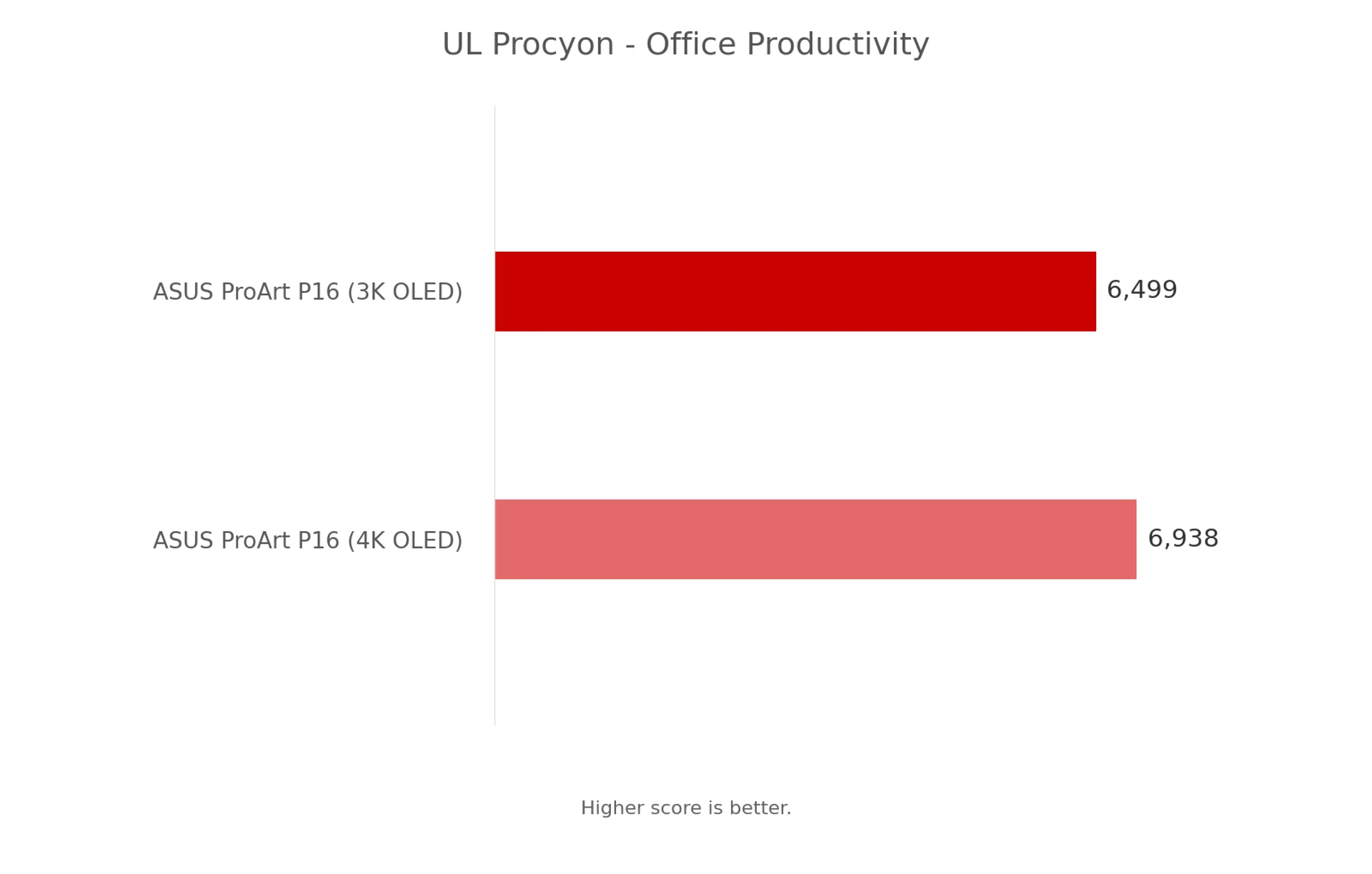
And there is something else worth looking at. ASUS has two versions of the RTX Spark-powered P16 with different OLED displays, and we have both for this review. The more expensive model gets a 4K Tandem OLED screen, while the other makes do with a 3K OLED panel. But considering that both screens already have impressive specifications, is the higher-end display really worth paying more for?
Design and everyday experience
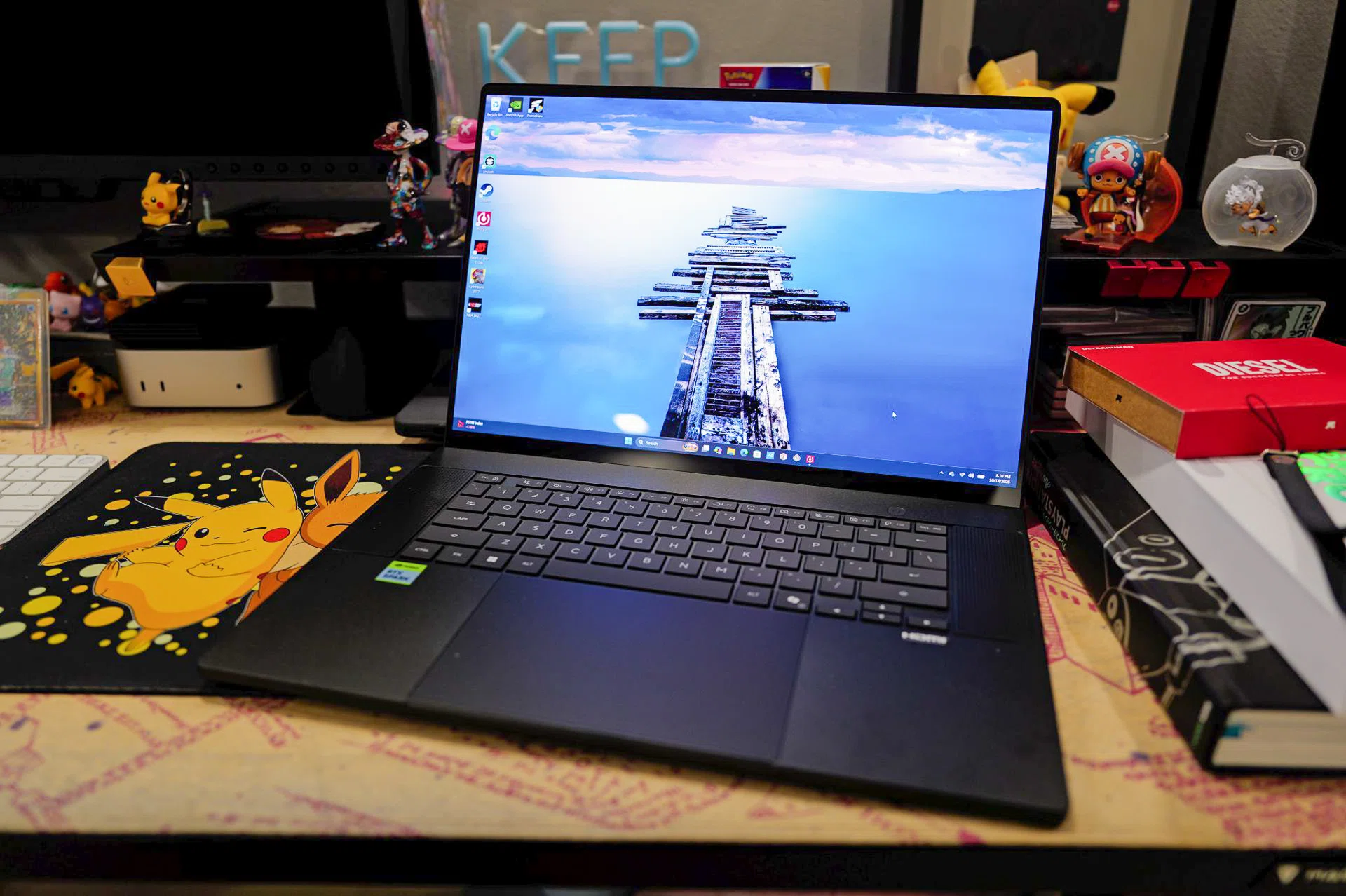
All RTX Spark laptops like the ASUS ProArt P16 are built to run agentic AI tools.
ASUS ProArt P16 RTX Spark Laptop
Photo: HWZ
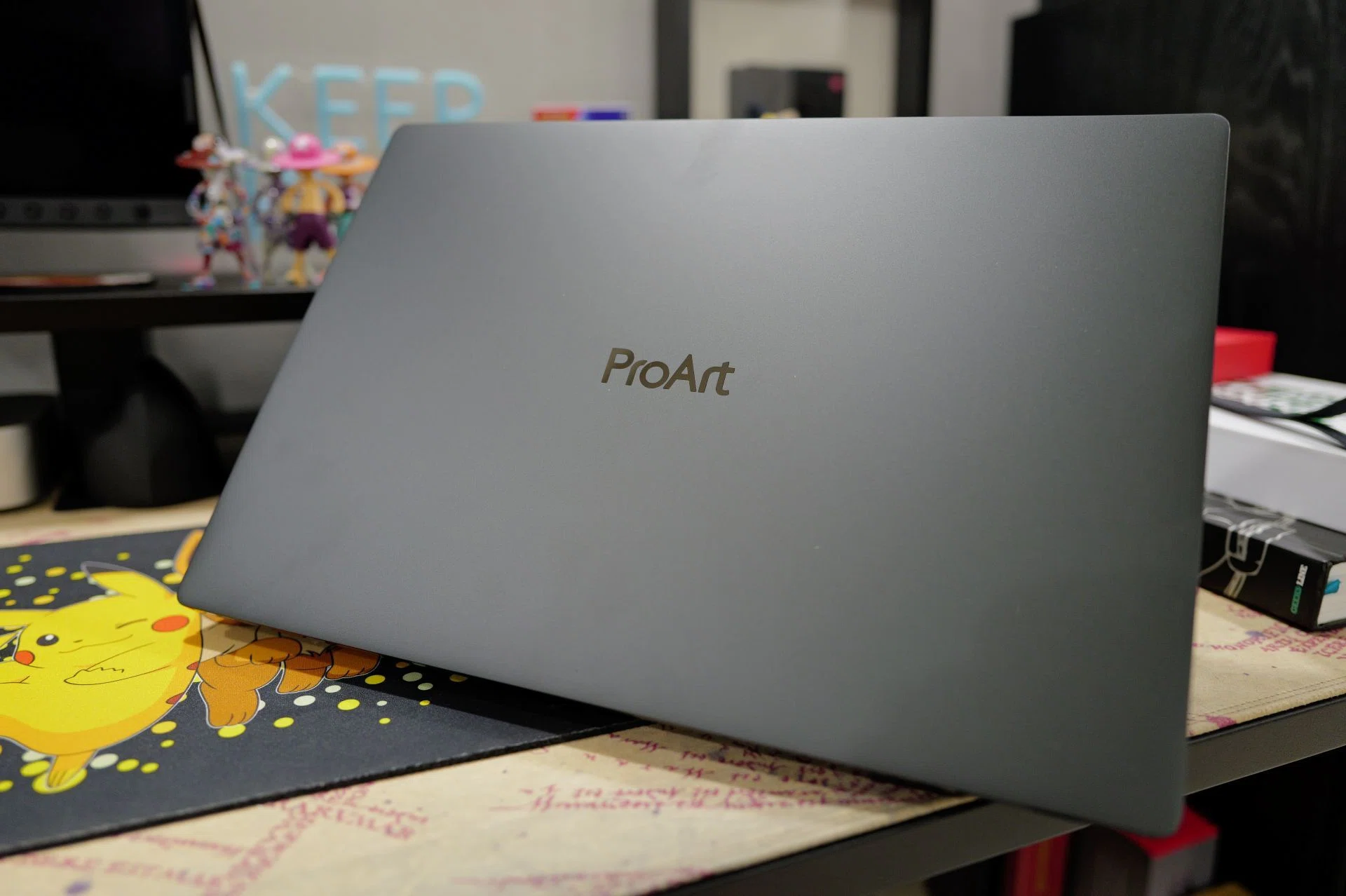
One thing I appreciate about the ProArt P16 is that ASUS has resisted the temptation to make it look like a gaming laptop. There are no aggressive lines, unnecessary RGB lighting or oversized. Instead, the P16 has a relatively understated aluminium chassis that looks more like a professional workstation than a laptop designed to play the latest games.
At around 1.77kg, it is also reasonably light for a 16-inch laptop, particularly one with this much processing power. The chassis measures roughly 13mm at its thinnest point and 16mm at its thickest, which makes it considerably more svelte than many traditional mobile workstations too. That said, the P16 isn’t what I would describe as an ultraportable, but for a laptop with a large display, I think ASUS has struck a reasonable balance between size and portability.
More importantly, ASUS has not sacrificed connectivity just to make the laptop thinner. You get three USB4 Type-C ports, a USB-A port, HDMI 2.1, a 3.5mm audio jack and an SD Express 7.0 card reader (great news for content creators). There is also Wi-Fi 7 and Bluetooth 5.4 for wireless connectivity.
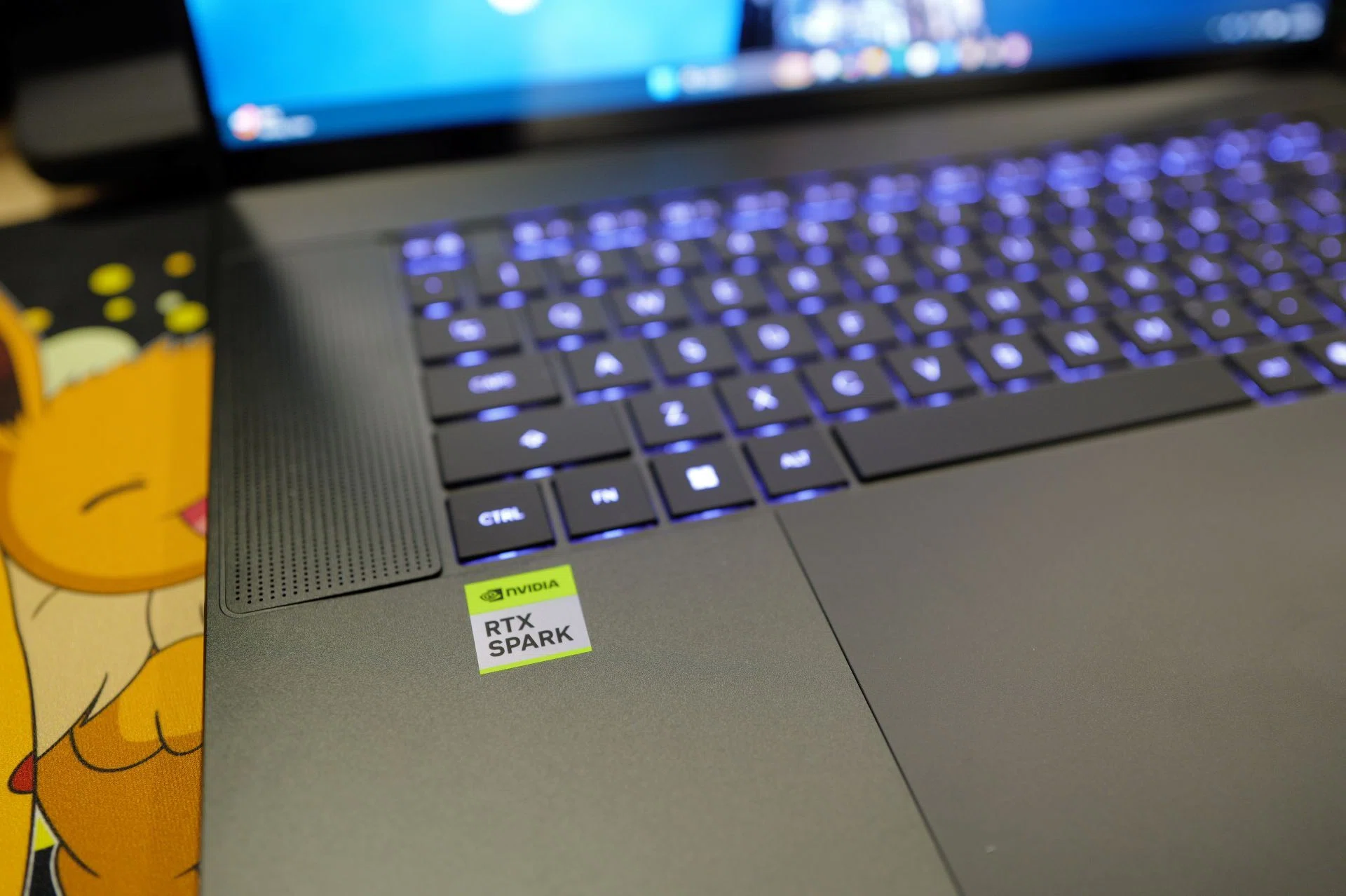
ASUS makes excellent laptops and the ProArt P16 is no different. Photo: HWZ
Photo: HWZ
For typing, ASUS has opted for a full-sized keyboard without a numeric keypad, which leaves enough space for a comfortable key arrangement and speaker grilles on either side. The keys have a reasonably spacious layout, with good travel and tactile feedback that make typing feel comfortable even over longer periods. I also like that the keys don’t feel overly soft or mushy, and there’s enough resistance to give each keystroke a satisfying feel. The backlighting also makes it practical to use in darker environments.
Below it is a large haptic touchpad, which feels smooth and responsive, with accurate tracking that makes everyday gestures such as scrolling and switching between applications feel natural. The haptic feedback is also consistent across the entire surface, so clicking feels just as comfortable near the top as it does at the bottom.
However, the display is where things become more interesting, especially since we have both versions of the P16 to look at.
The standard model comes with a 16-inch 2880 x 1800 OLED touchscreen, while the higher-end version gets a 3840 x 2400 Tandem OLED touchscreen. Both have a 16:10 aspect ratio, 120Hz refresh rate and 100% DCI-P3 colour coverage, making either suitable for photography, video editing and other creative work.
The difference is in resolution, brightness and the panel technology. The 3K OLED has a rated peak HDR brightness of 1,100 nits, whereas the 4K Tandem OLED can reach 1,600 nits.
Having used both displays side by side, I think the 4K Tandem OLED does have its advantages, particularly when you’re watching movies, playing games or working with high-resolution photos and videos. The higher resolution makes fine details look sharper, although I wouldn’t say the difference is immediately noticeable at a normal viewing distance. Where the Tandem OLED really makes a stronger impression is its higher brightness, especially when watching HDR content. Highlights look more vivid, while bright scenes have that extra punch without compromising the deep blacks and contrast that OLED panels are known for.
Read Full Article At Source