Logitech G512 X review: Clever hybrid keyboard with compromises

Logitech G512 X review: Clever hybrid keyboard with compromises


Gaming keyboards these days are no longer just about choosing between linear or tactile switches. There are other considerations, including the layout, RGB lighting and, increasingly, whether to go with analogue or mechanical switches. That last part is where Logitech hopes to switch things up – pun intended – with its new G512 X gaming keyboard.

You see, Logitech wants to take that particular dilemma out of the equation. The G512 X supports both mechanical and magnetic analogue switches on the same keyboard, allowing you to retain the familiar feel of mechanical switches for everyday typing while installing faster and more configurable analogue switches around WASD for gaming. That sounds almost ideal for someone like me. I currently use a custom mechanical keyboard for work before moving over to a Keychron Q1 HE with Hall Effect switches whenever I want to play games. The G512 X promises to combine both uses in one keyboard, with the analogue switches limited to the gaming keys that might actually benefit from them. Why not? But it also raises an obvious question: Is mixing two kinds of switches genuinely useful, or has Logitech made the G512 X more complicated than it needs to be?
Analogue switches

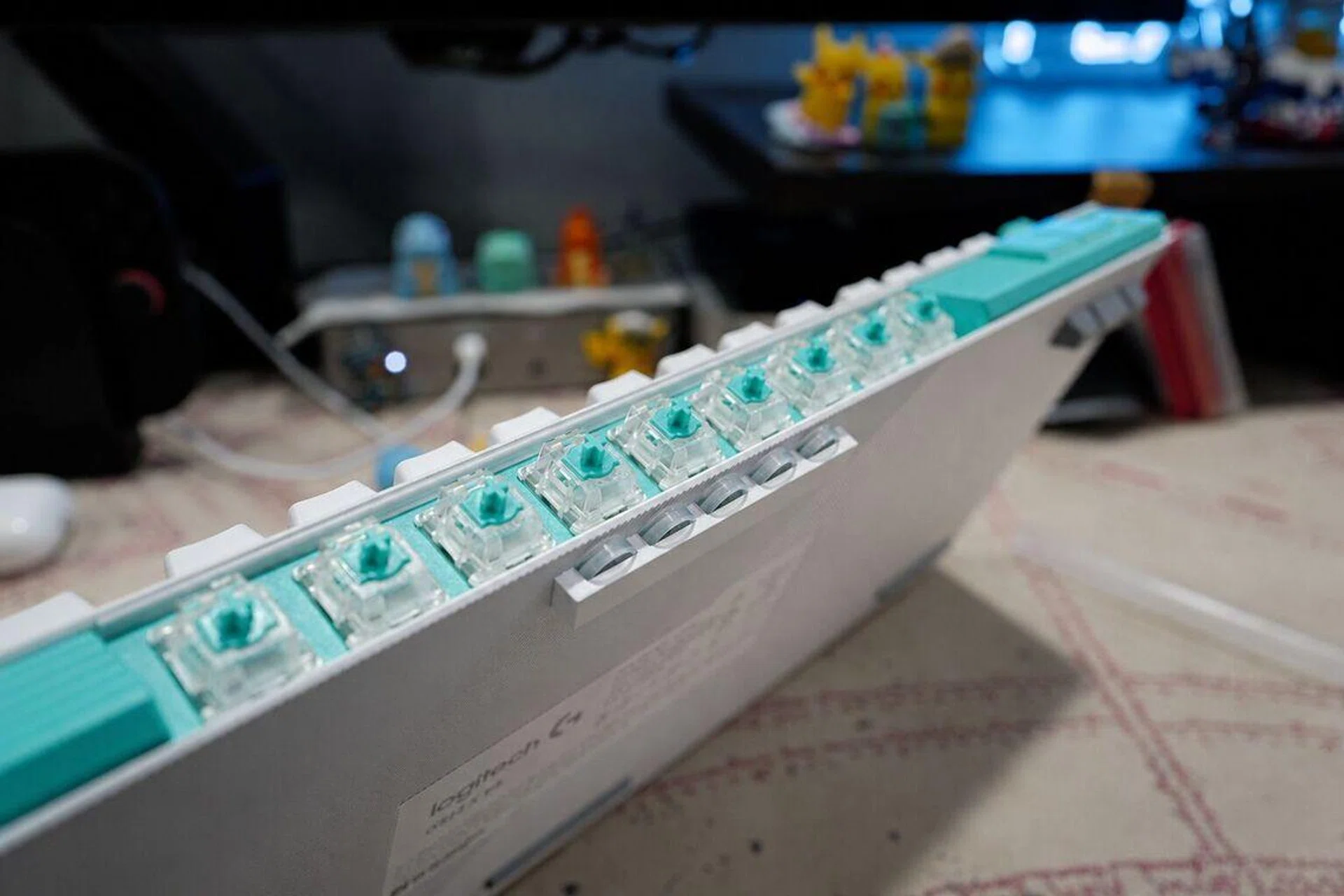
Logitech provides 9 analogue switches – just.

Photo: HWZ

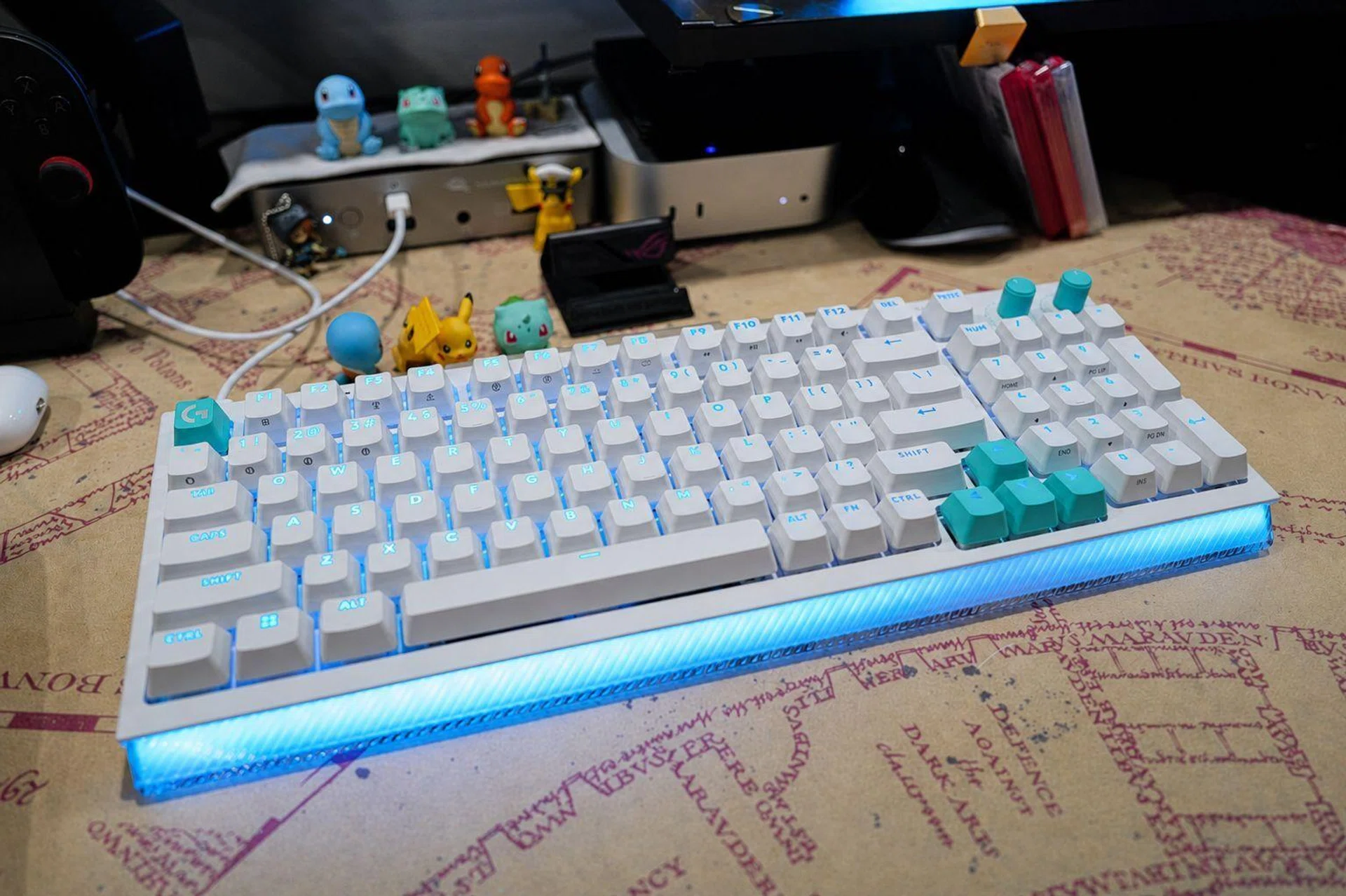
The keyboard comes in 75-key and 98-key versions, with the larger G512 X 98 reviewed here. I personally prefer the tenkeyless model, but I can also understand why the numpad can be useful for some. The keyboard’s design is surprisingly restrained too. Available in black or white, the G512 X has double-shot PBT keycaps, two control dials and a detachable USB-C cable (it doesn’t support wireless). There’s also a very cool Lightsync RGB strip along the front edge, which I personally quite like it. The chassis also feels sturdy, while its gasket-style construction and sound-dampening material prevent keystrokes from sounding too hollow. My review unit came with tactile mechanical switches too, which are comparable to a Cherry MX Brown.

What sets the G512 X apart is what sits underneath those switches. Every key is hot-swappable and accepts standard three-pin or five-pin mechanical switches, but 39 positions also contain Tunnel Magnetoresistance, or TMR, sensors that support compatible magnetic analogue switches. Logitech calls these Dual Swap switch beds, which allows mechanical and analogue switches to be used interchangeably. Rather oddly, however, Logitech only includes nine Gateron KS-20 analogue switches. That is enough for WASD and several surrounding keys, but nowhere near enough to fill all 39 compatible positions. I can understand Logitech expecting most players to use analogue switches only for a smaller group of gaming controls, yet nine still feels stingy for a keyboard costing S$299.

Experience and testing with games
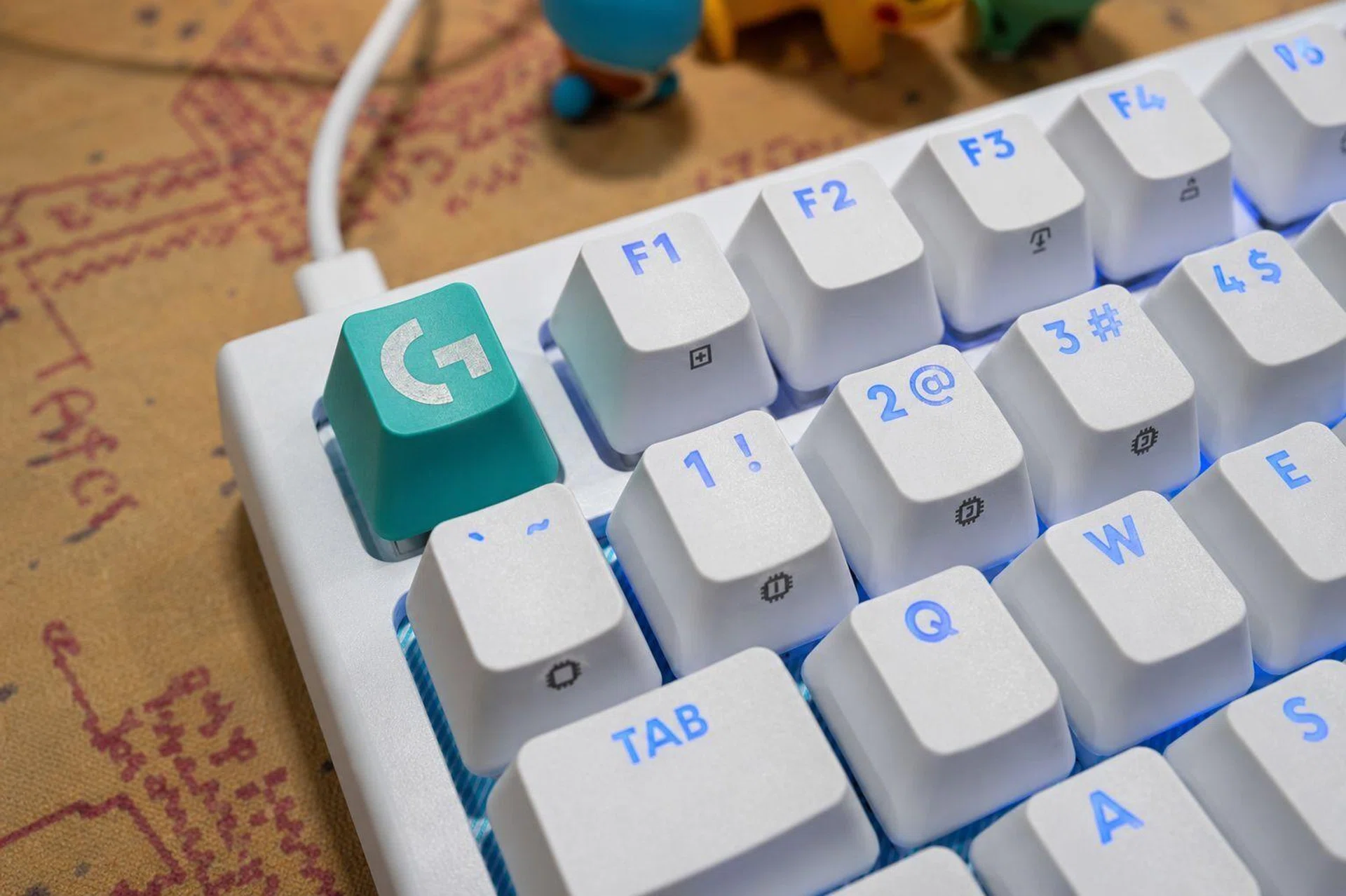
G512 X double-shot PBT keycaps

The G512 X comes with double-shot PBT keycaps.
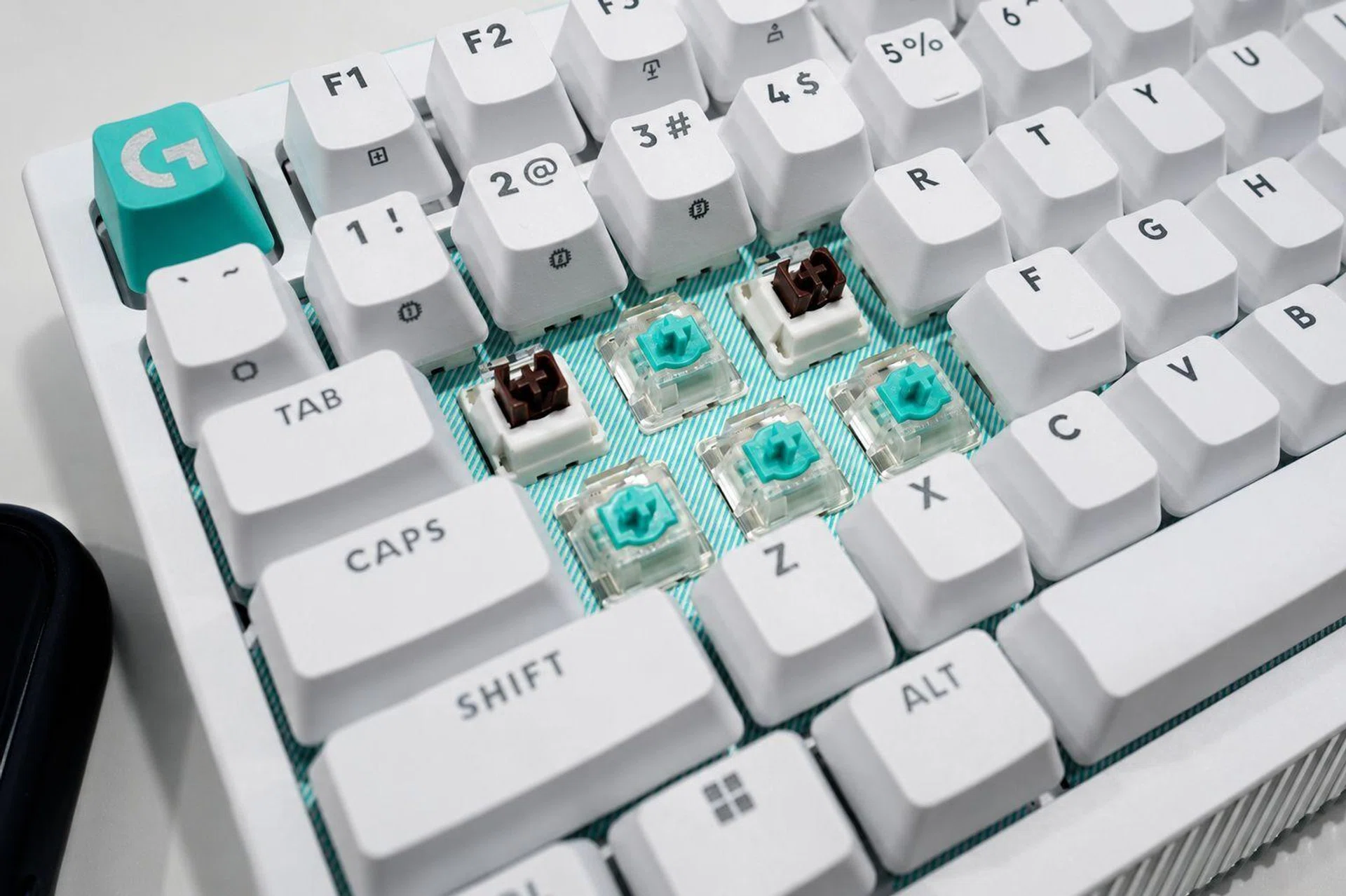
The G512 X works perfectly well as a normal mechanical keyboard, but using only the supplied tactile switches would miss the point. I therefore removed the switches around WASD and replaced them with the included Gateron analogue switches. Once the switches were installed, I opened Logitech G Hub and ran its switch-detection function, after which I could adjust how far each analogue key needed to travel before registering an input. The available actuation range runs from 0.1mm to 4mm, and I initially set WASD close to the shallowest point, thinking faster would naturally be better. That did not last very long because the keys were so sensitive that merely resting my fingers on them could trigger unwanted movement. After some experimentation, I settled on a deeper actuation point that still felt faster than the surrounding mechanical switches without making every small movement register.

Rapid Trigger made a more noticeable difference during games. A normal mechanical switch must move back past a fixed reset point before it can register another press, whereas Rapid Trigger lets an analogue switch reset according to its movement. This means the key can become ready again as soon as it starts travelling upwards, rather than waiting until it reaches a predetermined position. In faster games like Valorant, repeated directional changes felt more immediate, while moving from side to side or making smaller adjustments required less key travel. That’s not to say transformed my performance, but the controls certainly felt more responsive once I became accustomed to the sensitivity.

Mechanical and analogue switches

Having both mechanical and analogue switches together didn’t quite work as well as I had thought.

Photo: HWZ

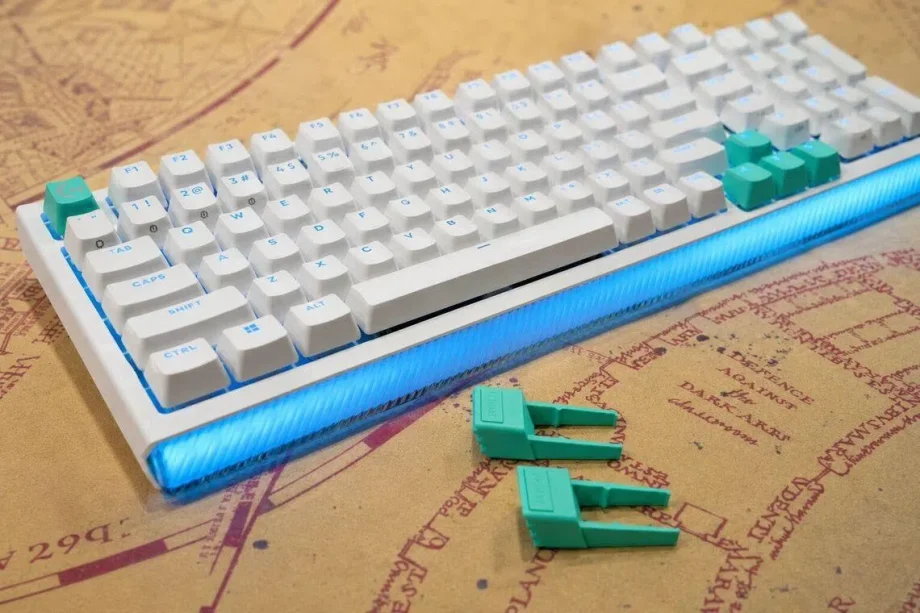
SAPP rings

SAPP rings are also provided to add resistance towards the bottom of the keystroke.

Photo: HWZ

Where the G512 X becomes more interesting, as well as more complicated, is Multipoint Action. This lets you assign two commands to different stages of one key press, so a light press could make a character walk while pushing the same key farther down triggers a sprint. It is clever, but it took time before it felt natural because I am accustomed to one key performing one command. I also realised assigning layered commands across too many keys made remembering the configuration more troublesome than simply pressing another button. Logitech tries to provide some physical guidance with its Second Actuation Pressure Point, or SAPP, rings, which sit beneath selected keycaps and add resistance towards the bottom of the keystroke. But I found each key feeling heavier rather than producing the defined bump of a tactile switch. The rings helped me recognise the second actuation point, but the effect never felt as clean as Logitech’s description suggests, and only five are included.

That inconsistency became more noticeable whenever I stopped gaming and returned to productivity tasks. The standard mechanical switches have a tactile bump, whereas the Gateron analogue switches are smooth and linear, leaving WASD feeling distinctly different from the surrounding keys. I stopped paying much attention to it during games, but having two switch characteristics beside each other never felt entirely natural while typing. It simply didn’t work out for me. The irony is that while the G512 X’s best-selling point is its flexibility, I find switching between my original two keyboards to be more seamless and convenient – as luxurious as that seems.

Final thoughts

Logitech G512 X RGB

We really do like the RGB on this keyboard.

Photo: HWZ

Frankly, I like the idea behind the G512 X. Combining mechanical and analogue switches on one keyboard is clever, while features such as Rapid Trigger and Multipoint Action will be useful for gamers who are willing to spend time configuring them. But after switching back to my Keychron Q1 HE, I cannot say I missed either feature enough to overlook the compromises Logitech’s hybrid approach brings. The mechanical and analogue switches feel inconsistent beside each other, the SAPP rings added resistance without convincingly reproducing a tactile bump and you’ve heard this from me before, but I’ll say it again: Including only nine analogue switches feels stingy when the keyboard has 39 compatible positions.

At S$299, the G512 X is also expensive for a wired-only gaming keyboard. It may still appeal to someone who wants mechanical switches for typing and analogue controls concentrated around WASD, without keeping two keyboards on the desk. But serious gamers who wants adjustable actuation will probably be better served by a magnetic keyboard, while those who prefer the familiar “clicky-clacky” feel of mechanical switches can find plenty of hot-swappable alternatives for less. Logitech has come up with an interesting middle ground here, but I am just not convinced that it is more convenient than choosing one side or the other.

The Logitech G512 X 98 is available in Black or White and retails for S$299. To buy, click here.


Read Full Article At Source

Share. Save. Don't Miss The Buzz: XFacebookRedditLINETelegramWhatsAppGmail