Logitech G Pro X2 Superstrike review: Is it reinvented?

Logitech G Pro X2 Superstrike review: Is it reinvented?


  1. 1. Another Pro mouse…or is it?
  2. 2. A familir design yet different
  3. 3. HITS is a game-changer
  4. 4. Final thoughts

Another Pro mouse…or is it?

What maketh a good gaming mouse these days? Technologically, most of the big problems faced in early generations have pretty much been – sensors are on point and reliable, wireless latency isn’t really a concern anymore, and superlight mouse that weighs 60g or less are not uncommon. So how does a gaming mouse differentiate beyond increasing the usual specifications?

Meet the Logitech G Pro X2 Superstrike.

Instead of trying to outdo the competition (such as my daily driver, the Razer Viper V3 Pro) in specs, Logitech went after something most of us have been taking for granted for a long time: buttons. It might seem trivial but after spending some time with the Superstrike, I have to admit that it does change how you think about what a mouse can (or maybe should) do – even if it’s not immediately clear who that’s for.

A familir design yet different
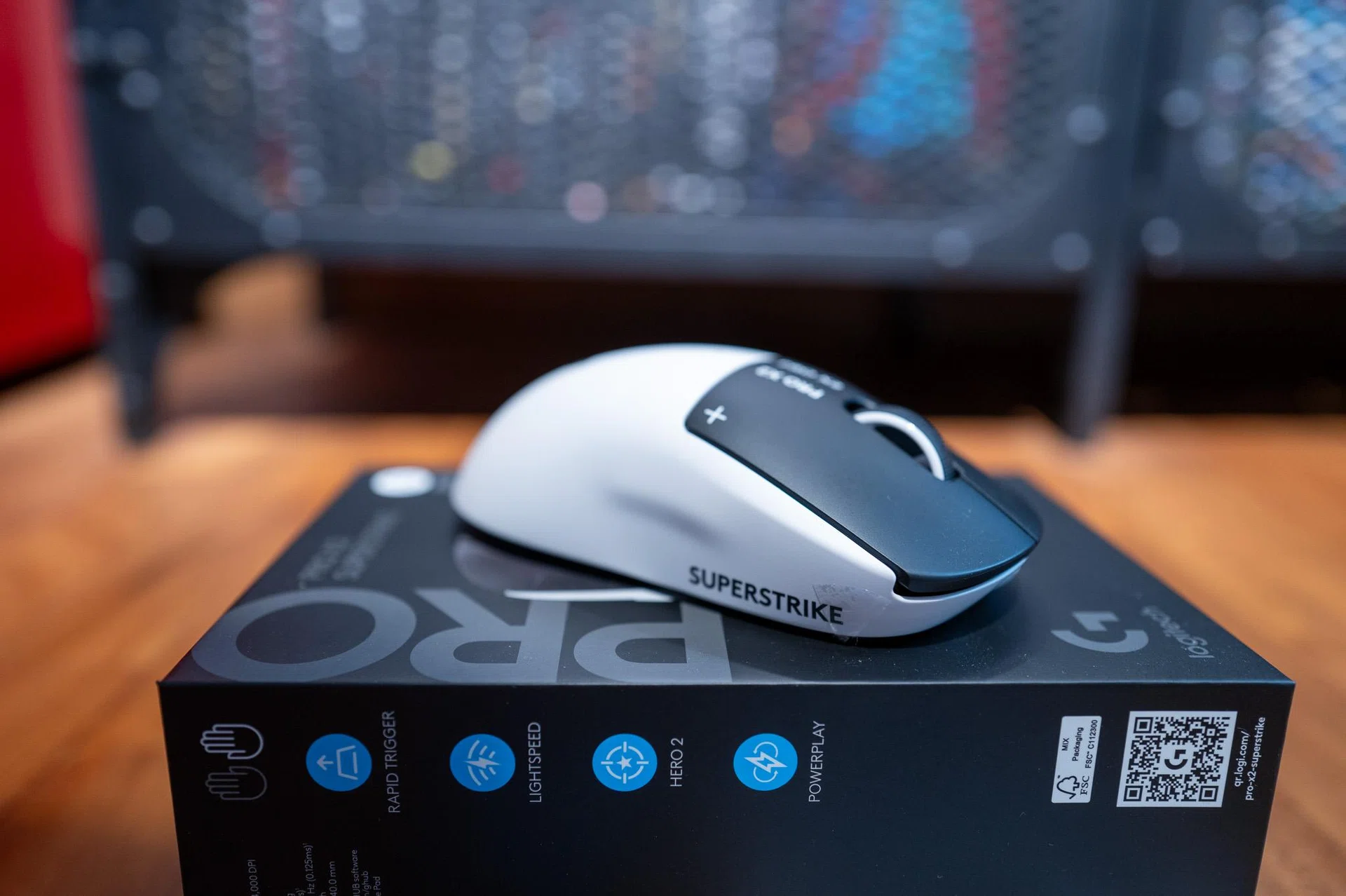
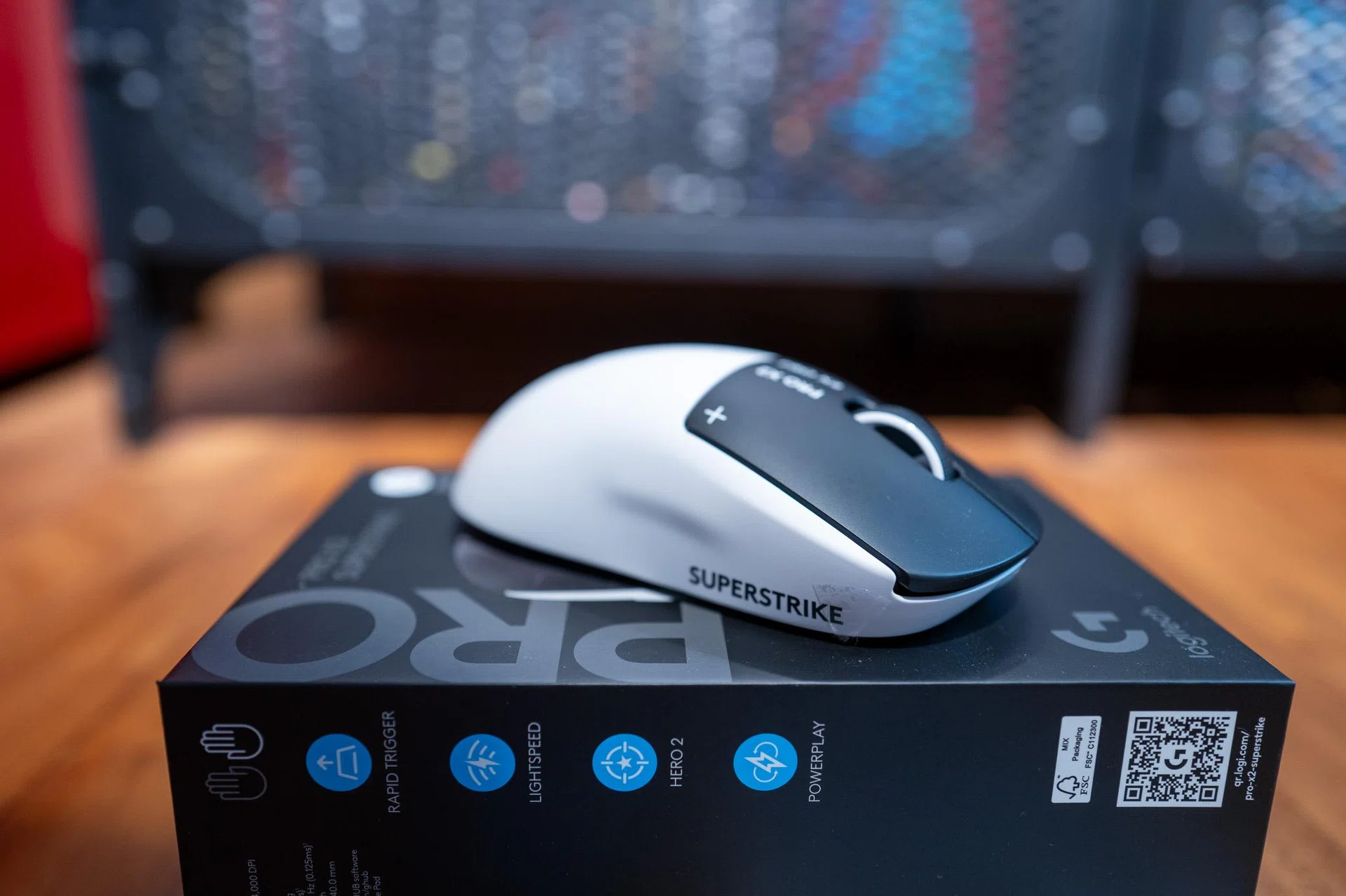
Superstrike aesthetics

The black and white aesthetics with markings make the Superstrike stands out.

Photo: HWZ

If you’ve used any of Logitech’s Pro mice before, the Superstrike is going to feel very familiar the moment you lay your hand on it. It’s got a very similar symmetrical shape, same safe contours, and nothing here that tries to force you into a specific grip style.

Perhaps the most striking change of the Superstrike is its colourway. The matte white shell paired with black primary buttons and darker markings certainly made it stands out against a backdrop of all-white or black mice that we are used to. Personally, I really do love the new style.
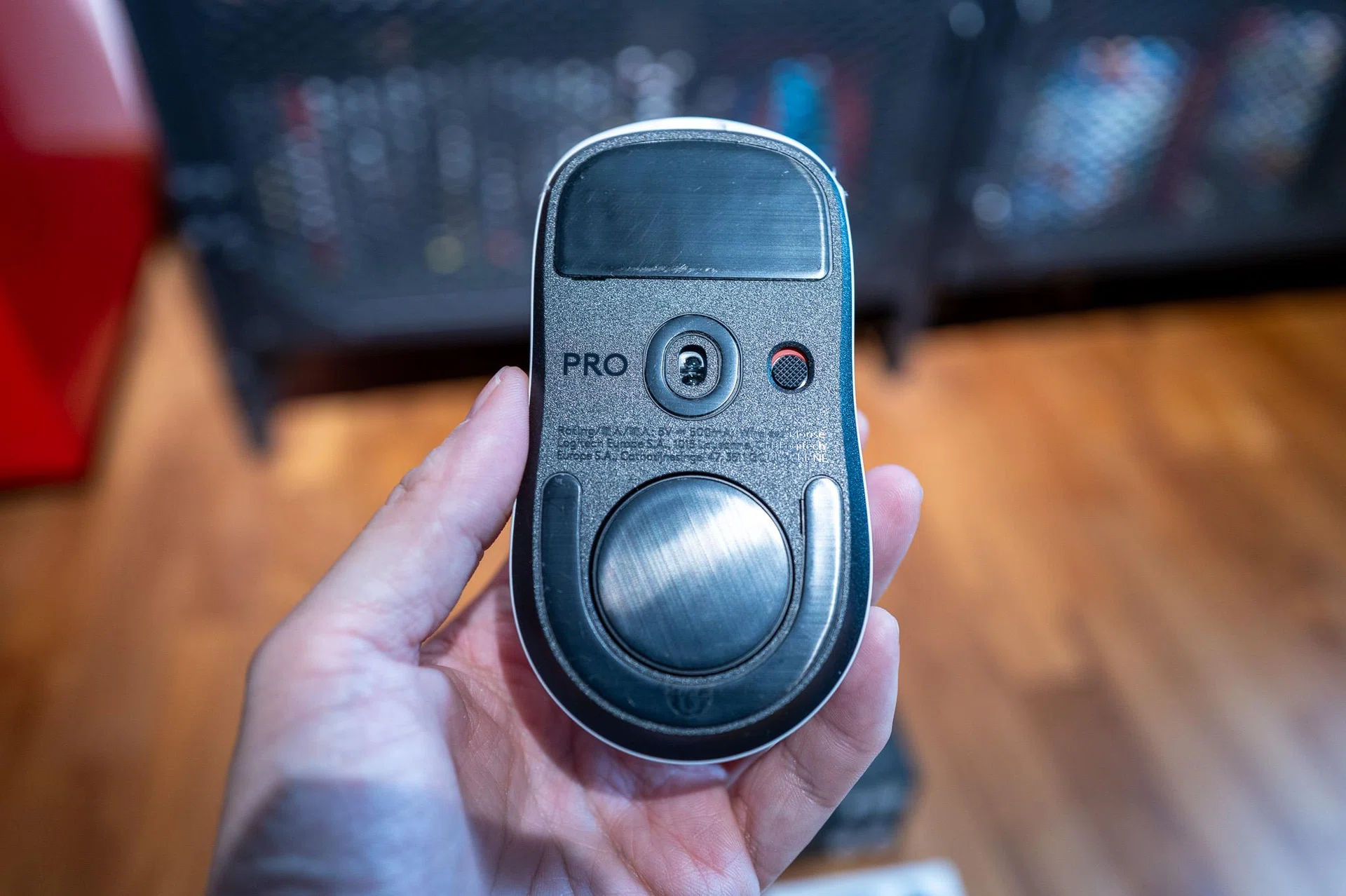
Superstrike mouse skates

Here’s a look at the Superstrike’s mouse skates.
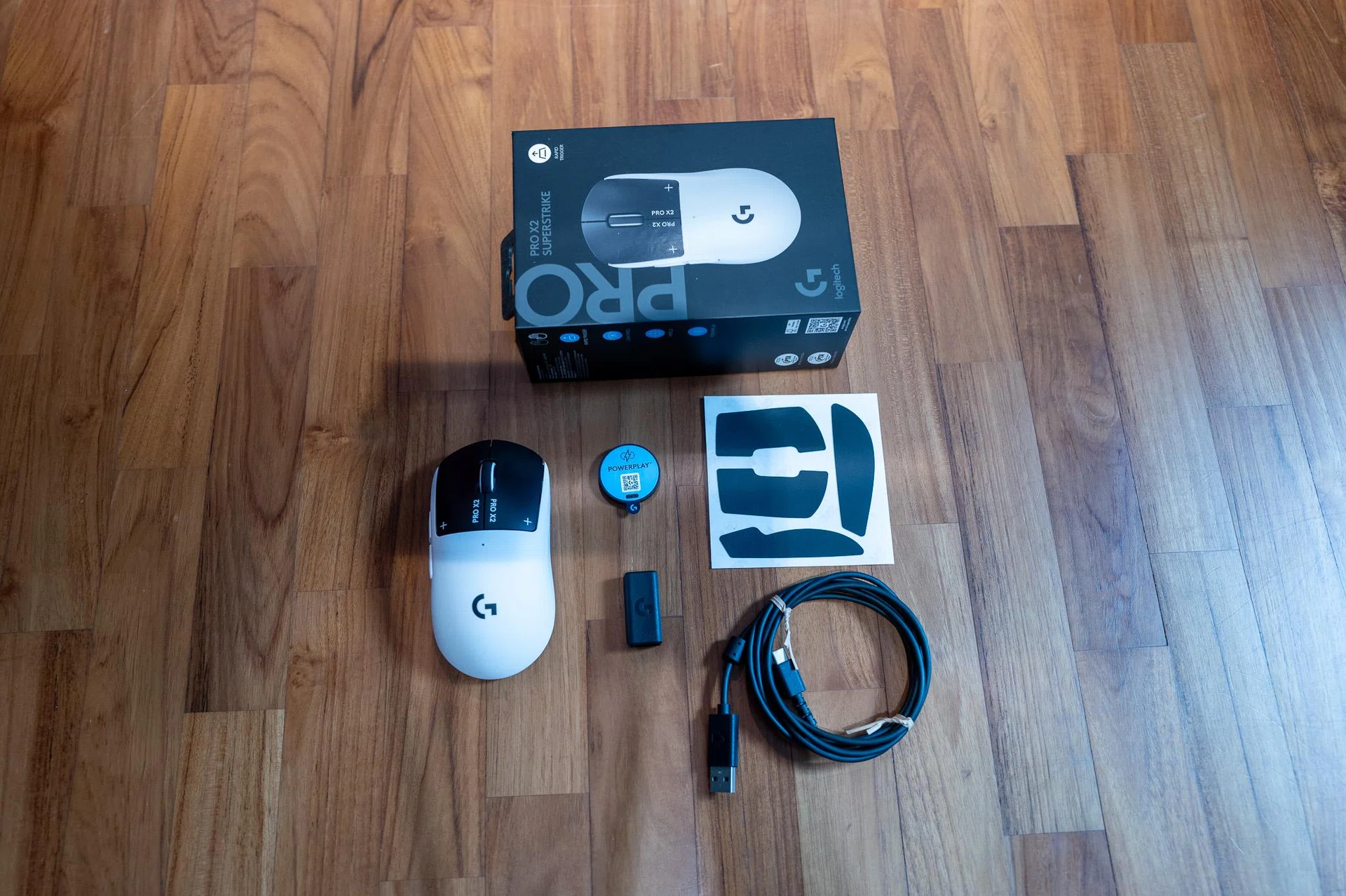
Weight-wise, the mouse sits at 61g, which still puts it comfortably in ultralight territory, but I do feel that it’s a wee bit touch heavier than the Razer Viper V3 Pro. The difference isn’t huge or even noticeable, but I’ve been using the Viper V3 Pro for more than a year now, and I’m very sure it’s not my imagination telling me that the Superstrike feels a bit more planted, a bit more deliberate when you’re making adjustments, whereas the Viper tends to feel lighter on its.

And then there’s the click system, which is really what sets this mouse apart. Logitech’s Haptic Inductive Trigger System (HITS) replaces the usual mechanical or optical switches with something that’s closer to a sensor-based trigger, with haptic feedback simulating the click. It’s really quite an interesting feature, especially when you’re so used to mice with “traditional” buttons.

HITS is a game-changer

Superstrike and Powerplay wireless charging

The Superstrike supports Logitech’s Powerplay wireless charging technology too.

Photo: HWZ

Under the hood, the Superstrike sports Logitech’s HERO 2 sensor with support for up to 44,000dpi and polling rates that go up to 8,000Hz. Unless you’re a hardcore gamer or esports pro-level player, you’re not likely to push anywhere near those limits in day-to-day use. For context, I set the mouse to 1,600dpi at 1,000Hz by default via the Logitech G Hub software and occasionally bumped it up to 4,000Hz when gaming, and in something like Counter-Strike 2 or Valorant, I couldn’t say it translated into anything meaningfully different in how the mouse felt.

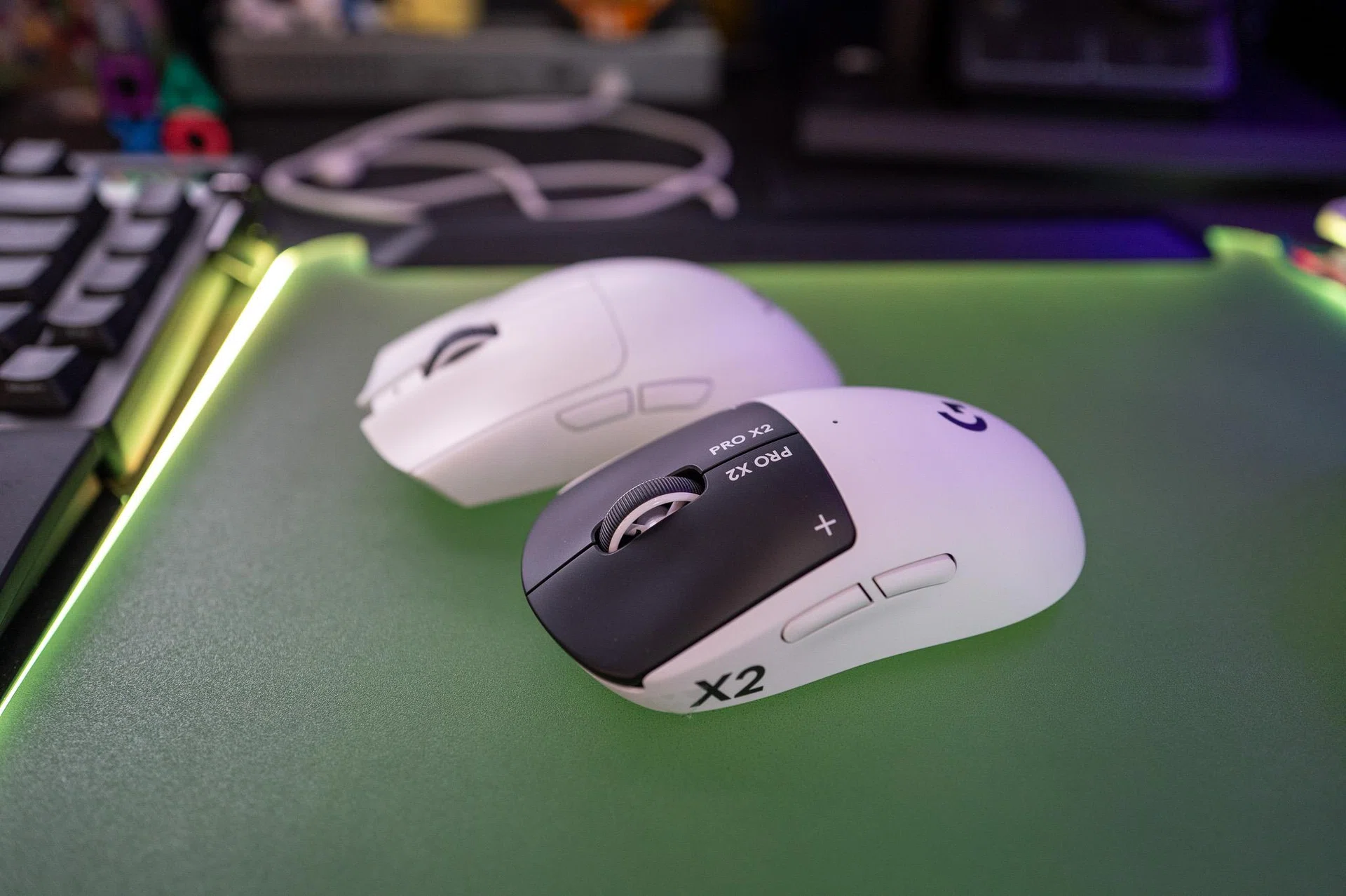
And that’s kind of how the Superstrike compares to the Viper V3 Pro – both are peak gaming mice where sensor performance and latency aren’t really the deciding factors anymore. In both CS2 and Valorant, tracking feels just as reliable, flicks land the way you expect them to, and micro-adjustments feel consistent. This isn’t quite a head-on comparison, but I can say for certain there isn’t a game here where one clearly outperforms the other in raw input performance – despite the Viper V3 Pro sporting a lower 35,000dpi.

Superstrike and Viper V3 Pro

The Superstrike ranks highly up the list alongside the Razer V3 Pro that I’ve been using as my daily driver.

Photo: HWZ

Where the Superstrike starts to feel very different is with its HITS buttons. For instance, in Counter-Strike 2, where I was tapping for single shots or controlled bursts, the click behaviour still feels close enough to a traditional mouse. It’s only after a few rounds, and especially after I start tweaking settings, that I begin to notice how much quicker each click can register. The Superstrike’s adjustable actuation and reduced pre-travel can give it a small edge in click latency, but we’re talking about differences that are measurable rather than something you might immediately feel in a match game.

Where I found it a bit more noticeable was in faster, more repetitive actions, like when spamming semi-auto weapons or making quick follow-up shots. Lowering the actuation point and tightening the reset does make rapid clicks feel a bit more immediate. It’s subtle, but it’s there, especially over longer sessions once you’ve dialled it in properly.

For endurance, Logitech says the Superstrike offers a battery life of up to 90 hours of constant motion, and from my time with it that comes pretty close. I use the mouse on average six to eight hours a day, and the mouse’s low-battery indicator only shows up after a week and a half. That’s a pretty solid hold.

Final thoughts

Logitech G Pro X2 Superstrike 2026

The Logitech G Pro X2 Superstrike is without one of the best mouse to buy in 2026.

Photo: HWZ

At S$289, the Logitech G Pro X2 Superstrike is not cheap. And I think that’s important to say upfront, because at this price, you’re not expecting the mouse to be just good – you’re expecting “flagship-level” good.

For me, that answer really comes down to Logitech’s innovative HITS system. Not because it might make you perform better in games, but because I do think it can elevate your gaming experience by modifying how you play. Put it in this way; most high-end mice are starting to feel quite similar. You pick one up, and very quickly, you more or less know what you’re getting. The Superstrike doesn’t completely break away from that, but it does switch things up in a slightly different direction. Being able to tweak how the button (or clicks, if you will) behave might sound like a gimmick for some, but it does let you control how early a click fires and how fast it’s ready again, which you start to notice when you’re tapping or making quick follow-up shots.

By now you would have noticed how I keep coming back to shooter games. And that’s really where the Superstrike makes the most sense. In faster-paced titles like Counter-Strike 2, Overwatch, or even Cyberpunk 2077, those small adjustments start to add up a bit. Switch over to something slower and more methodical like the RPGs Baldur’s Gate III or Starfield, and that advantage becomes nullified, in a way. So yes, this is a mouse that leans towards a more specific kind of player – hardcore or esports pro-level gamers who don’t mind spending a bit of time tweaking things to get it just right.

Which also means it’s not going to be for everyone, and that’s fine. I don’t think it’s trying to be.

Because at the end of the day, what Logitech has here is still a very good gaming mouse – just one that happens to do something a little different. And I think that says quite a bit when it’s a mouse I keep going back to, not just to use, but to mess around with. Trying different actuation points, adjusting the feel, seeing what works best depending on what I’m playing…it’s not something I usually bother doing on other mice. And for me that’s the best way to look at the Superstrike right now – it’s not just another flagship, but a mouse that’s interesting enough to keep me coming back to it.

The Logitech G Pro X2 Superstrike is available for $289 at LazadaShopee and Amazon, as well as major offline retailers.

Our articles may contain affiliate links. If you buy through these links, we may earn a small commission.


Read Full Article At Source