Samsung Galaxy S26 Ultra brings back the “smart” in phones

Samsung Galaxy S26 Ultra brings back the “smart” in phones


Samsung launches Galaxy S26 Ultra

After numerous rumours, Samsung has finally unveiled the Galaxy S26 series at its Galaxy Unpacked February 2026 event held in San Francisco, California. Here is the down-low on what’s new with the Samsung Galaxy S26 Ultra, and our first impressions of Samsung’s self-proclaimed “AI Phone”.
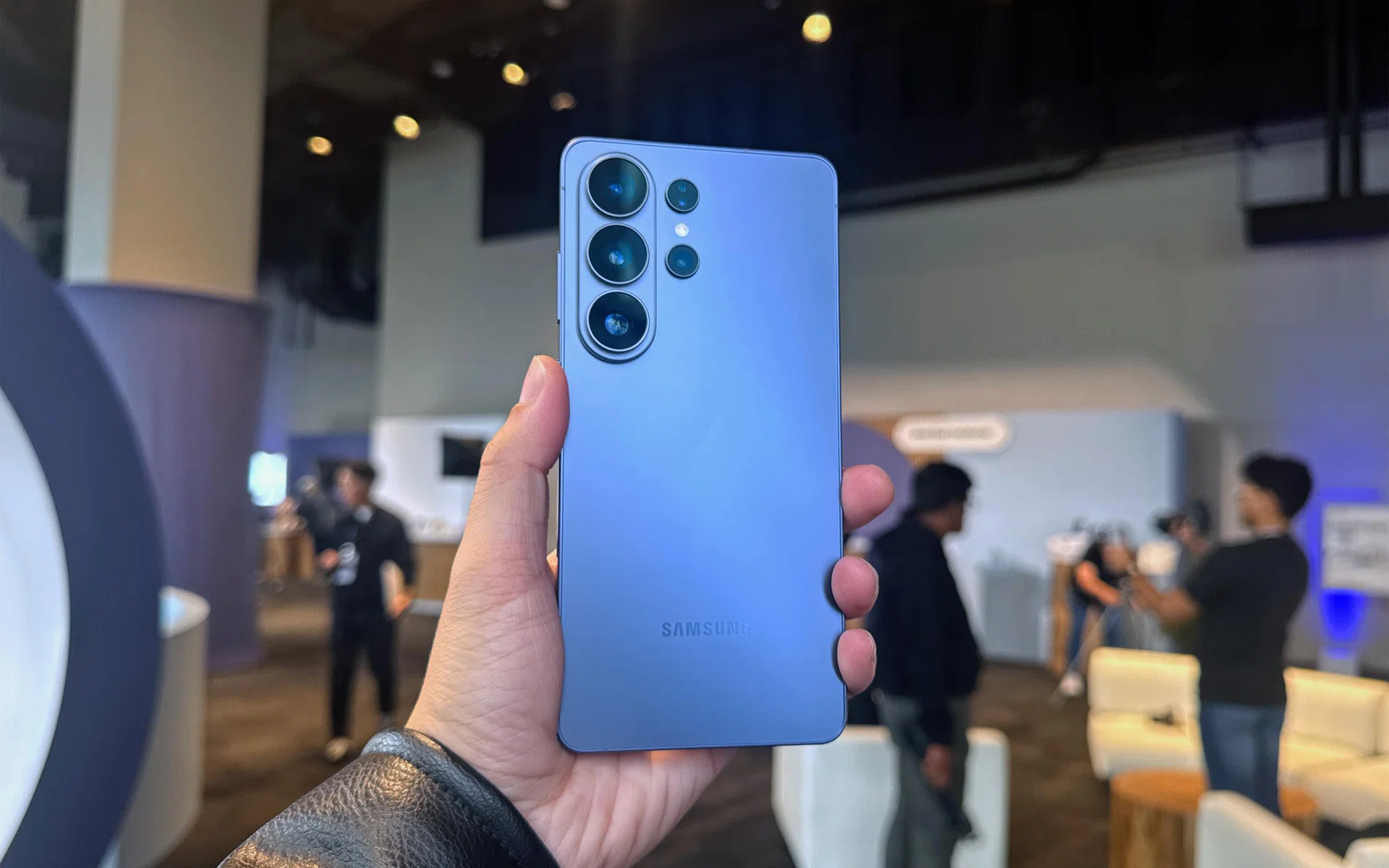
Samsung Galaxy S26 Ultra

Samsung Galaxy S26 Ultra in its new Cobalt Violet colour variant.

Photo: HWZ

In an age where leading flagship smartphones are implementing generative AI tools to stay ahead of the pack, Samsung has decided it’s in the best position to create a truly effortless AI-powered handset that delivers results with a minimal AI learning curve.

With the Galaxy S26 Series, we focused on making AI feel effortless by designing it to complete tasks naturally, working quietly in the background so people can focus on what matters.

TM Roh, Chief Executive Officer, President, and Head of Device eXperience (DX) Division at Samsung Electronics

We’re quite inclined to believe Samsung has what it takes. After all, we were impressed enough on its first round to hand it our Innovation Award. The Galaxy S26 series is the third generation of Samsung’s flagship handsets with Galaxy AI, and it has started to distil what it thinks users want the most. For the Ultra model, as it also gets several hardware upgrades to be worth its weight in gold.

  1. 1. Samsung launches Galaxy S26 Ultra
  2. 2. Still the most powerful Galaxy S in hand
  3. 3. Bigger apertures for the Main Camera and Telephoto
  4. 4. Tripling down on Galaxy AI with Bixby, Gemini, and Perplexity
  5. 5. Better privacy in the digital and real world
  6. 6. Samsung Galaxy S26 Ultra Singapore pricing and availability

Still the most powerful Galaxy S in hand

Samsung Galaxy S26 Ultra

Samsung Galaxy S26 Ultra.

Photo: HWZ

Samsung Galaxy S26 Ultra has a customised “for Galaxy” variant of the Qualcomm Snapdragon 8 Elite Gen 5 processor. Generational gains include CPU performance increases of up to 19%, 39% improved NPU performance, and 24% increased GPU performance. The holy trinity of modern Android processing cuts across general and AI tasks, as well as improved graphics rendering and gameplay.
Samsung Galaxy S26 Ultra

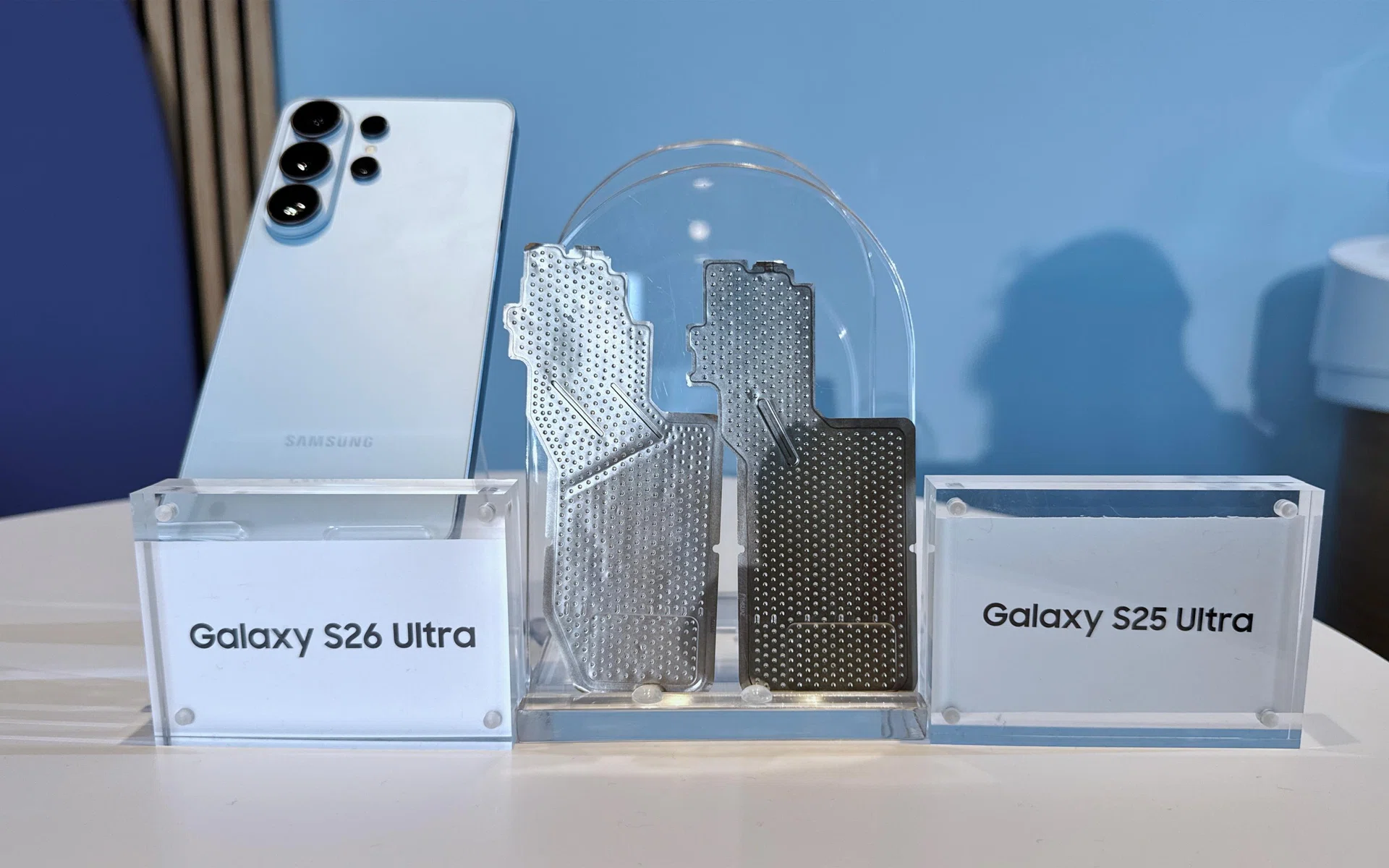
Samsung Galaxy S26 Ultra’s vapour chamber comparison.

Photo: HWZ

Specific to the Galaxy S26 Ultra is a redesigned vapour chamber with its thermal interface material placed along the sides to better spread heat. Also new is the increase in wired and wireless charging rates, now at Super-Fast Charging 3.0 (60W) for wired and Qi2.2 (25W) for wireless. It’s been a long time coming, Samsung.

The Ultra and S26+ also get ProScaler, which offers photo and video image scaling, text sharpening and texture smoothening. It’s paired with Samsung’s own Digital Natural Image Engine (mDNIe) to ensure these boosts are as life-like as possible, with up to 4x the colour precision versus its previous mDNIe. According to Samsung, it supports scaling of up to QHD+ quality, but it’s dependent on the screen resolution settings.

Bigger apertures for the Main Camera and Telephoto
Samsung Galaxy S26 Ultra

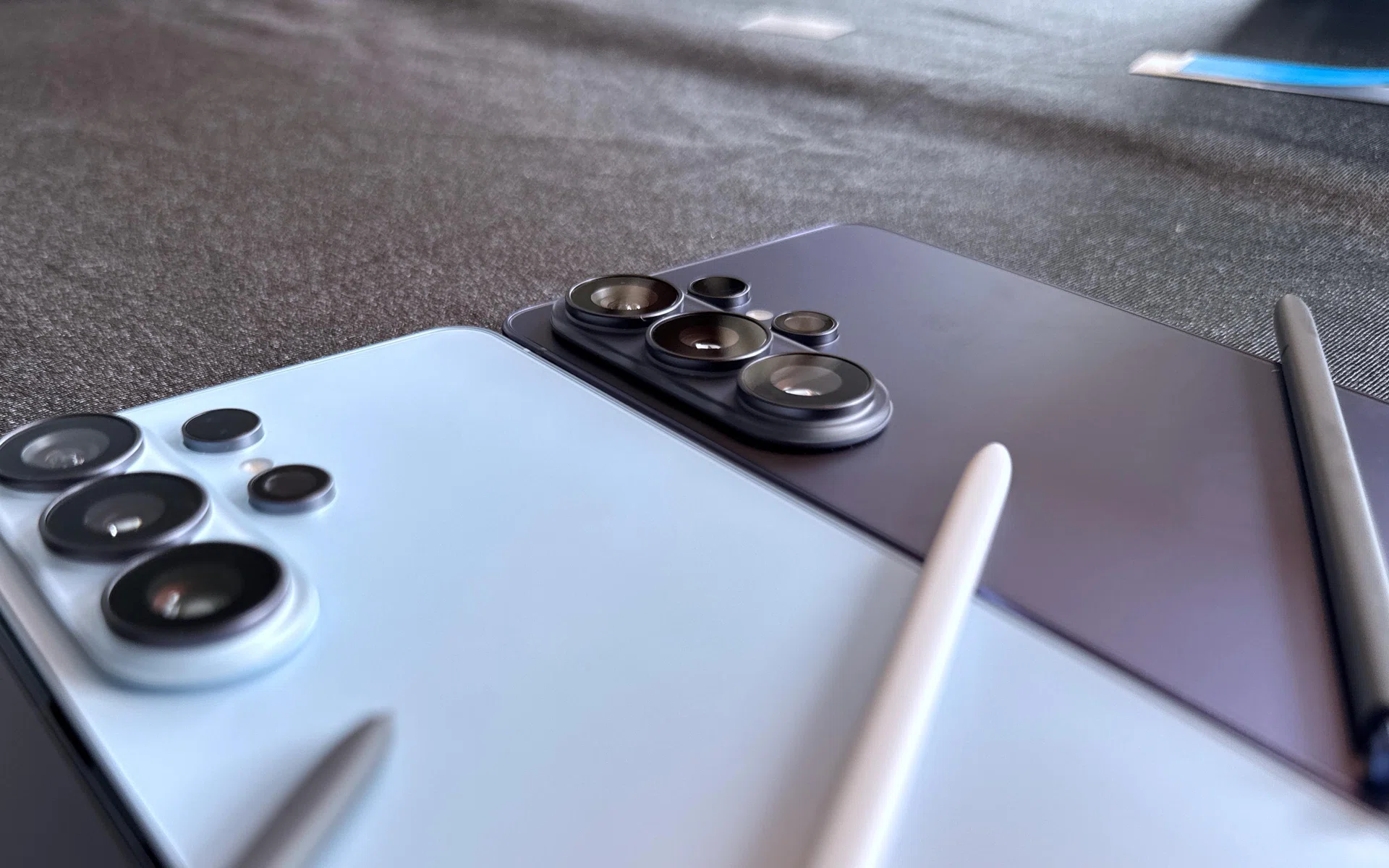
Samsung Galaxy S26 Ultra rear cameras.

Photo: HWZ

The Galaxy S26 Ultra now has wider camera apertures for its 200MP main camera and 50MP telephoto camera than its predcessor.

The main camera now sits at f/1.4, while the telephoto with 5x optical zoom now has f/2.9. The greater apertures led to Samsung saying that the S26 Ultra’s main camera can capture up to 47% more light, while the 50MP telephoto can capture up to 37% more.
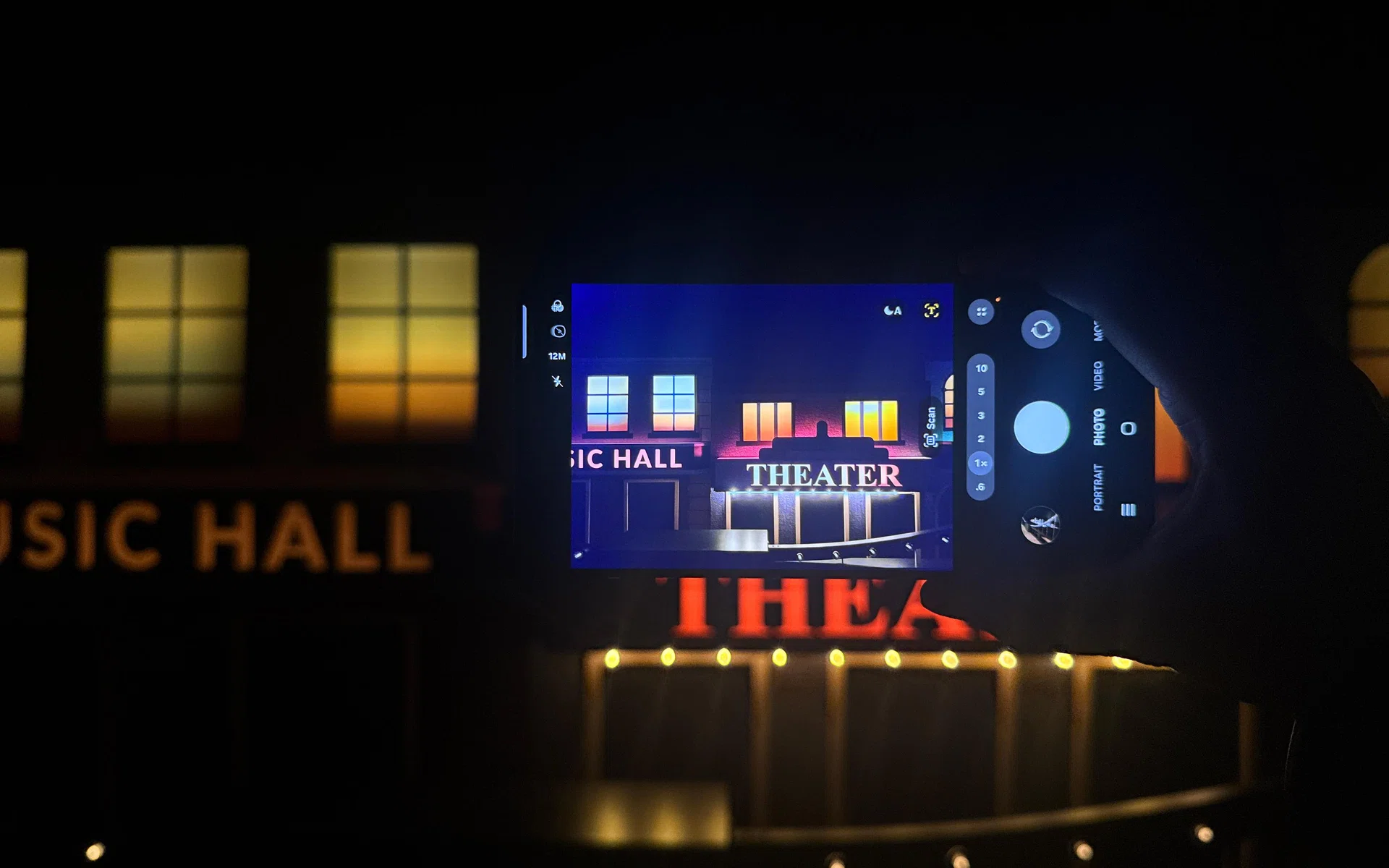
Samsung Galaxy S26 Ultra

Nightography on the Samsung Galaxy S26 Ultra.
Samsung added that the bigger apertures help to improve Nightography photos by allowing more light in.

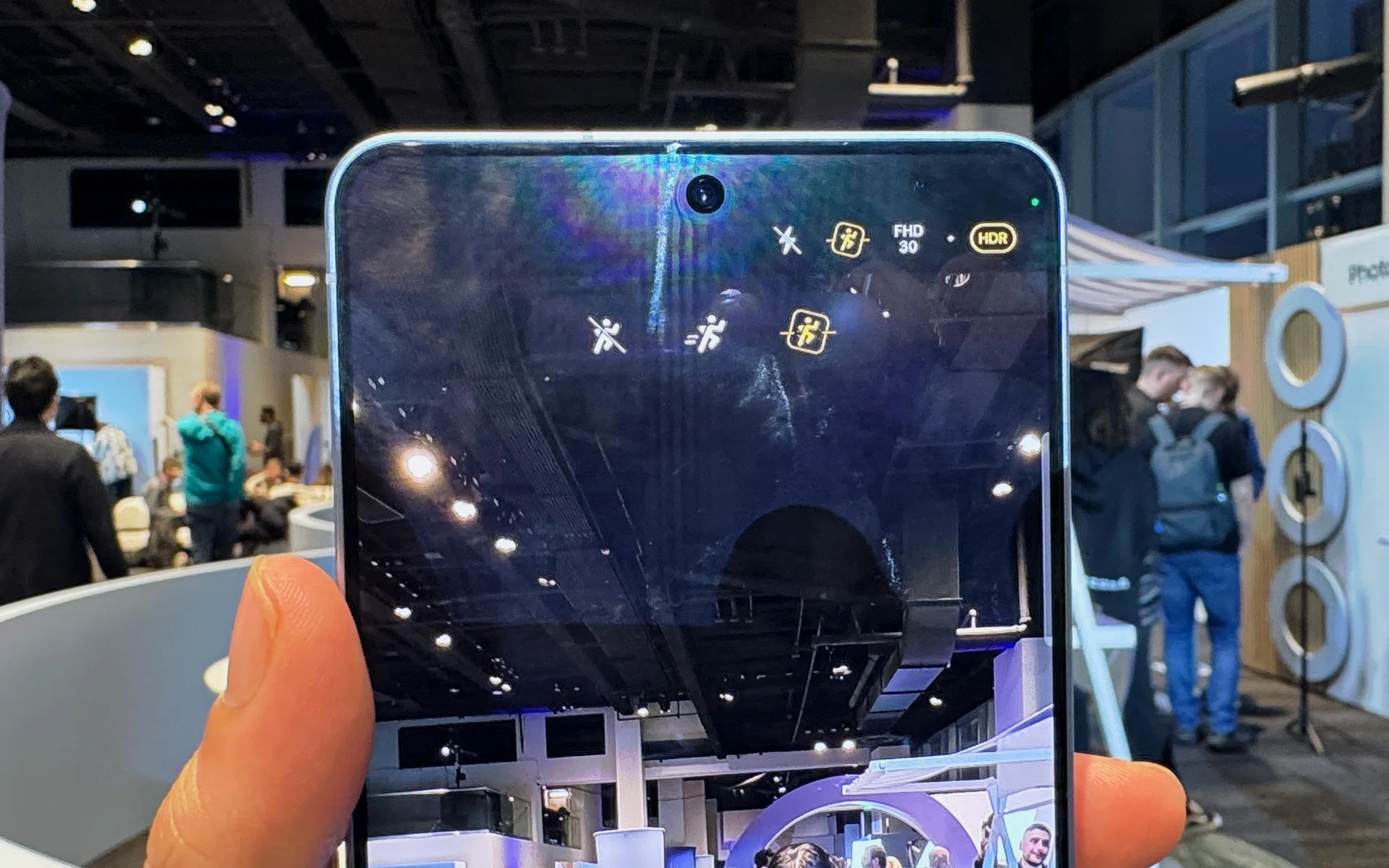
Video recording also got several boosts like enhanced Super Steady. The most notable, however, is horizontal lock. This feature locks the framing to ensure the videos are correctly oriented, no matter how fast paced or jerky the scene gets.

Samsung Galaxy S26 Ultra

Horizontal Lock (yellow icon) on Samsung Galaxy S26 Ultra

Photo: HWZ

The other rear cameras (50MP ultrawide at f/1.9, 10MP telephoto with 3x optical zoom at f/2.4), stays the same as before.

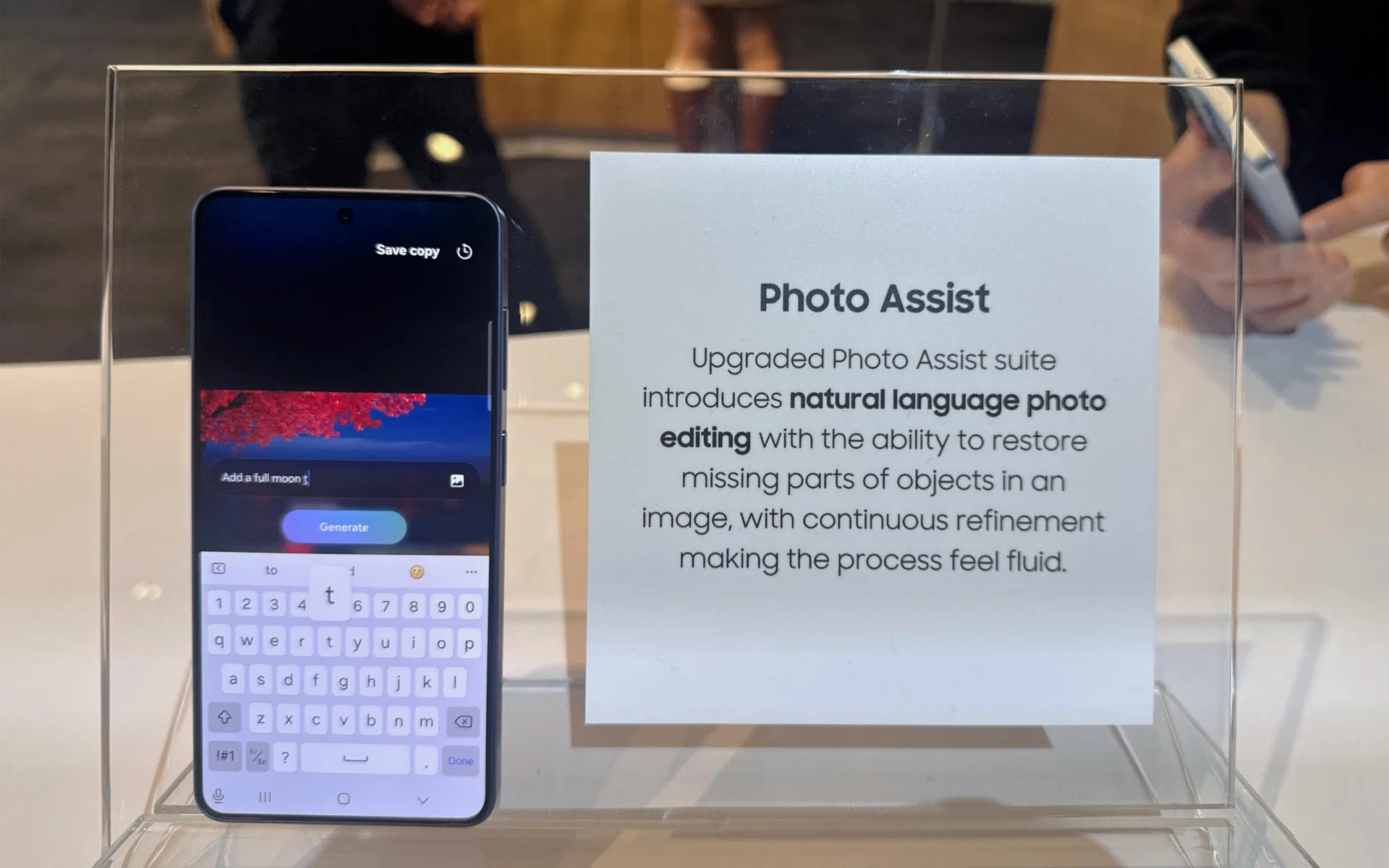
Samsung Galaxy S26 Ultra

Photo Assist sample of text prompting.

Photo: HWZ

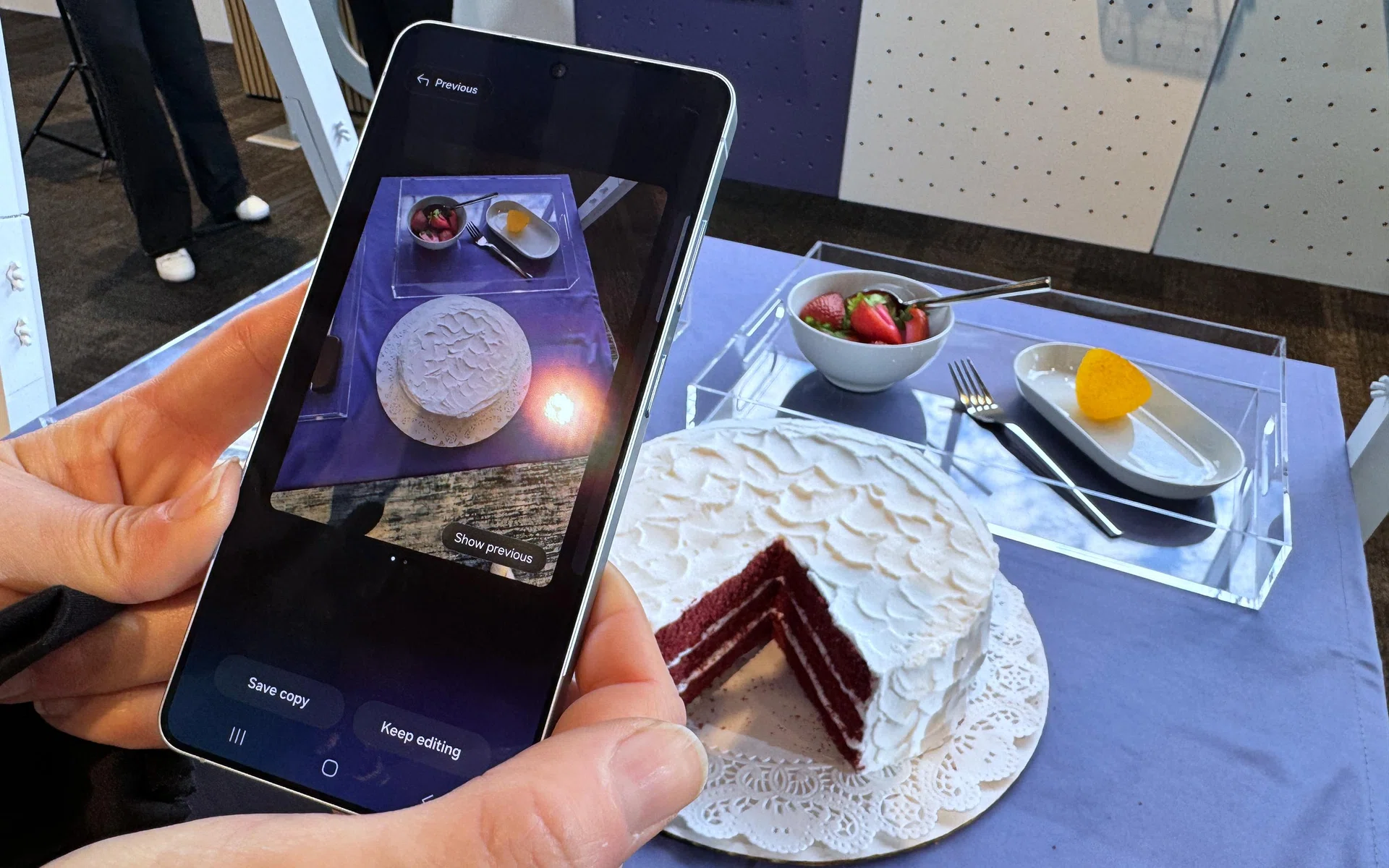
Samsung Galaxy S26 Ultra

Generative editing after using text to instruct Galaxy AI.

Photo: HWZ

For photo editing, Photo Assist now supports text prompts, so you can edit photos by inputting your own words. You can also remove clothing stains or even change outfits of your subjects by typing it out to Galaxy AI in the Gallery app’s editing menu.

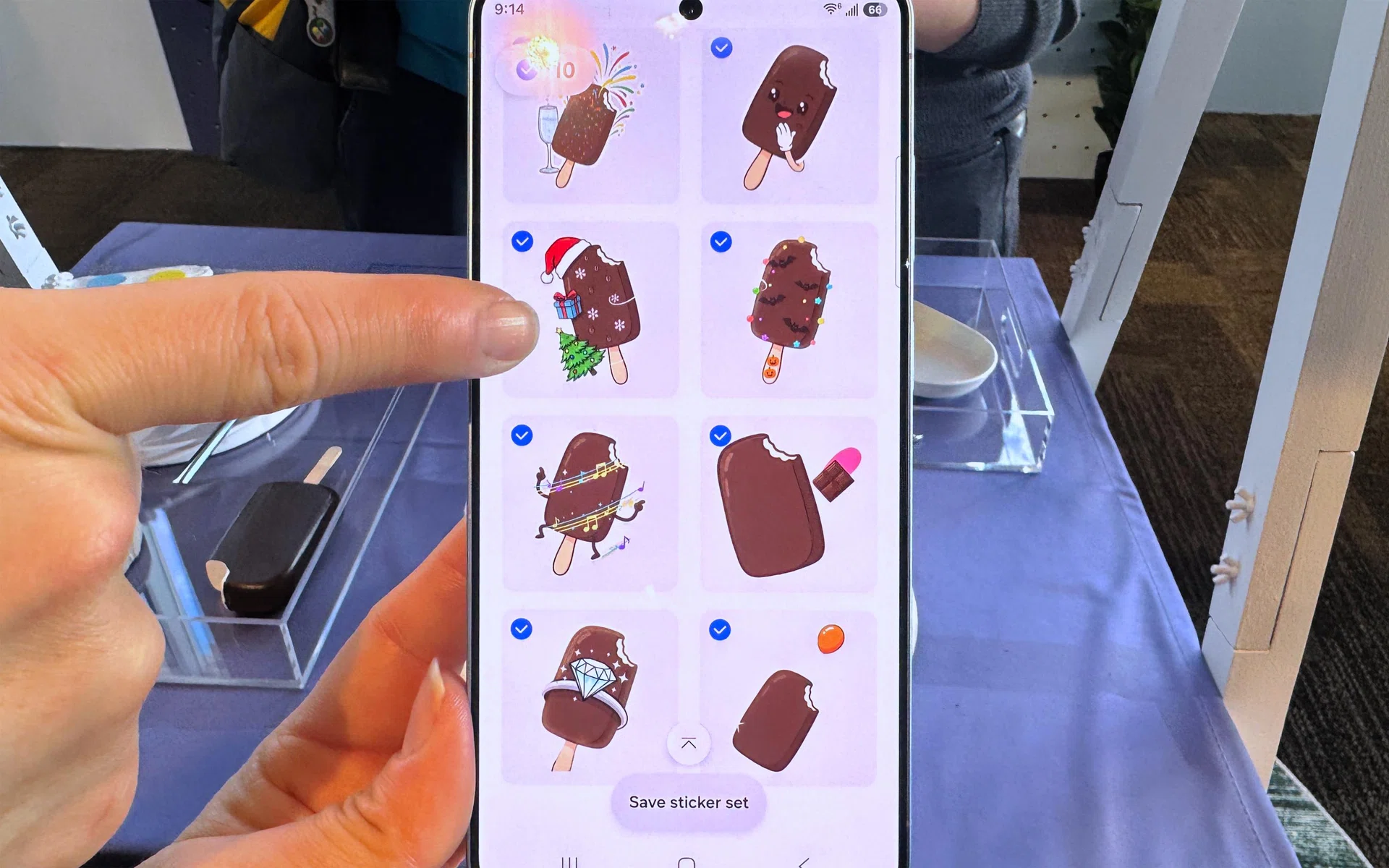
Samsung Galaxy S26 Ultra

Creative Studio sticker creation using real world objects.

Photo: HWZ

Creative Studio also received some nifty upgrades, such as the ability to turn photos you’ve taken into stickers with a few taps. They are also more cohesive than before, so sketches and photos or prompts can kickstart Creative Studio’s generative capabilities.

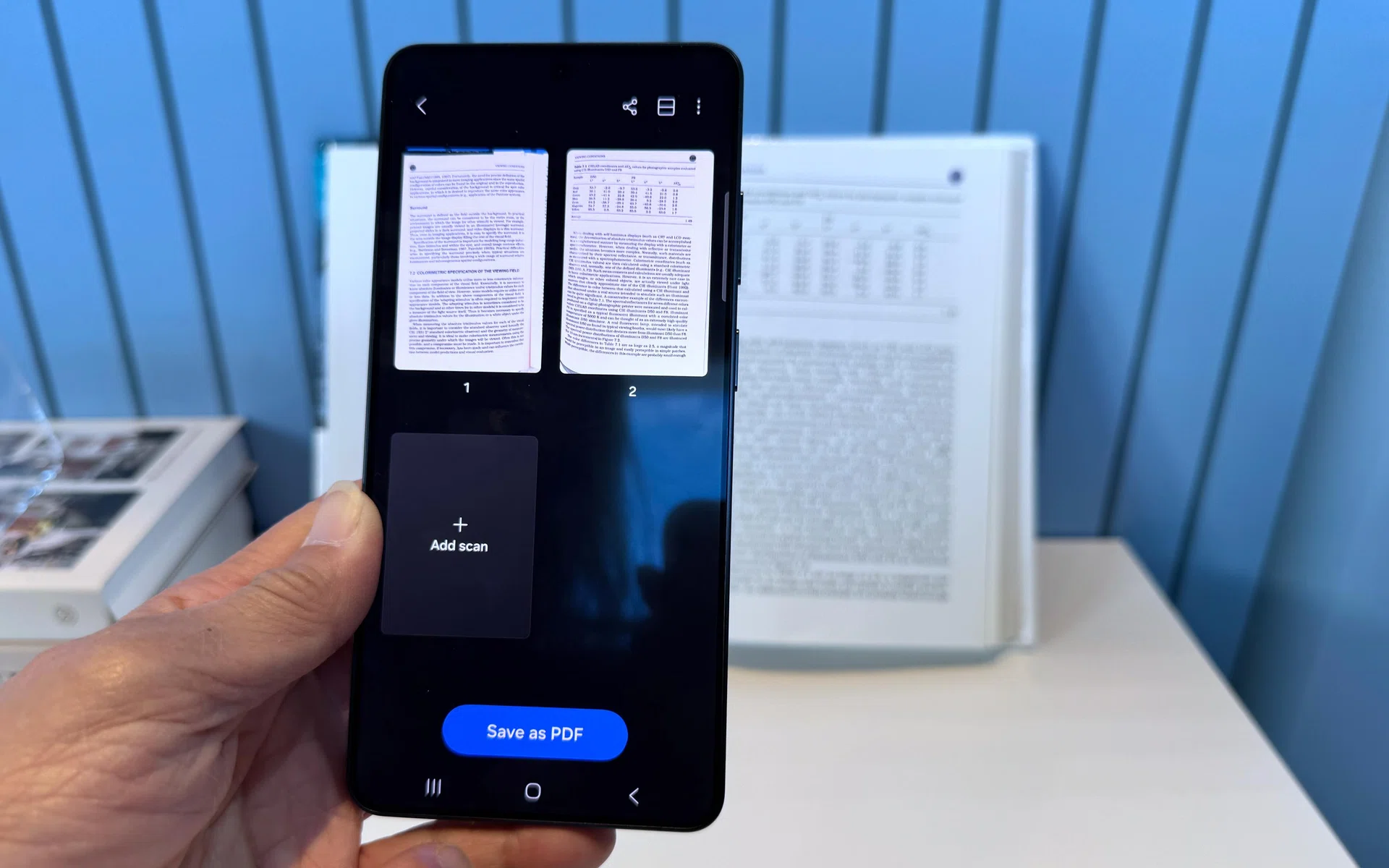
Samsung Galaxy S26 Ultra

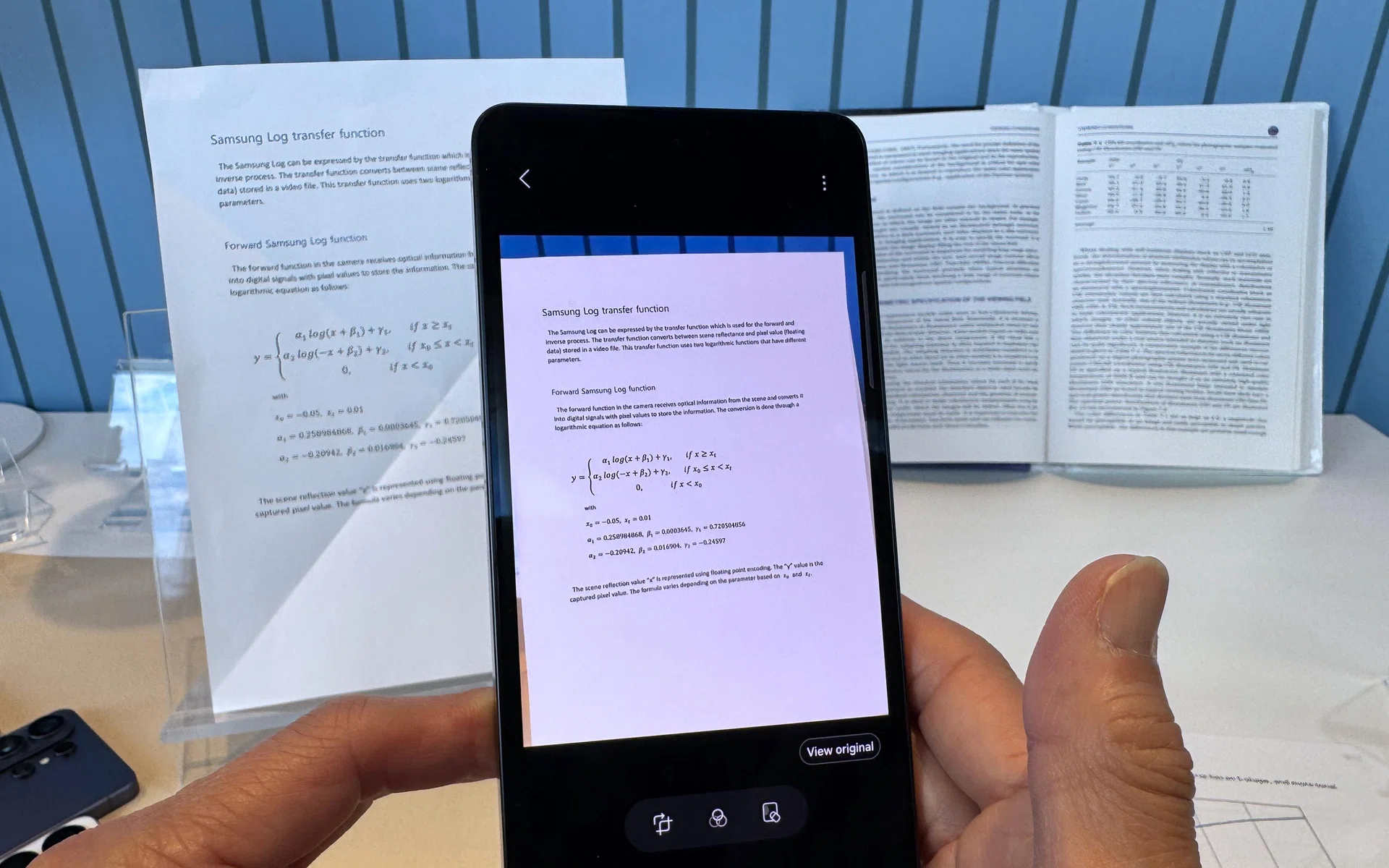
Document Scan on Galaxy AI.

Photo: HWZ

One long-overdue feature for Galaxy phones is Document Scan. The phone uses Galaxy AI to remove distortions from your receipts and paperwork, creating digital versions for record keeping.

Samsung Galaxy S26 Ultra

Crease removal in Document Scan.

Photo: HWZ

According to Samsung, it can eliminate creases, dog-ear pages, and even fingers in the shot. The most useful feature, however, is that Document Scan will ask if you want to combine multiple scans as a single PDF before hitting the save button.

For professional creators, the selfie camera now captures more natural skin tones, and the Ultra gets the support for APV codec, providing visually lossless quality that keeps its integrity with repeated editing.

Tripling down on Galaxy AI with Bixby, Gemini, and Perplexity

Much of Samsung’s approach to Galaxy AI is to make AI processes seem invisible in daily use, and it has done so by including multiple AI agents (Bixby, Gemini, Perplexity) to offer greater consumer choices and handle different aspects of AI use. Below are some examples.

Samsung Galaxy S26 Ultra

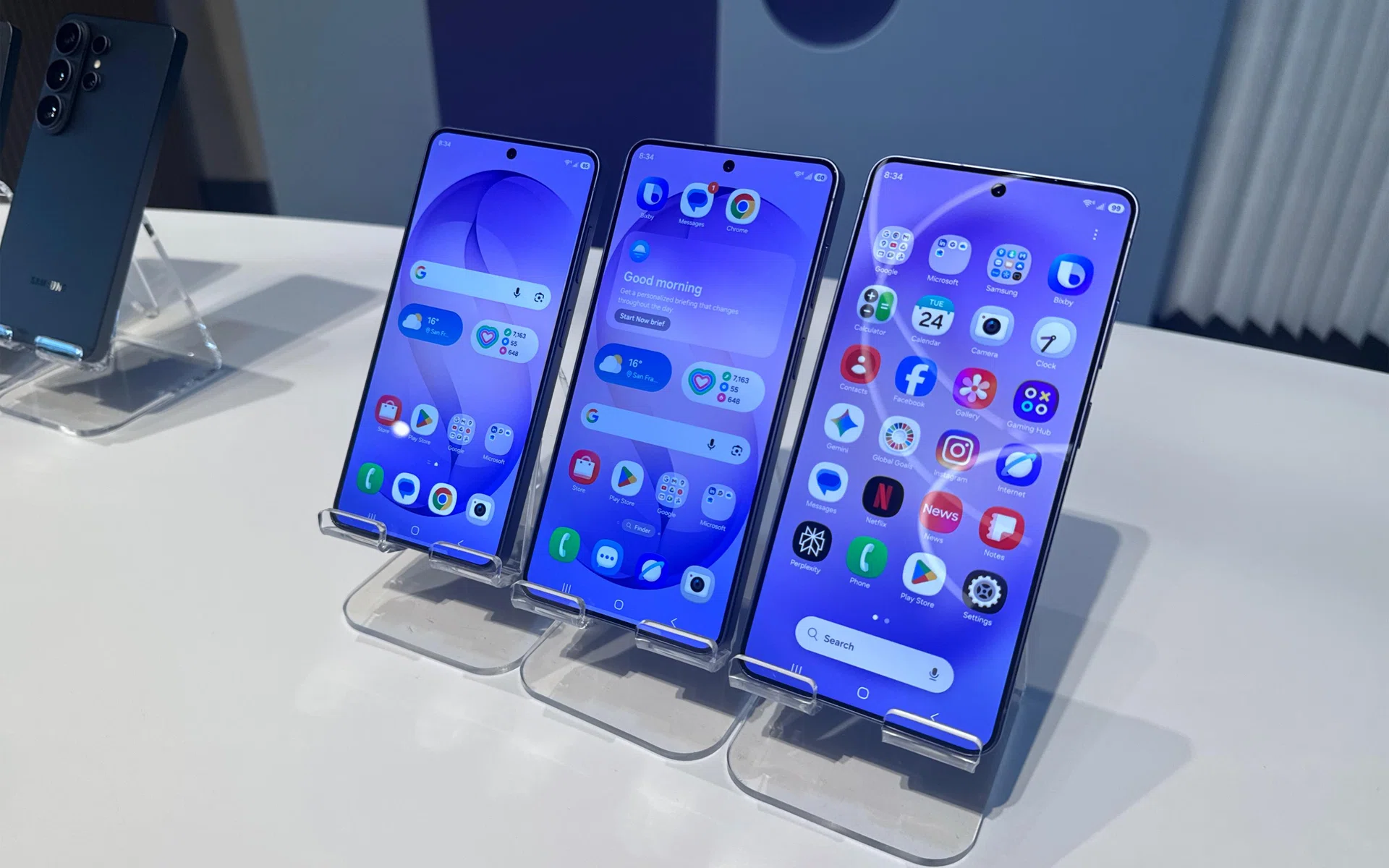
L to R: Samsung Galaxy S26, S26+, and S26 Ultra, front.

Photo: HWZ

Now Nudge can now recognise context (with your consent) across notifications or messages that stream in. For instance, getting messages about a meeting will prompt Now Nudge to check the Calendar app for any scheduling conflicts, or messages about a recent outing between friends would pull out relevant photos from the trip.

Now Brief is also able to recommend playlists and surface reminders for contextually important events.

Circle To Search is no longer limited to searching one item in the circled area. It can explore multiple parts of a image, like individual accessories and clothing pieces of an entire outfit.

Samsung Galaxy S26 Ultra

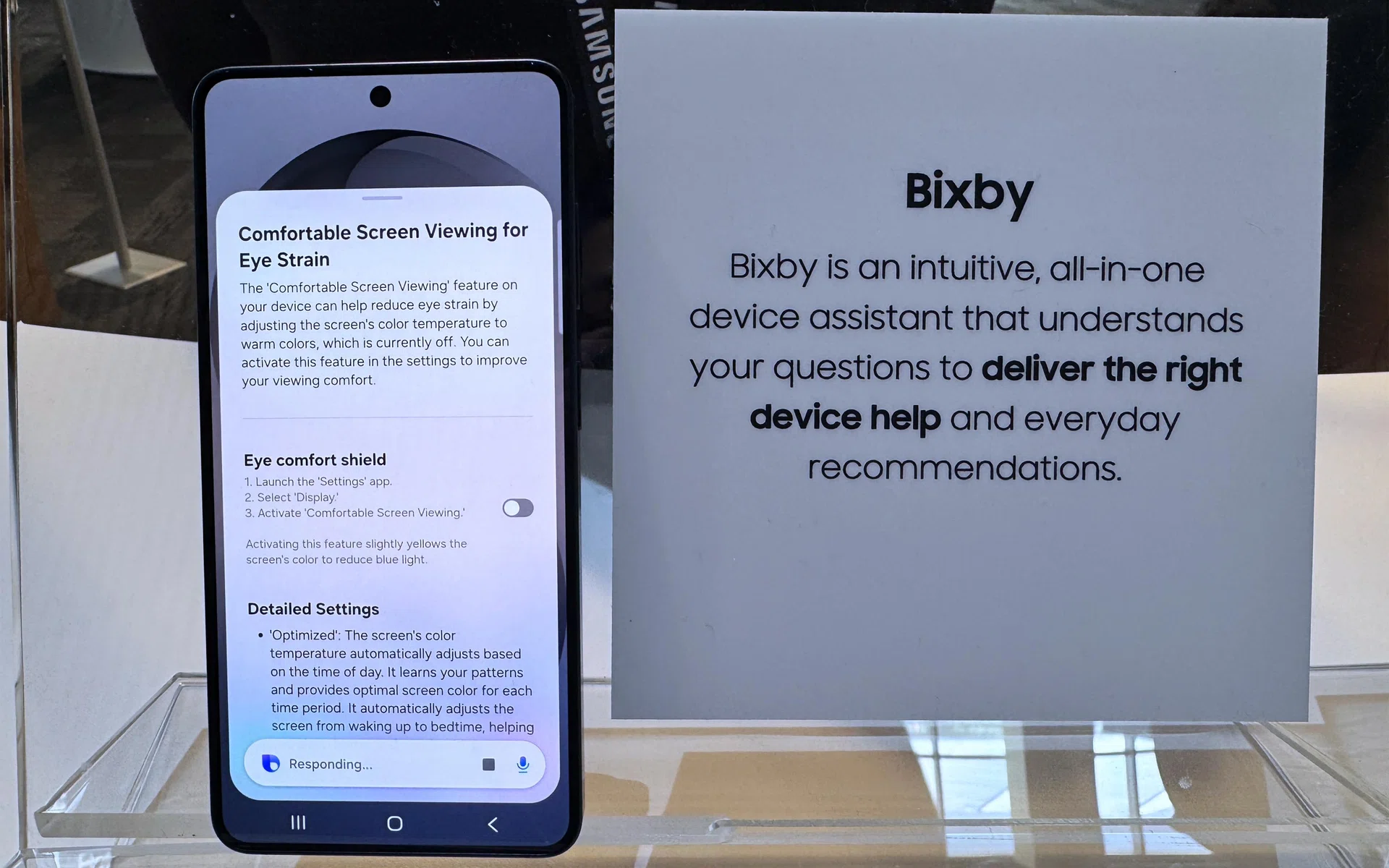
Bixby’s upgrade.

Photo: HWZ

Bixby, Samsung’s little assistant, can now guide users through navigation and changing of device settings, and it’s also improved at recognising natural language.

Samsung’s device search, Finder, also received upgrades to include details like flight tickets, calendar listings, messages, images, and upcoming meetings.

Google’s Gemini AI agent now has to share a room with Perplexity. While neither AI agent has direct access to the device itself, it can still read your S26 Ultra’s screen to execute multi-step tasks running in the background (with your permission).

Better privacy in the digital and real world

Helping to ensure that data stays private despite the added agentic help is an improved Personal Data Engine, which keeps personal details secure while being transparent on what apps or agents are using personal information, and how.

In the real world comes Privacy Display. Unique to the Galaxy S26 Ultra, Privacy Display can be enabled or disabled through the Quick Settings menu. It has pixel-level dimming to limit the viewing angles of busybodies hovering near you during your commute or in public. Samsung also shared previously that this feature was five years in the making.

Privacy Display also offers Partial Screen Privacy, which customises dimming to work with specific apps or notifications rather than affecting the whole panel.

Samsung Galaxy S26 Ultra

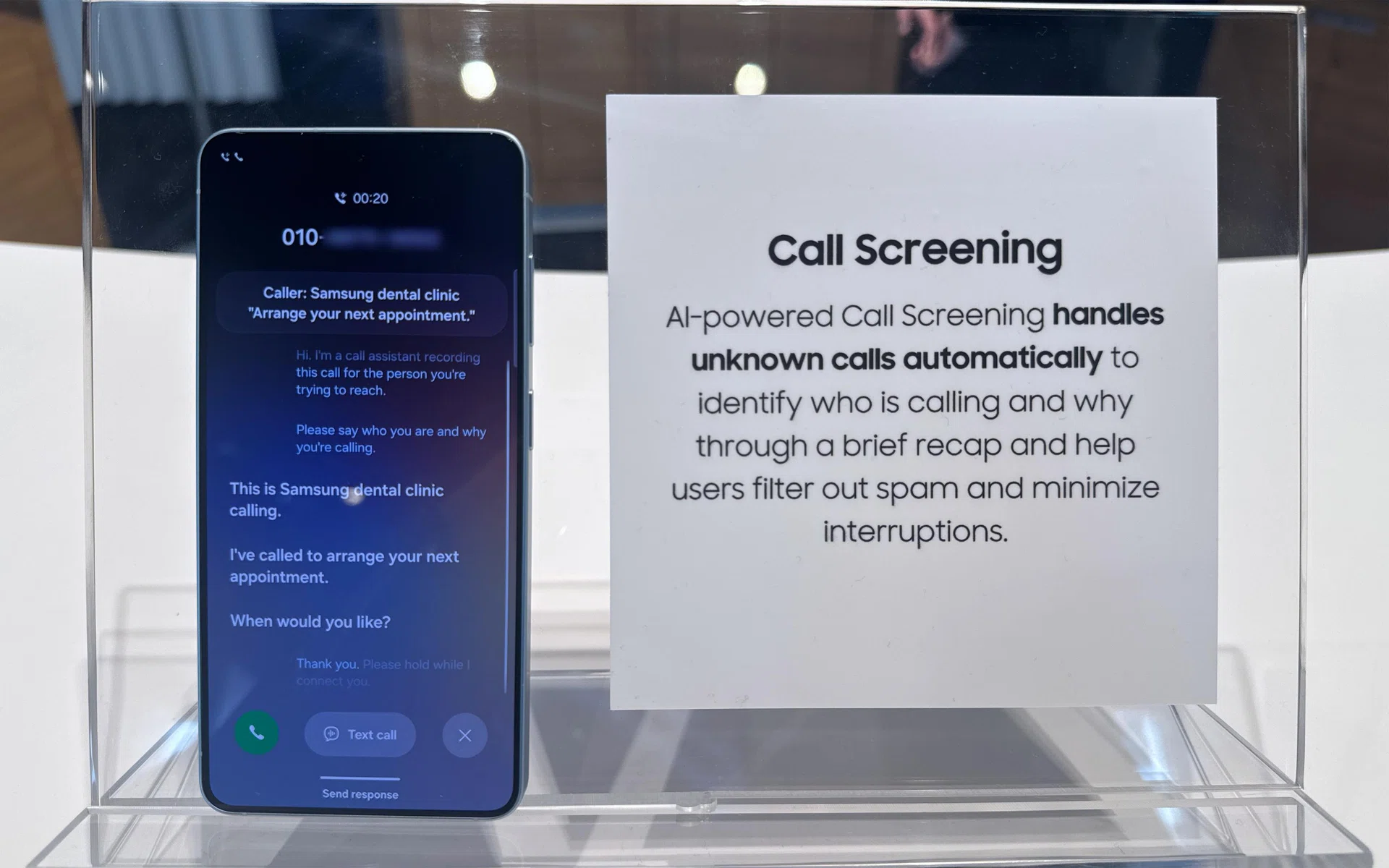
Call Screening for transcribed calls before answering.

Photo: HWZ

Call Screening now incorporates the best of Galaxy AI’s transcription abilities with a virtual assistant that answers calls for you, prompting callers to declare their intentions and showing what they said on the display, before you actually pick up to engage.

In the Samsung Knox space, Private Albums are now available without a separate folder or a Samsung Account. Critical system processes, including eSIM migration and firmware updates, are further secured with post-quantum cryptography (PQC), with additional Privacy Alerts to inform users of any unusual device admin privileges used (location data, call logs, and more).

Samsung Galaxy S26 Ultra Singapore pricing and availability

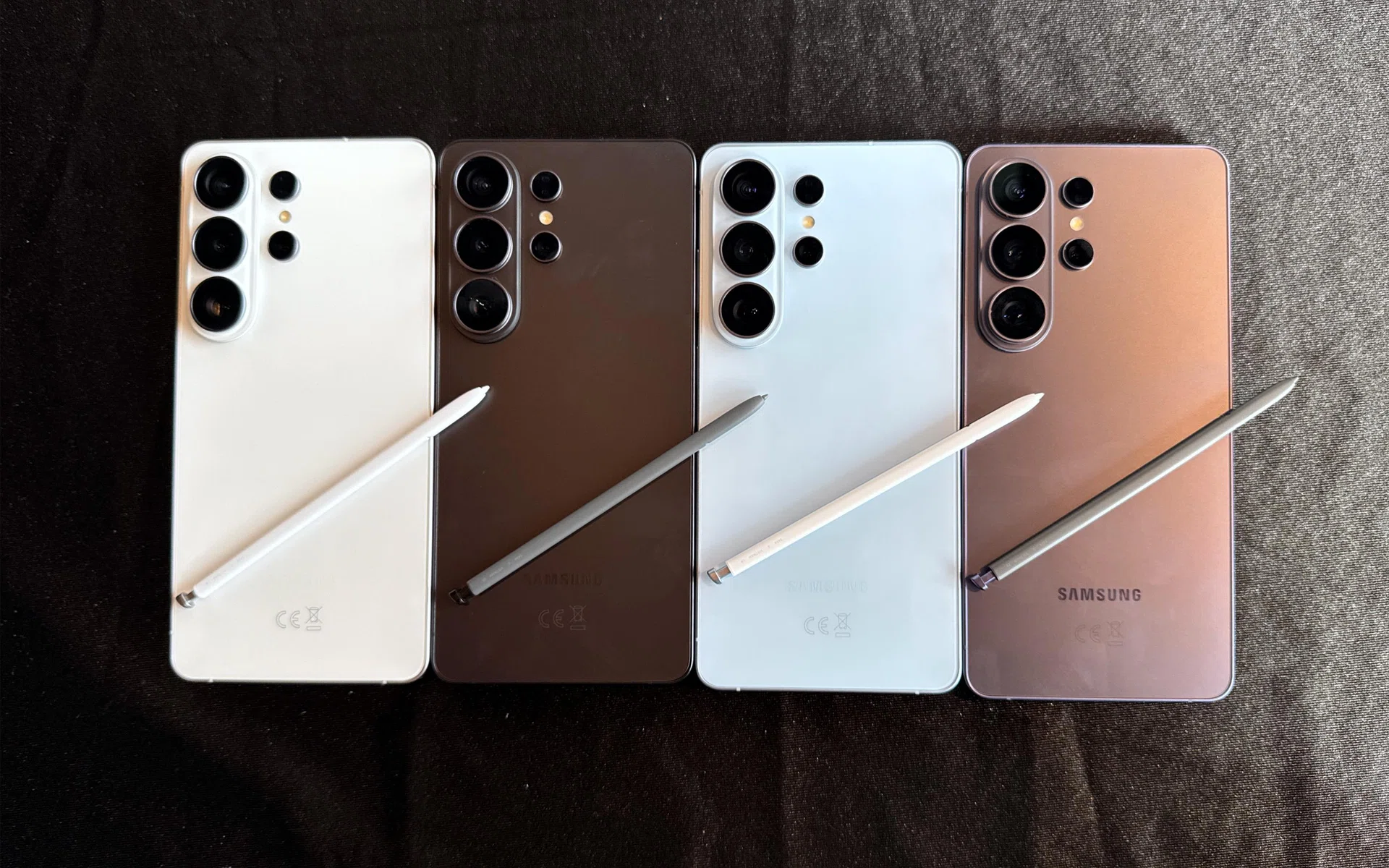
Samsung Galaxy S26 Ultra is available in Cobalt Violet, Black, Sky Blue, and White, while its online-exclusive colours on Samsung Online Store and Samsung Shop app are Pink Gold and Silver Shadow.

Below are the configurations and official prices:

RAM + Storage (GB) Recommended Retail Price (SGD, inclu. GST)
12GB RAM + 256GB storage S$1,828
12GB RAM + 512GB storage S$2,128
16GB RAM + 1TB storage S$2,578

While the starting price has remained the same as last year’s model, both the 512GB and 1TB editions see a minor price increase, owing to the renewed hardware advancements and no doubt, the ongoing flash storage pricing pressures. Lasty, take note that the 1TB edition now comes with a whopping 16GB of memory by default versus 12GB on the other SKUs.

Pre-orders are available from 26 February 2026 onwards, while the device officially goes on sale on 11 March 2026 onwards. Go here to start your pre-order journey.

Head over to our comprehensive pricing article for all the official platforms, bonuses, and promotions for the Galaxy S26 Ultra.


Read Full Article At Source