They’re great for gaming, but not as good for other use cases.
Curved monitors have come a long way since the first slanted screen in the form of the Samsung SE790C launched back in 2015. Heck, we now live in a world where Dell is launching 52-inch 6K ultrawide curved monitors. Not that you need to buy a giant screen to get the benefits of that curvature (though larger curved screens are definitely more immersive).
If you’re currently reading this on a flat panel but have always been intrigued about the curved alternative, we’re here to break down the upsides and occasional disadvantages of owning this type of monitor. Are curved monitors worth the premium you often have to pay over their flat cousins? Do they really make playing PC games more immersive? And just why are so many ultrawide monitors curved? We’ll touch on all that as we weigh the pros and cons of embracing the bend.
Are curved monitors really worth it?
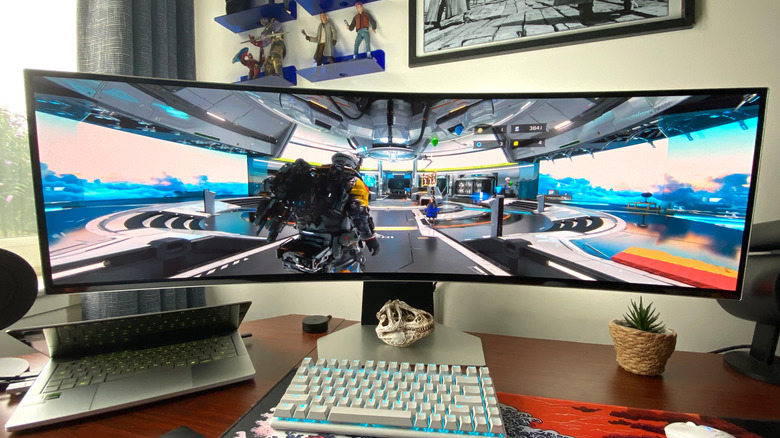
As someone who has owned curved monitors for years, I’m obviously going to be a bit biased. For me, curved monitors are most definitely worth it, though I’d throw in a couple of caveats (which I’ll touch on shortly). The biggest advantage of using a curved monitor? This type of display can provide addictively immersive gaming experiences. If you’re a hardcore Steam player who spends dozens of hours a week playing the best PC games, a curved panel can be a great option.
What are the disadvantages of curved monitors?
There are definitely instances where picking up a curved monitor over a traditional flat panel doesn’t make much sense. Price is one of the biggest factors. Because so many curved screens are 34 inches or larger, they’re naturally more expensive than many flat monitors (they’re also trickier to manufacture). Staying on the topic of size, a curved monitor is often going to take up more desk space than the flat panel alternative.
There are other scenarios where the dimensions of a curved monitor can potentially make life awkward. As the sides of a curved display obviously jut out more than the center, these types of panels aren’t ideally suited for mounting because they won’t sit flush against a wall. They’re also not a great fit for a multi-monitor setup. Trying to line up a curved display next to a flat screen just isn’t going to provide a seamless experience. Oh, and if you work in an office and regularly view content with colleagues on the same monitor, that’s going to be awkward, as curved monitors are designed to be viewed at central angles.
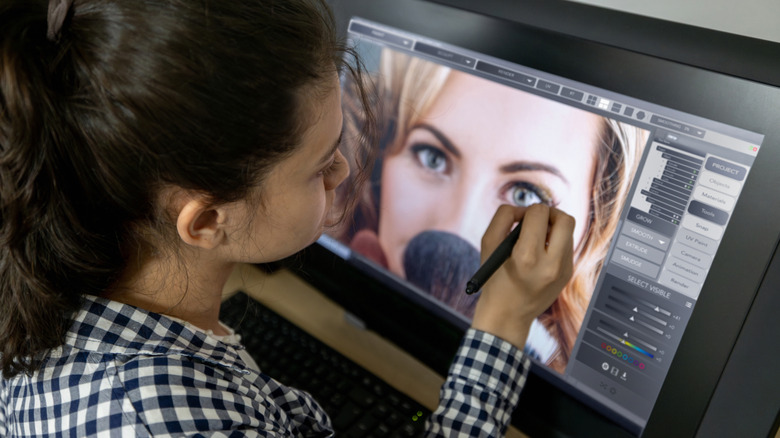
If you’re a prosumer art editor or graphic designer who regularly edits work in Photoshop, buying a curved monitor probably isn’t a wise investment either. Though curved displays can be brilliant for gaming, image editing on such a screen isn’t always ideal, as the curvature can create distortion around the edges. Doing precision work that requires perfectly straight lines/grids in Photoshop? You’d be better off with a flat monitor.
Why are ultrawide monitors normally curved?
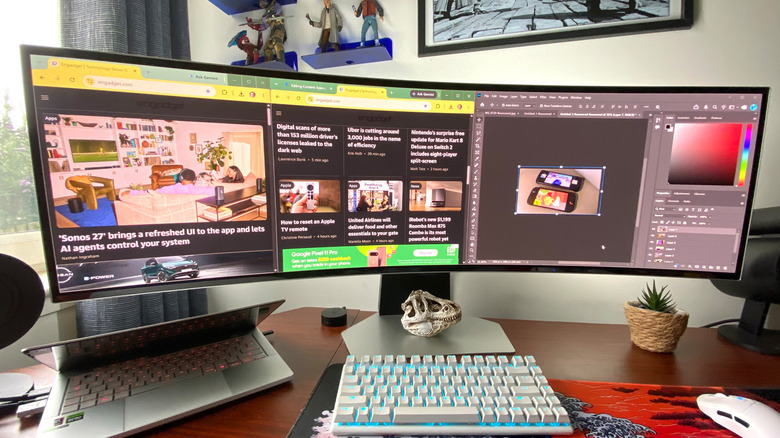
Though flat ultrawides do exist, when you get into the 34-inch and above range, 21:9 displays are more commonly curved. Why is this? It’s partially down to manufacturers wanting to give gamers more immersive experiences. Many curved ultrawide monitors are packed with gaming features, like Nvidia G-Sync and VRR, and there’s no denying curvature can provide a sort of wrap-around vision effect when your face is pressed to a screen. Sitting at close proximity to a curved monitor is essential to get that real sense of immersion. That’s probably why curved TVs failed, but curved gaming monitors thrived.
There are slightly more boring practical reasons why so many ultrawide monitors are curved. Working with a 21:9 aspect ratio is going to make you turn your head more often than viewing a 16:9 display. To lessen the amount your eyes have to dart back and forth, an ultrawide with curved edges makes it slightly easier to view the whole screen.
Read Full Article At Source