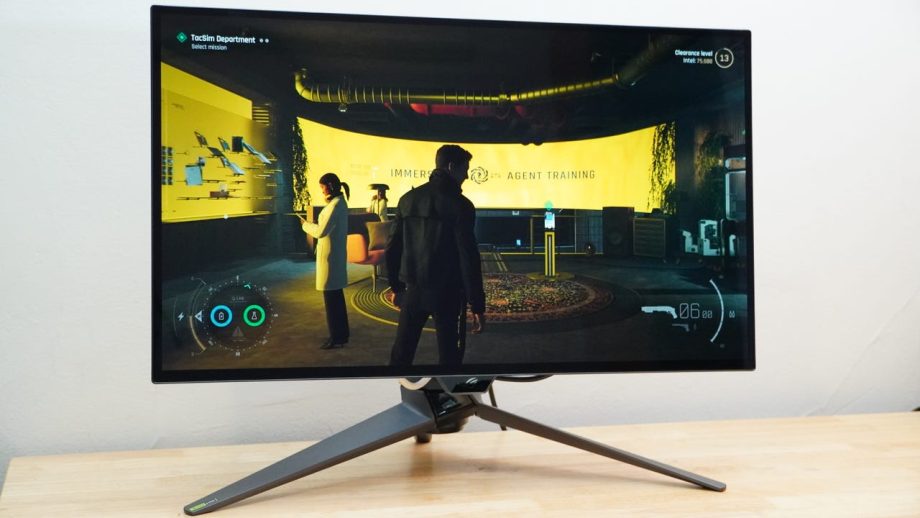
Asus already had one of IGN’s favorite 4K gaming monitors on its hands with the Asus ROG Swift PG32UCDP, delivering a gorgeous OLED panel that could render 4K games at a zippy 240Hz or swap to 1080p for an even faster 480Hz. It’s still an excellent option on the market and made all the more affordable by its age. Now almost two years on, Asus has the ROG Swift OLED PG27UCWM, a very similar monitor with a smaller 27-inch panel that gets some new display tech for slight visual refinement. Of course, newer tends to mean more expensive, and this model is set to come in at $1,199, putting it well ahead of other competing OLED displays like the earlier PG32UCDP, which was sitting at $859 at the time of writing, or the 1440p/500Hz MSI MAG 272QP QD-OLED X50 at $599. Let’s have a look at how it stacks up.
Design and Features
Asus didn’t leave much out when it designed the ROG Swift OLED PG27UCWM. That said, it doesn’t have speakers, but you’ll find it checks boxes in just about every other department.

From the front, it looks like a fairly tame, cleanly-built gaming monitor with perhaps a bit of a gaudy stand thanks to the angular, gamery aesthetic and the LED bat signal of the ROG logo that it wants to splash onto your desktop day and night (this can be turned off, thankfully). If you want, you can swap for a VESA stand using an included adapter. The provided stand is plenty functional, though, offering the typical range of adjustments you’ll find on a high-end monitor. There’s also a slot in the neck of the stand for passing through cables, and where some monitor stands make it quite a squeeze to even get power and a single HDMI cable through this portal, the PG27UCWM provides plenty of room for multiple cables.
The PG27UCWM is ready for a lot of cables, too. You’ll find two HDMI 2.1 ports, a DisplayPort 2.1a port, and even a capable USB-C port that’ll take in video and send out up to 90 watts of power. There are two USB ports for passing data to a connected system, letting the monitor serve as a USB hub as well with a KVM switch so you can pass that connection to the USB-C link or a separate USB-B link. If you want to connect speakers, there’s a headphone jack, too.
Around back, the PG27UCWM spices things up a little. Rather than the classic black ABS plastic you’ll find on half the monitors in the world, the PG27UCWM opts for a transparent plastic that gives it something of a cyberpunk aesthetic. It may still feel like cheap plastic, but it looks damn good.
Read Full Article At Source