Samsung Movingstyle: Portable touchscreen TV review

Samsung Movingstyle: Portable touchscreen TV review


There is a growing category of screens that refuses to stay in one place, and Singapore is arguably the market where that idea makes the most sense. In a country where homes are compact, lifestyles are busy, and the line between work and leisure blurs across every room, a display that is portable and can be repositioned around the house has genuine appeal. Samsung’s The Movingstyle, launched here on 15 February 2026 at S$1,899, is the company’s most fully realised attempt at owning that space, and it arrives with serious intent.

We spent time with The Movingstyle to find out if this was true and how it performs.

  1. 1. The features and highlights
  2. 2. How it stacks up to the opposition
  3. 3. What we thought 
  4. 4. Pricing and availability

The features and highlights

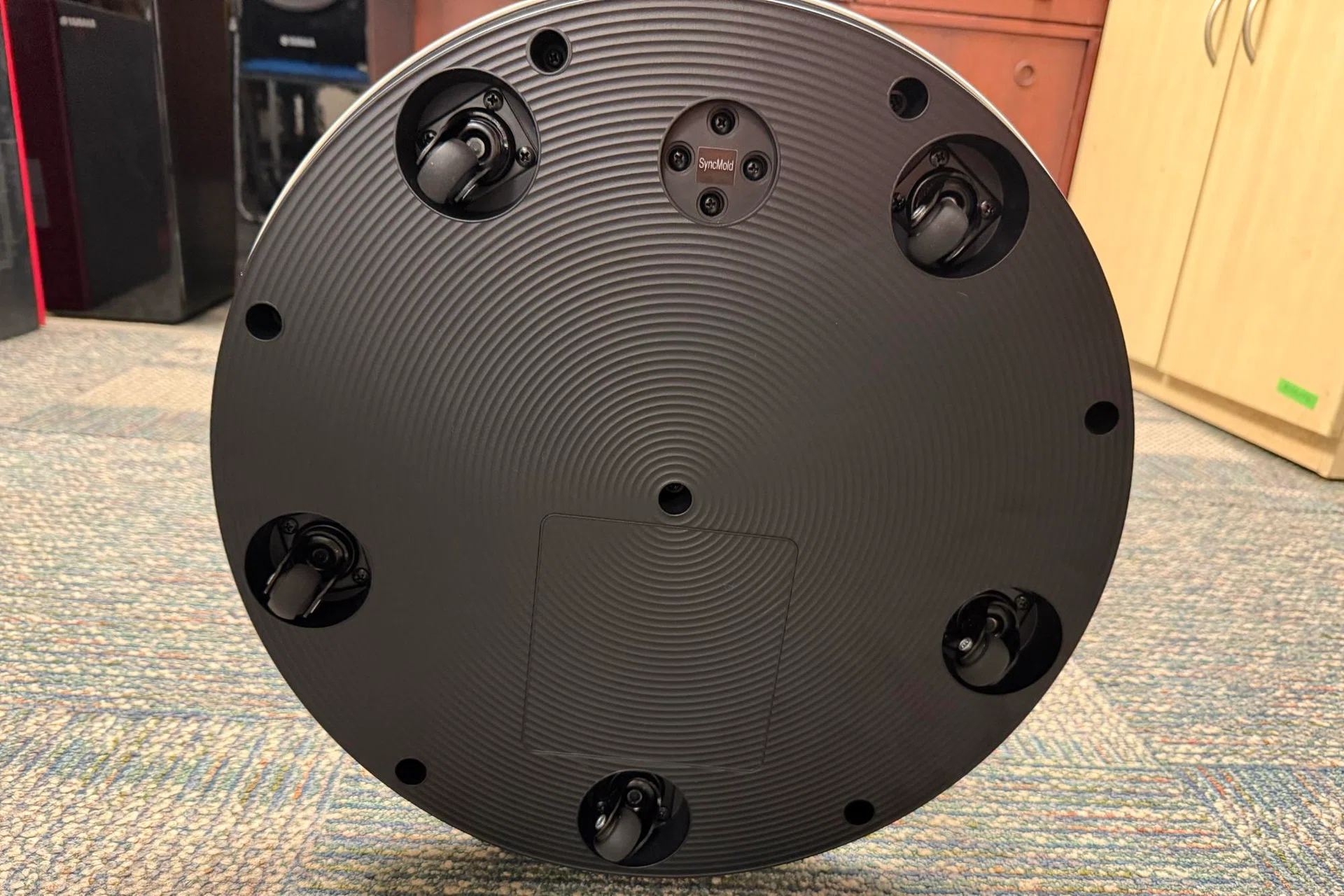
The base of the display.

Despite the wheeled base, it sits quite flushed to the floor.

Photo: HWZ

Samsung’s latest lifestyle screen is a strange and lovable thing. The 27-inch display of The Movingstyle (model UA27LSM7FAXXXS) looks like someone glued a tablet to a hospital cart, and that is genuinely the point. It is a TV designed to be picked up, walked around, propped against a wall, drawn on with a finger, and wheeled into a different room before the next episode autoplays.

The headline act is the panel. The 27-inch QHD display has a properly low-reflectance finish that Samsung has been pushing as one of its standout traits, and it pays off: glare in a sunlit kitchen is far less of a problem than it would be on a glossy TV. QHD means a resolution of 2560 x 1400 pixels, which means its pixel density is roughly 1.7 times that of an FHD display. This translates to clear text for browsing recipes, scrolling Reddit, or pinning a Daily Board widget. The matte coating does its job on fingerprints, but it initially looks slightly soft on the eyes until you get used to it. 
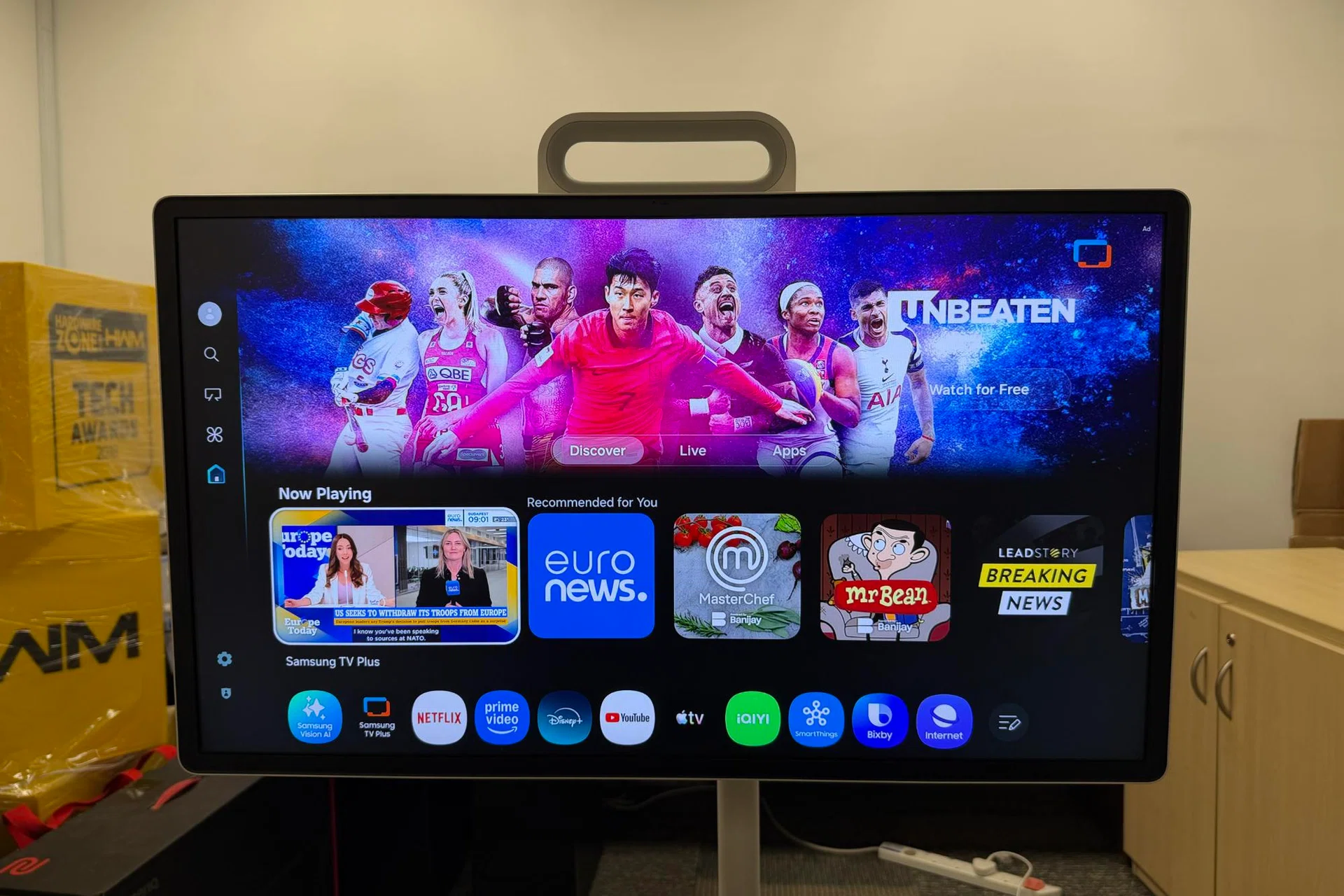
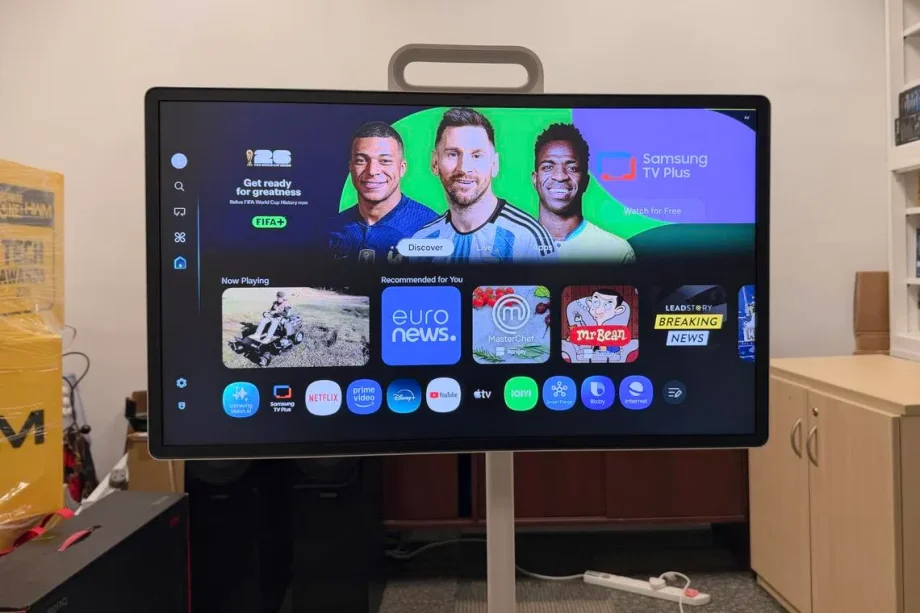
Tizen OS has its quirks.

The display runs on Tizen OS, and has some quirks.

Photo: HWZ

What makes it sing is the touchscreen. Samsung treats it like a giant Galaxy tablet without the Galaxy. Pair a Samsung phone or a 2023-or-newer Galaxy device, and Storage Sharing pulls files straight across, with full touch support on mirrored content. The kids can finger-paint, the adults can easily enter logins and passwords without relying solely on the TV remote, and the whole thing folds back into TV mode when guests come over. The catch is that not every app is optimised for The Movingstyle’s touchscreen yet, with Disney+ a clear standout and somewhat disappointing. Hopefully, an update fixes that.
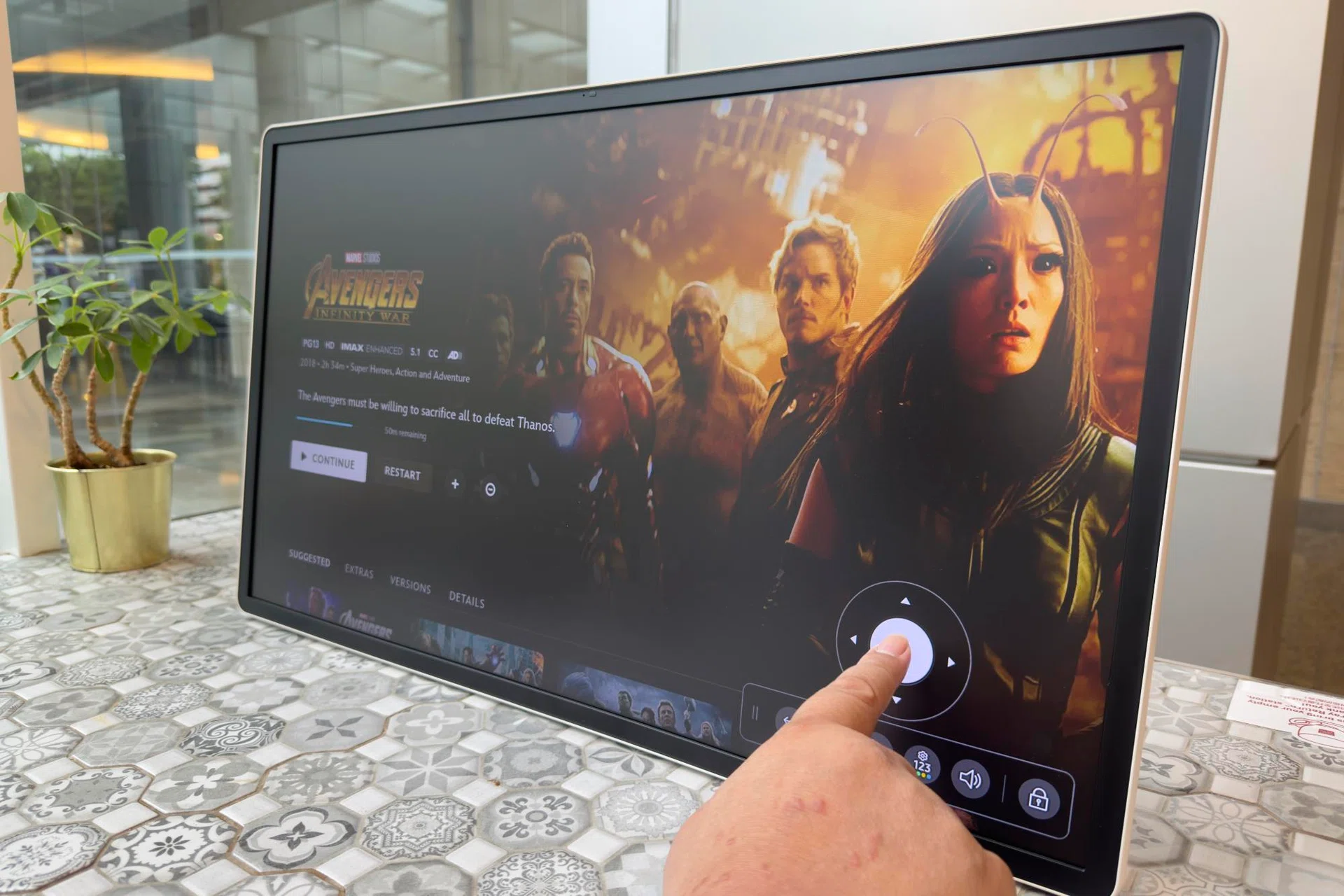
Easy to enter details online with the touchscreen.

The online controls are intuitive and work well.

Photo: HWZ

Connectivity is adequate. It has a single HDMI port that supports eARC and two USB-C ports. One of the USB-C ports supports video input and PD charging up to 65W (good for use with most ultraportable laptops), while the other can be used with peripherals like keyboards and mice.

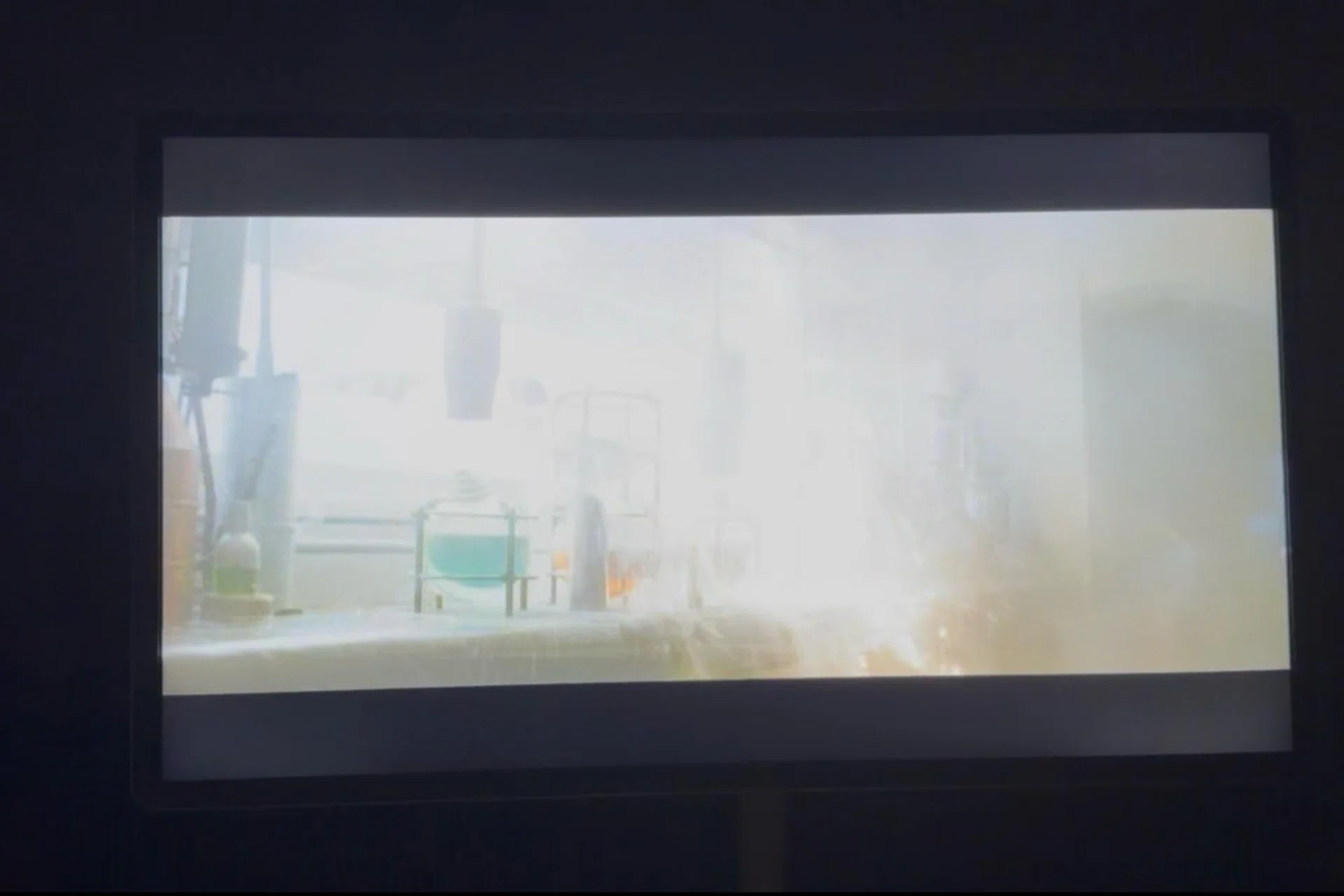
It performs well as a TV. During our Avengers: Endgame test scenes, there were no artefacts in bright sequences and no colour washing. Even the transition from the initial blue as Thor was opening the iris to when the star was shining through it, was handled well by The Movingstyle.

Avengers test scene one.

Our first Avengers test scene.

Photo: HWZ

We felt that the viewing experience was softened slightly during our Shogun test scene, where colour was correct but the contrast felt restrained. One quirk we noticed: a faint dark halo around the screen at the start of every new scene, lingering for a few seconds before disappearing.

Test scene 2.

You can see the halo around the character.

Photo: HWZ

During our Mandalorian test scene, the hologram of Moff Gideon was clear and sharp, but when the Stormtroopers attacked our band of heroes in the cantina, the blaster fire caused some shots to be washed out, and there was also some pixellation.

Test scene 3.

Our Mandalorian cantina test scene looked slightly washed out.

Photo: HWZ

Audio delivers the goods, but not impressively. Speech is clear and crisp, with no distortion or crackling. Bass is not tinny, but it lacks depth. During our Top Gun: Maverick run, as the Super Hornet flew overhead, the deep roar of the jet engines was audible enough to register, but not enough to add realism.

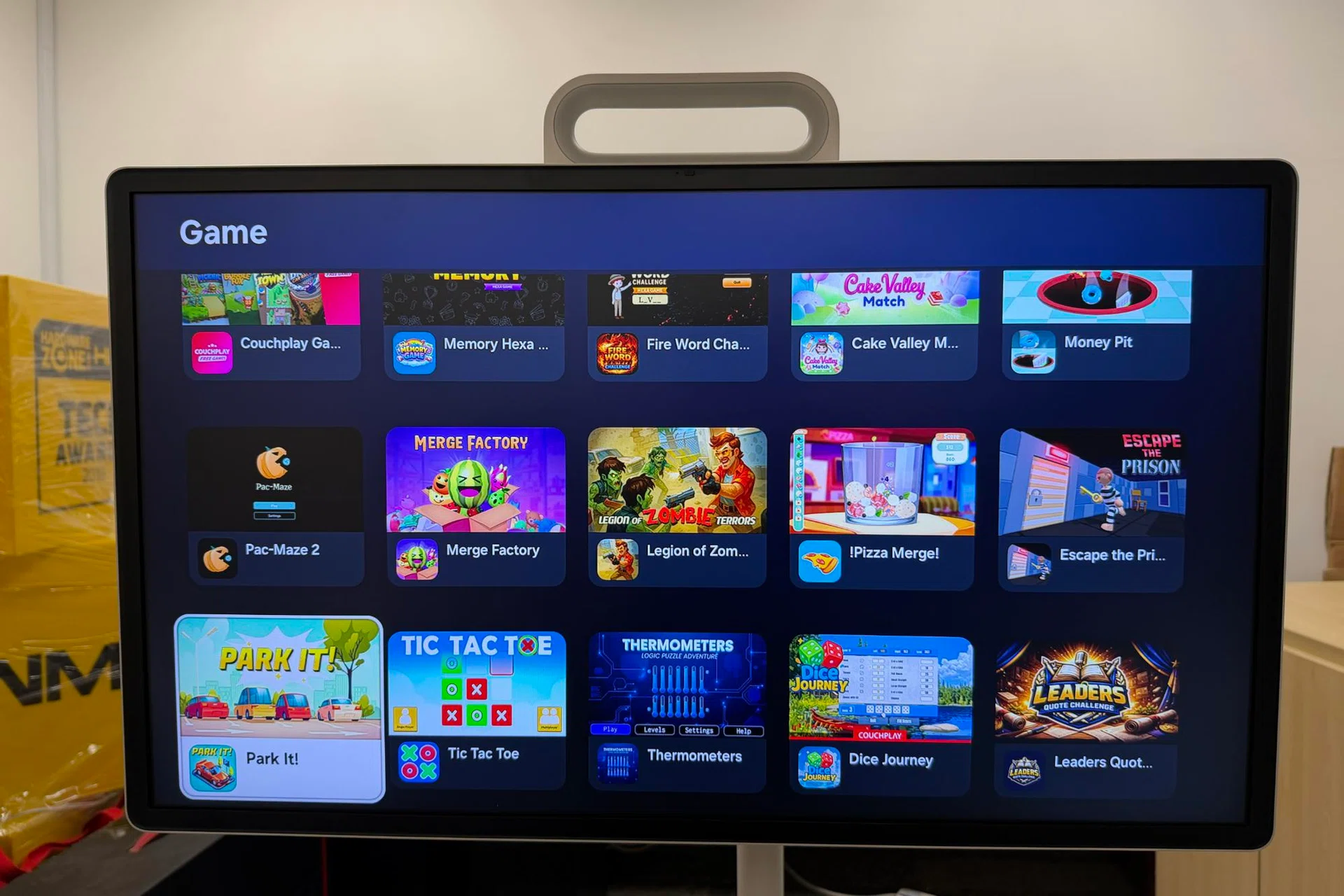
Tizen OS does the heavy lifting on the software side. It is mature, polished, and Samsung is now committing to seven years of OS upgrades, which is a quiet but significant flex against the Android-based competition. The trade-off is the smaller app pool: many Android-native games are missing (Cut the Rope is sorely missed for me). In look and feel, though, there’s little practical difference between Tizen and Google TV. Navigation is clean, the most-used apps line up neatly along the top of the home screen, and getting around is effortless.

Samsung TV Plus offers over 100 free channels straight out of the box, and they worked as advertised, adding meaningfully to our gogglebox time. AirPlay 2 and Google Cast handle Apple and Android casting without fuss, and Samsung Daily+ centralises smart-home control via SmartThings, Workout Tracker and Karaoke. We didn’t try Karaoke, but casting was effortless. There’s also a Generative Wallpaper feature that generates AI-generated mood art from keywords, and an Art Store with around 3,500 digital paintings, much like The Frame. Samsung says that Knox handles security on the back end, but we couldn’t try this, and it stays largely out of the way.

One strange quirk we noticed about the Movingstyle is that Samsung TV Plus continues to play in the bottom of the home screen even after we exit it. This doesn’t go away even after turning it off and on. The only fix is to launch another app.

The limited Tizen app store.

The Tizen app store is rather limited.

Photo: HWZ

In terms of battery life, the Movingstyle has a 69.3Wh battery and samsung claims it will last up to three hours. That claim seems reasonable because we managed just about that when streaming via Wi-Fi. Crucially, that’s enough to get through most movies.

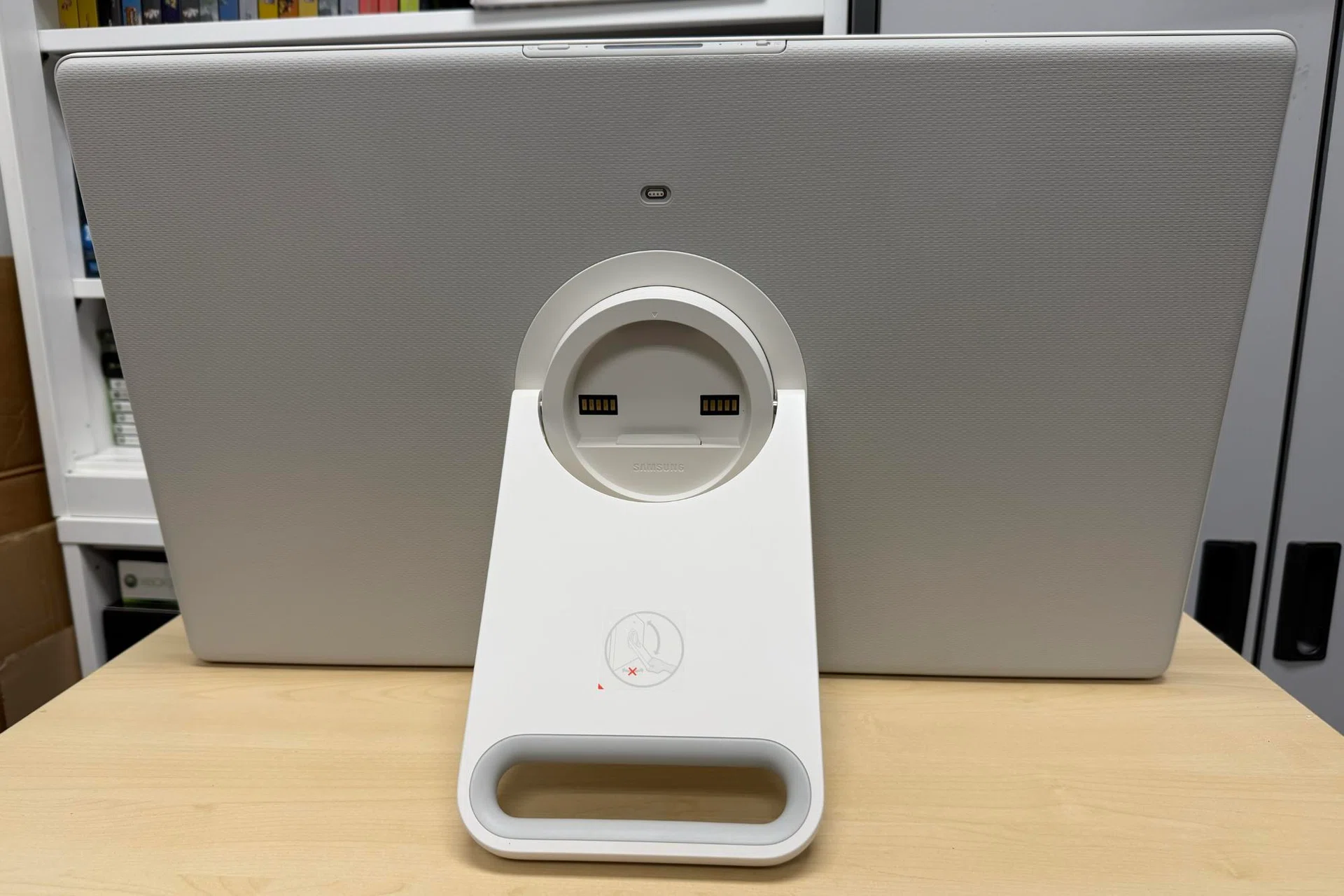
The handle becomes the display’s stand.

You can see how the handle swivels around to support the display as a stand.

Photo: HWZ

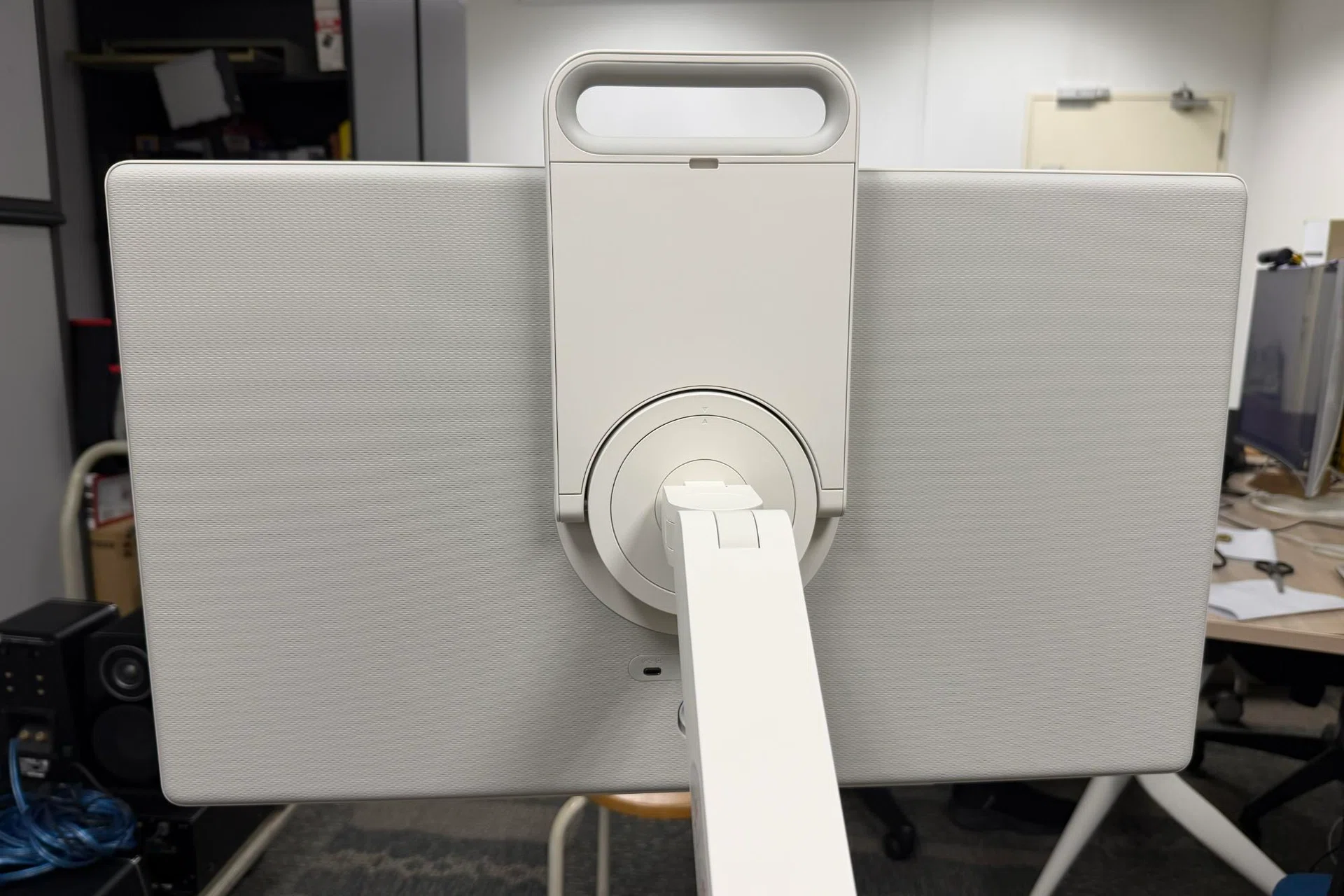
Portability-wise, a rotating handle on the back locks the TV onto the stand and doubles as a comfortable carry grip when detached. At just over 5kg, it is light enough to reposition without ceremony and easy to angle for a comfortable view.

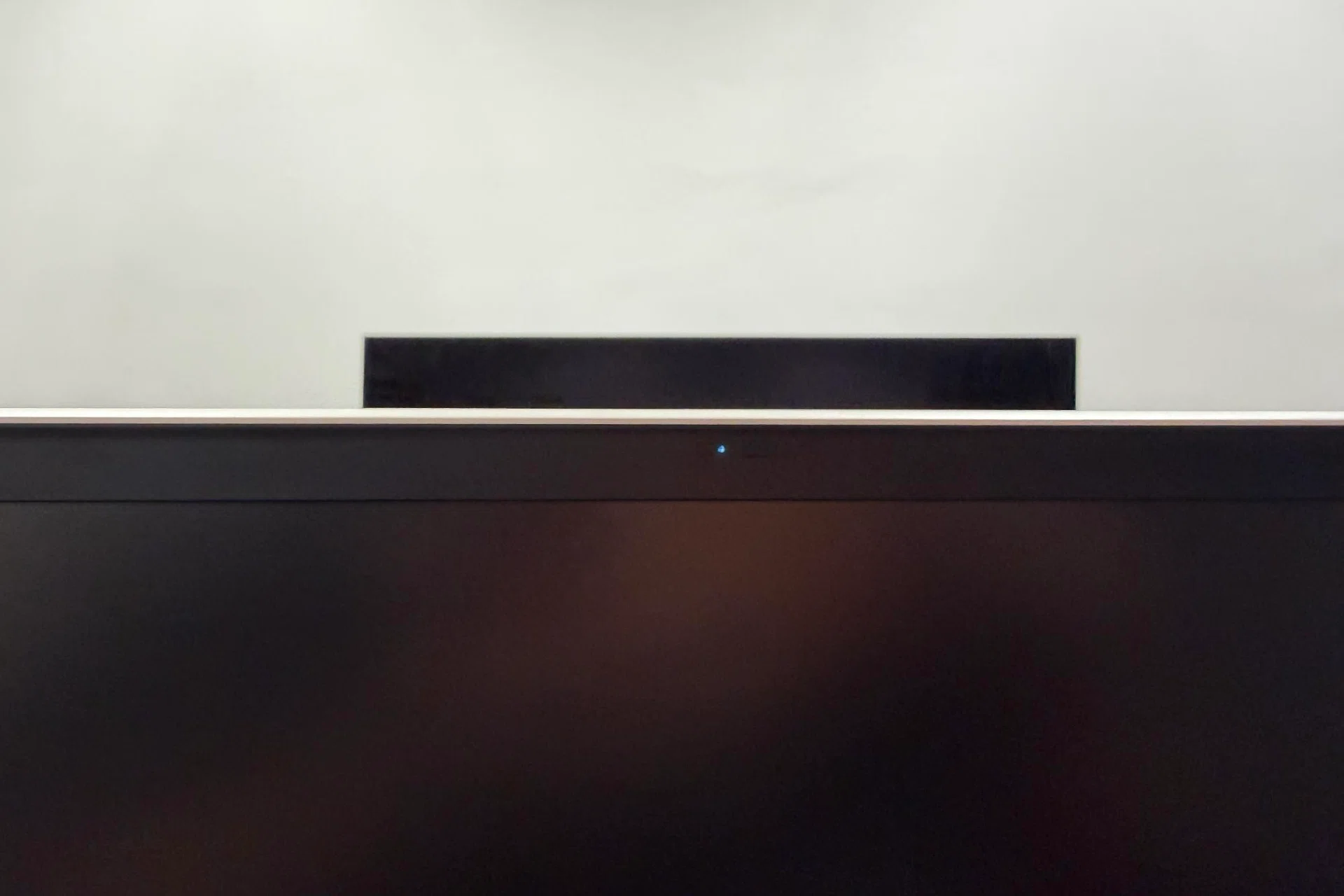
The webcam.

It has a pop-up webcam.

Photo: HWZ

As an entertainment tool, it’s all there: TV, movies, basic (very basic) games, and more. It also moonlights as a video-call display and a casual work screen. There are a few minor issues, but nothing that makes this a bad display or television. There are some things you need to get used to. Once you do, you barely notice them.

The Movingstyle isn’t trying to be a flagship living-room TV, and it shouldn’t be judged as one. It earns its keep when a screen genuinely needs to move through a household across the day, cooking videos in the kitchen at lunch, a Disney+ session in the kids’ bedroom in the afternoon, a shared movie in the living room after dinner, a workout video on the patio at the weekend.

How it stacks up to the opposition

The handle when mounted.

What the handle looks like on the rear when mounted.

Photo: HWZ

Two rivals will inevitably be mentioned in the same breath. The LG StanbyME 2 and the home-grown PRISM+ Roam 27. The table below shows how they stack up against each other:

Feature / Model Samsung The Movingstyle LG StanbyME 2 PRISM+ Roam 27
Resolution QHD (2,560 x 1,440 pixels) QHD (2,560 x 1,440 pixels) FHD (1,920 x 1,080 pixels)
Refresh rate 100Hz (120Hz with Motion Xcelerator) 60Hz native 60Hz
HDR support HDR10+ Adaptive, Dolby Atmos Dolby Vision, HDR10, Dolby Atmos Not listed
Gaming Motion Xcelerator 120Hz Game Optimiser (basic) None highlighted
AI processing Samsung Vision AI α8 AI Processor with upscaling Standard Android processing
Battery life ~3 hours ~3 to 4 hours ~4 hours
Operating system One UI Tizen webOS 24 Android 14
Voice / smart features Bixby, Galaxy Watch gestures, mirroring LG ThinQ voice control, AirPlay, Google Cast Google Play, casting, Android apps
Touchscreen Yes Yes Yes
Connectivity USB-C, HDMI, Wi-Fi 5 USB, HDMI, Wi-Fi 5, Bluetooth 5.1 USB-C, HDMI, Wi-Fi 5, Bluetooth 5.0

On paper, Samsung and LG are neck and neck. Both the Samsung and LG come with 27-inch QHD panels, while the PRISM uses a lower resolution Full-HD panel. This means it has roughly a third of the pixel count, so text and fine detail will look noticeably softer on the PRISM+ screen. Samsung has the highest refresh rates, with 100Hz as standard and 120Hz in game mode via Motion Xcelerator, compared to 60Hz on both the LG and PRISM+. Whether that actually matters depends on what you’re watching, but for gaming the edge certainly goes to the Samsung.

Looking at features like HDR, the picture reverses. LG’s α8 AI Gen2 chip backs proper Dolby Vision and HDR10 support, which edges out Samsung’s HDR10+ Adaptive. The PRISM+ doesn’t list HDR support at all. Instead, it touts a 350-nit panel built more for comfortable daily viewing than punchy contrast.

Software is where the three really diverge. Samsung is running Tizen and it’s committing to seven years of OS upgrades, easily the longest promise of the three, though the trade-off is a leaner app library. LG’s webOS Re: New Program tops out at five upgrades over five years, a solid middle ground. PRISM+ runs full Android 14 with unrestricted Google Play access, which makes the Roam 27 the most open of the three and the likeliest to run apps the other two can’t. 

Pricing tells its own story too. The Samsung Movingstyle is currently on the Samsung Online Store at S$1,899. For comparison, the LG StanbyME 2 is currently on sale online for S$1,799, and the PRISM+ Roam 27 is on sale at S$1,299, down from S$1,599 and is often discounted on the website. 

In our opinion, pick The Movingstyle if you’re deep in the Samsung ecosystem and want the smoothest refresh rates, the StanbyME 2 if battery life matters more than speed, and the Roam 27 if you just want the format at the lowest price and don’t mind a step down in resolution.

What we thought 

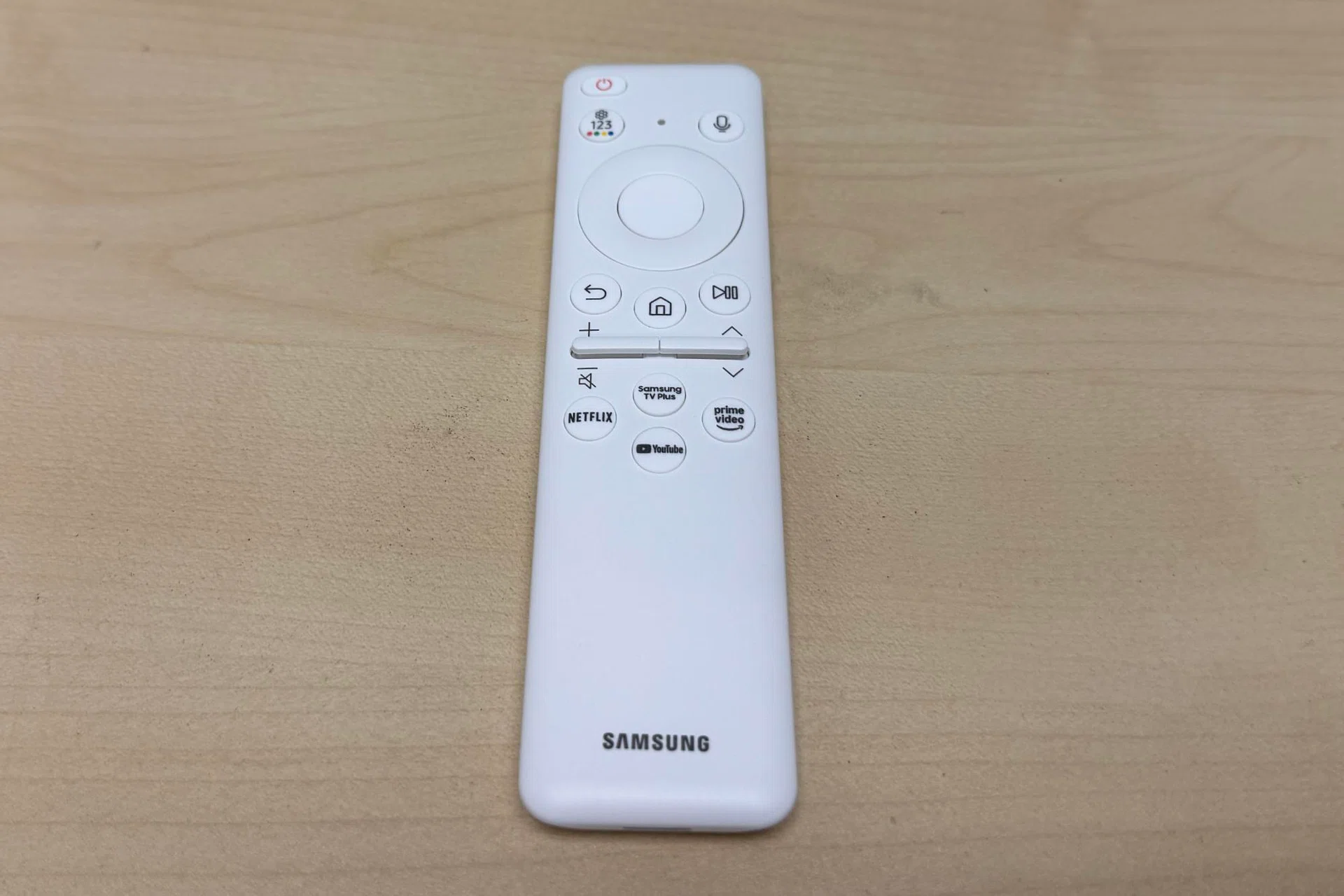
The remote is fairly basic.

The solar powered remote.

Photo: HWZ

The Movingstyle works two ways. Detach it from its stand and the rotating, integrated kickstand props it up on any flat surface like a chunky tablet. It also doubles as a carry handle. Or leave it docked on the rollable floor stand, whose hidden wheels glide it from room to room in either portrait or landscape orientation.

Samsung is pitching it as the bridge between a tablet’s portability and a TV’s immersive screen, an interesting premise, but not one for everyone. Whether it’s worth buying really comes down to one question: do you actually need a screen that follows you around the house? Its value isn’t in the spec sheet. It’s in whether you’ll genuinely use that flexibility, for a meditation session in the bedroom, a cooking tutorial in the kitchen, movie night for the kids down the hall.

Let’s be honest, if you’re after a primary living room TV, this isn’t it. That money goes further on a “proper” 55-inch 4K QLED or OLED, which will give you a far better picture for the same price. But for smaller apartments, or families who want a screen that goes where it’s needed, it’s a genuinely good fit. Casual viewing, hybrid work, shifting the entertainment to wherever the action is, that’s where it earns its keep. It’s convenient, sure, but at heart it’s a lifestyle device, not a replacement for your main television.

Pricing and availability

The Samsung Movingstyle can be bought from the Samsung Online Store for S$1,899 or from Samsung’s official stores on Lazada and Shopee.


Read Full Article At Source

Share. Save. Don't Miss The Buzz: XFacebookRedditLINETelegramWhatsAppGmail