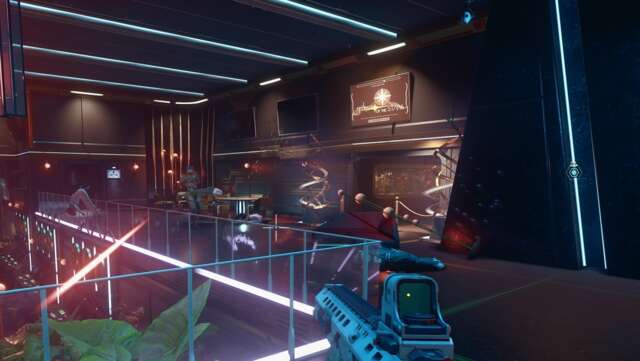

Almost immediately after starting the Terran Armada expansion in Starfield, you’ll embark on a quest called “Lost Luxury.” This quest automatically starts after you first hear the SSNN broadcast about the Terra Armada in Akila City. From there, you have to join the search party for the new faction and meet up with a ship called the “Olokun.” After you meet with that ship and get the directive to search a nearby asteroid field in the Nirvana system, Lost Luxury begins.
Below, you can see a step-by-step walkthrough of the Lost Luxury quest in Starfield and how to complete it.
Search the asteroid field and board the Opulence of the Stars

After meeting with the Olokun ship, you’ll want to open your map and travel to the Nirvana IV planet. While you can use Cruise Control to manually fly there, it’s around 95 LS away from your current position, which isn’t exactly close.
Once you’ve arrived at Nirvana IV, fly past it to find the asteroid field that your blue HUD marker is positioned at. Here, you’ll see five blue markers around some red dust that’s surrounding asteroids. You need to manually check each of the markers until you find the Opulence of the Stars ship. You’ll receive a quest update that tells you the ship has been located.
With the ship in sight, get within 500 meters of it, press E on keyboard or A/X on controller to identify the ship. Then, press R on keyboard or X/Square on controller to dock with the ship, allowing you to board.
Power up the Opulence of the Stars

On board the Opulence of the Stars, you can look around the initial area for some supplies, but eventually head towards your blue marker on the HUD. This leads you to a terminal, which you can access to open doors on your left and right. Inside these doors, as seen in the screenshot above, you want to look on the ground to find and pick up four Emergency Power Cells. These are found underneath some of the computer desks in the room and are essential for the next part of the quest.
With all four Power Cells in your inventory, follow your quest marker and insert one of the Power Cells into a Power Receptacle on the wall. This powers up part of the ship, allowing you to walk down a hallway to your next quest marker. At the end of that marker is a switch, which you can activate to open a door on your left. Walk through the door and insert another Power Cell into the receptacle.