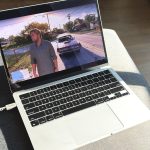

GTA 6 may still very much be a Grand Theft Auto game, but some fundamental changes–a stronger focus on realism, money being scarce–do a lot to shake things up. Driving might not feel totally different, but the decision-making behind choosing what to drive and how reckless to be on the road give that portion of the game a much different feel. But should you prefer not to drive yourself, you do have a choice, and it doesn’t involve taking taxis or relying on public transportation.
It can be easy to miss, due to how it’s accessed, but there is an auto-drive option you can enable so your current character drives themselves. Here’s how to enable it:
- Hold Down on the D-Pad while in a vehicle
- Press Options/Start to enable Cinematic Mode
- Hold Circle/B to turn on auto-drive
By default, your character will seemingly just drive themselves around aimlessly. However, if you set a destination on the map, they’ll instead drive there. That’s useful not just on the roads, but also with other vehicle types. For instance, you can hop on a boat and mark the location for a diving mission, and spare yourself the oft-uneventful process of manually driving to it.