
Earlier this week, I wrote about how Amaze appears to be throttling the speed at which declined transactions appear on the Instarem app. In my tests, it took up to 15 minutes for declined transactions to appear, which severely limits its usefulness for checking MCCs on the go.
But fortunately, there’s an alternative. As it turns out, Trust Bank cards show the MCCs for declined transactions pretty much instantly.
Checking MCCs with Trust cards
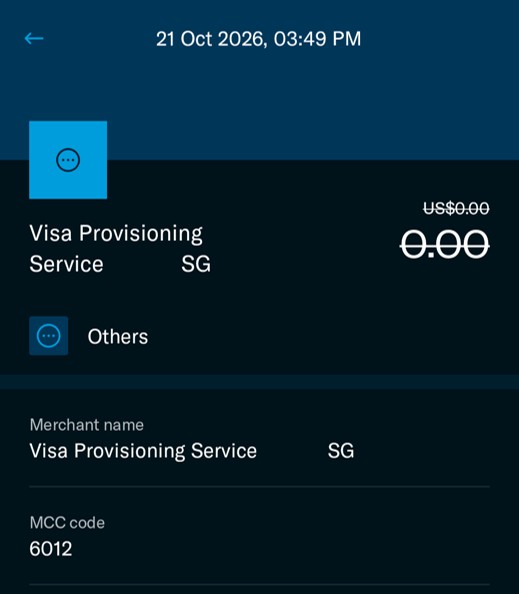
You can check the MCC of a merchant by putting a temporary block on your Trust credit or debit card, attempting the transaction, then checking the app for the declined transaction details.
To do this, open the Trust app, tap on View Cards > Lock Card. After this, attempt the transaction, whether online or in-person. Once it fails, look for the Activity section, tap View All, then tap on the transaction you just attempted.
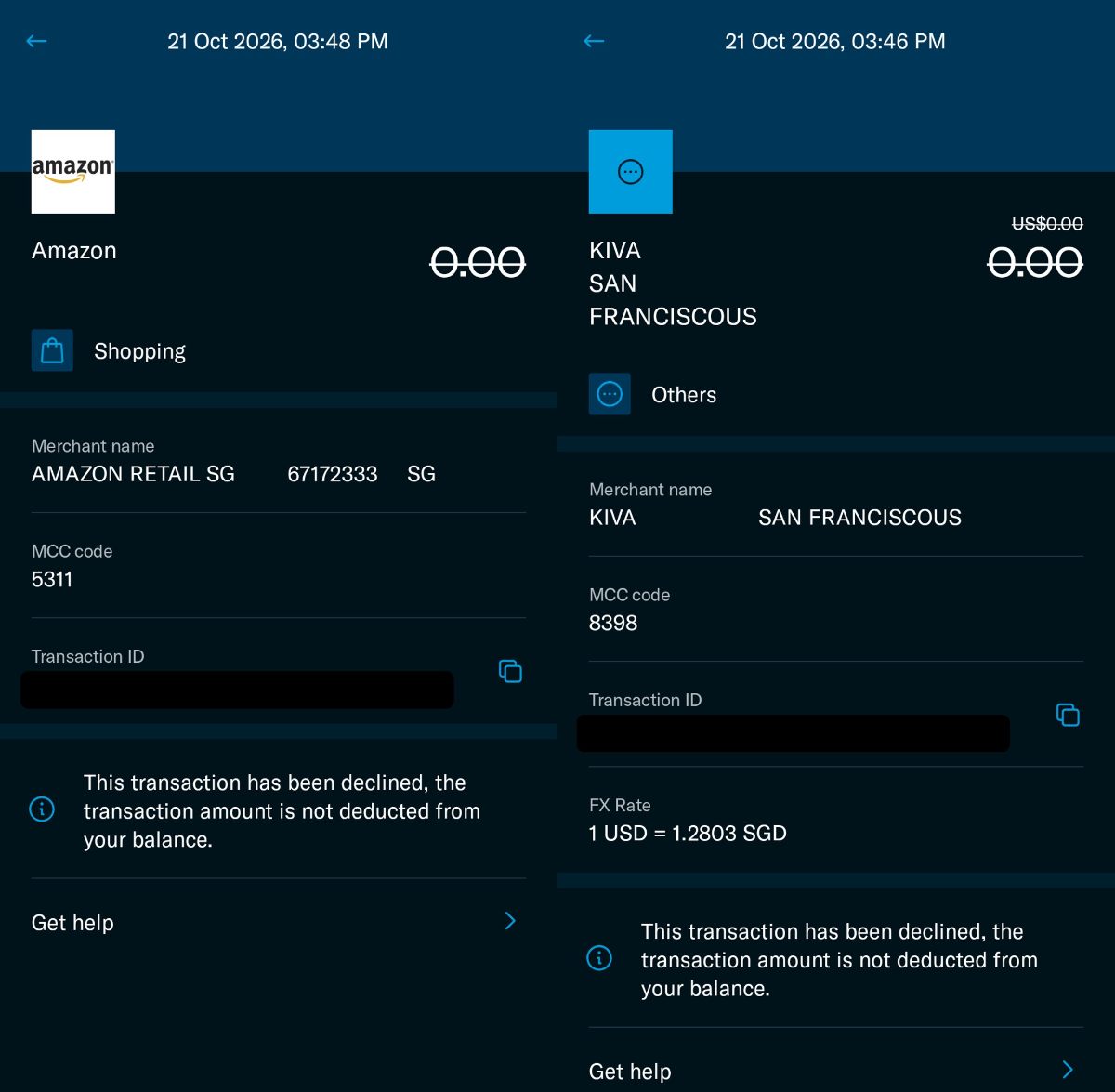
You’ll see the merchant name and MCC code listed. It’s as simple as that!
 Trust Freedom Card Trust Freedom Card |
|||
| Apply via app with referral code 2GQEAM81 |
This should be particularly useful if you’re accumulating spend for the Trust Freedom Card’s 100,000 miles welcome offer, which excludes the following.
Read Full Article At Source