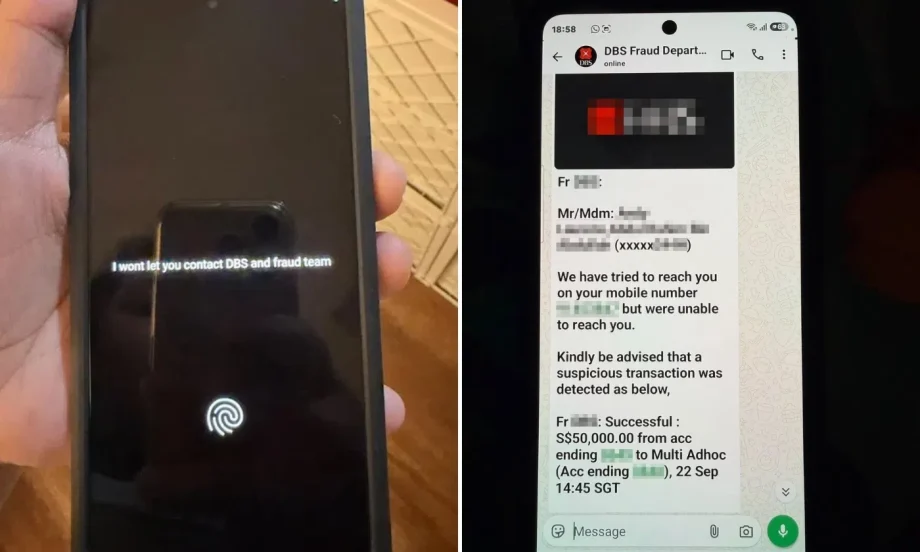
A 70-year-old man’s phone seemingly turned against him after he allegedly downloaded a malicious app, with the device suddenly locking itself and a creepy message showing on the screen: “I won’t let you contact DBS.”
His daughter Nicole Laurens, 33, told Lianhe Zaobao that her father’s Samsung Galaxy S26 was suspected to have been remotely controlled after he downloaded a suspicious app.
The incident happened on Sept 22, after the elderly man received a WhatsApp message purportedly from DBS Bank’s fraud department.
The message claimed there had been a suspicious $50,000 transaction involving his account and asked him to call a number.
Worried, the man called the number without first checking his transaction history, and the other person on the call proceeded to ask for his bank account login details.
Scroll to continue reading
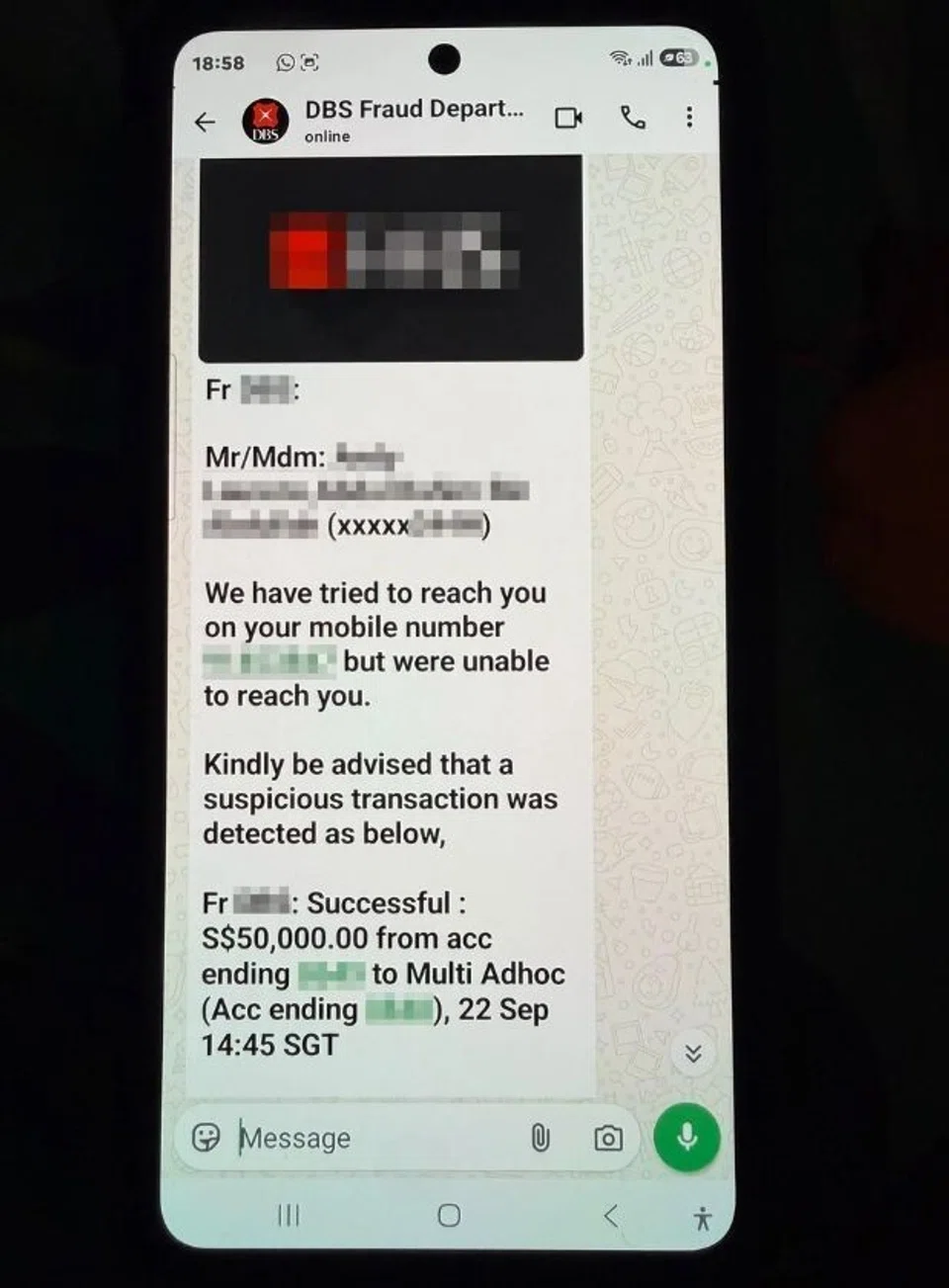
The elderly man received a WhatsApp message purporting to be from DBS Bank’s fraud department.
PHOTO: LIANHE ZAOBAO
Laurens, however, realised something was wrong and immediately contacted DBS.
While she was speaking to the bank, her father’s phone suddenly locked itself. Its camera indicator also lit up, while an English message appeared on the screen:
I won’t let you contact DBS and fraud team.
Laurens said her father was not using the phone at the time, but it suddenly went black, and he was unable to operate it.
DBS later confirmed that no money had been transferred from her father’s account.
“He didn’t reveal any personal information, so fortunately they weren’t able to take money from his bank account,” Laurens said.
Concerned that the suspected scammers might still be able to control the device, Laurens immediately forced the phone to shut down and placed it in another room.
Laurens later restarted it in safe mode and deleted the suspicious app. She intends to send the phone for repair to back up her father’s photos before resetting the device.
Her father has also frozen his bank account, replaced his bank cards, and lodged a police report.
Phone showed strange behaviour after app was downloaded
Laurens later discovered that her father had downloaded an app called “Water Fitness” several days earlier.
Her mother had seen an advertisement for aquatic fitness classes on Facebook and signed her husband up, leaving his phone number.
Someone claiming to work for “Water Fitness” subsequently called her father, who did not suspect anything was amiss as the caller sounded professional.
The caller first instructed the father to change some privacy settings before directing him to download the app from the Google Play Store.
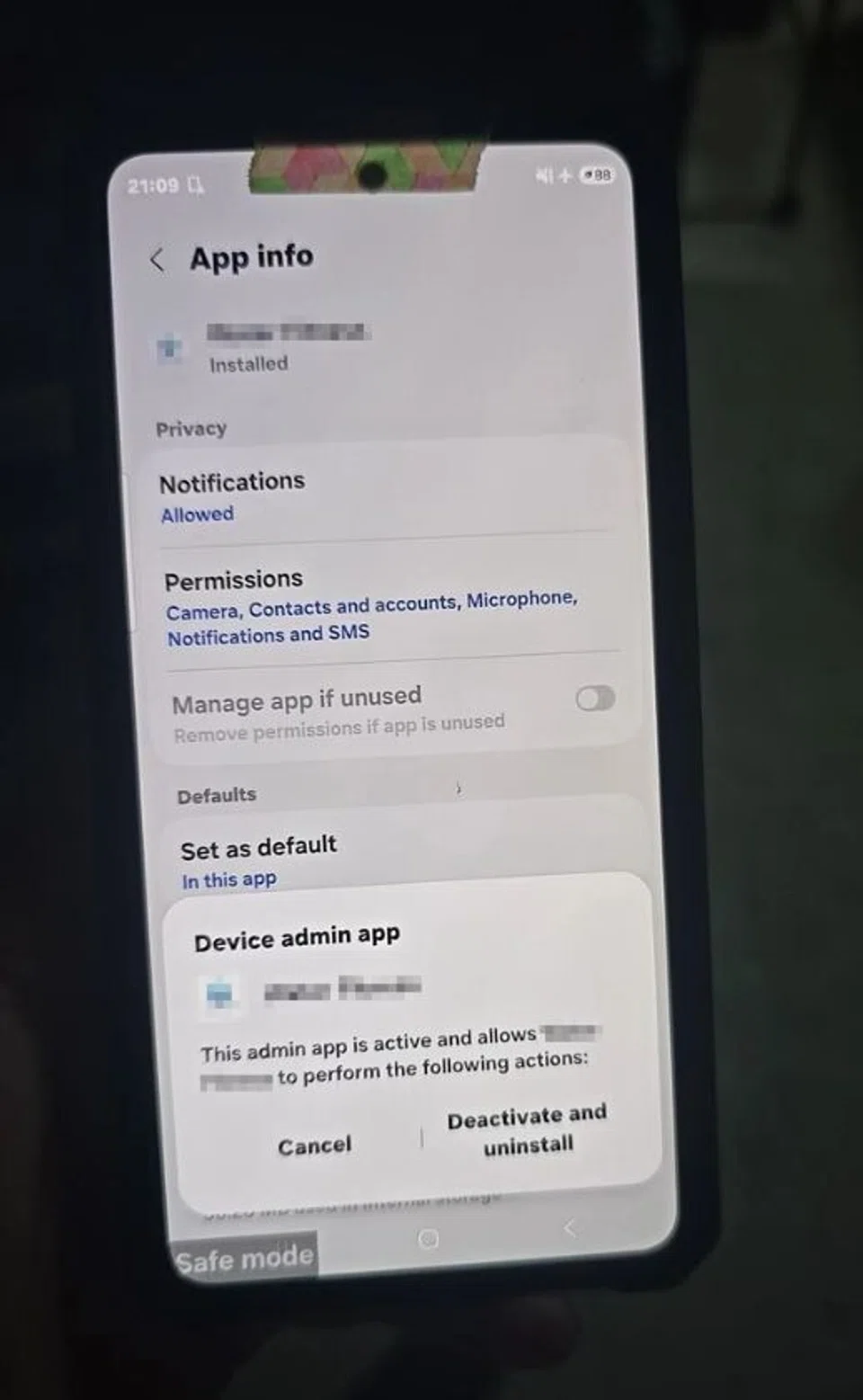
The man adjusted his phone’s privacy settings before downloading the app from the Google Play Store.
PHOTO: LIANHE ZAOBAO
After that, his phone began displaying unusual behaviour — it would become abnormally hot, and apps would open and close on their own.
Laurens said she is unable to determine whether the fake DBS Bank call and the “Water Fitness” app are connected.
What to do if your phone may have been remotely controlled
Lianhe Zaobao visited a Samsung phone shop and two repair shops to ask what people should do if they suspect their phones have been remotely controlled.
The staff recommended taking the following steps:
- Remove the phone’s SIM card, turn on airplane mode and switch off Wi-Fi to cut off the suspected remote connection
- Force restart or shut down the phone: If the device cannot be operated normally, hold down the physical buttons to force a restart or shut it down, then disconnect it from the internet as soon as possible.
- Do not immediately resume using the phone: Instead, users should make a police report and bring the device to a repair centre or phone shop for professional assessment and a factory reset to address potential security risks.
Nicole said she decided to share her parents’ experience to remind others not to blindly trust online advertisements, particularly content generated using artificial intelligence.
She also encouraged seniors to use tools such as ScamShield to help identify scams and to check reviews before using unfamiliar websites or services.

Have something to say? Join in!
Explore more on these topics
See something interesting? Contribute your story to us.
Read Full Article At Source