After Sony’s announcement that it will shut down the PlayStation Store on PS3 and Vita, many gamers are concerned they will no longer be able to play the digital games they have purchased. The news hits especially hard, since Sony also revealed it will no longer produce physical discs for games starting in 2028. The issue seems likely to only get worse.
While players have voiced understandable concern over these sudden announcements, there is some good news. On the PlayStation blog, Sony Interactive Entertainment’s Sid Shuman promised that “players will still be able to download previously purchased content after the closing date for the foreseeable future.” And although not everyone realizes it, this policy falls in line with practices already in place not only at Sony, but at Nintendo and Microsoft.
If you have purchased older digital games on platforms ranging from the Wii to the Xbox 360, they are still available, waiting for you to download them — at least as of this writing. Who can say what the future holds? Large companies cease operations or change policies all the time. If you haven’t already downloaded those old games you once bought, right now is the perfect time to add them to your hard drives and memory cards… while you still can. However, the processes you’ll need to follow vary by platform, and evolving technology isn’t making things any easier.
3DS and DS

Although Nintendo discontinued the 3DS in 2020, many gamers still own the hardware and play its games. A lot of those games are available on physical cartridges, but the platform once offered a robust library of digital titles that included not only full retail releases, but indie darlings not playable elsewhere. The hardware also played physical and digital DS titles.
With the eShop locked down, some players feared they had lost access to any titles they hadn’t already downloaded to their memory card. However, that’s not true. As of today, it’s still possible to view your purchase history, and to download those games again. According to Nintendo’s own tutorial, here’s the process:
- Tap the orange shopping bag icon to access the Nintendo eShop.
- In the shop, tap Settings / Other and bring up a small Functions menu.
- On the Functions menu, press Down on the d-pad to scroll down and see additional options, including a History section.
- Tap Redownloadable Software to see available titles.
The menu lists results 20 to a page. You’ll have to make selections one at a time. Both 3DS and original DS titles appear in the same interface. It is a tedious process, especially if you have dozens or hundreds of games in your library. But for now, it still works.
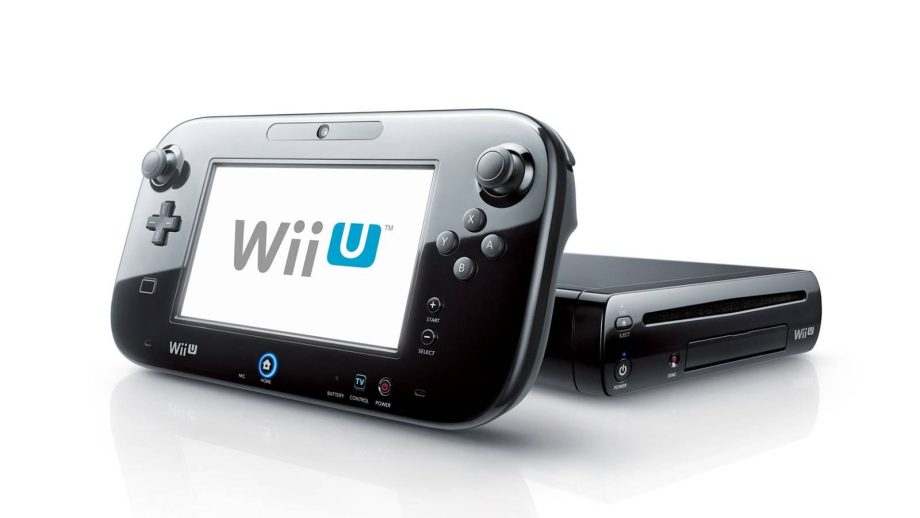
Wii U

Nintendo’s same support page also walks players through downloading their original Wii U games, but the process is slightly different:
- From the bar along the bottom of the home screen, select Nintendo eShop.
- Tap My Menu on the left side of the screen, or press Y to bring up the same options.
- Scroll down and select Your Downloads.
- Choose Downloaded Software to bring up a list of titles you can download.
One important consideration with the Wii U is the limit on individual titles you can install. The interface doesn’t allow more than 300 games on a single device. If you have more games than that, you’ll need to split them among multiple hard drives and switch between them. In that case, it’s a good idea to have a system of organization in mind before you start downloading, so it’s easier to keep track of which games are on which drive.
Also kudos to you for finding more than 300 games worth playing on the Wii U.
Wii

Your original Wii games are still available through the Wii U. To play them, you’ll need to install them to an SD card inserted in the appropriate slot. Nintendo has set up a page telling you how to redownload your Wii games, which involves the following steps:
- Access the Wii Menu.
- Using the Wii Remote, select Wii Shop Channel on your TV screen or gamepad.
- Select Start.
- Choose to Start Shopping.
- Select the Titles You’ve Downloaded.
This process may prove difficult if you have a newer router, even if your Wii U itself connects just fine. The Wii firmware lets it connect with WPA2-PSK (AES) connection types, but not newer configurations. You may need to tweak your router settings, set up a wired connection with an adapter, or get creative with a mobile hotspot if you get error codes when you try to connect to the shop.
Xbox 360

With the exception of Xbox Live Indie Games, which were delisted most of a decade ago, many older Xbox 360 titles are still available on Xbox Series X. You can also play them on the original hardware. Simply power on your Xbox 360 and sign into your Xbox Live account that is associated with your purchased games. Unless you do so, many of the games you have installed will only be playable as demos.
If you haven’t signed into your account in months or years, you may encounter the same sort of difficulty that impacts the Wii. Newer routers sometimes lead to Xbox Live account connection issues, even when wi-fi login details remain unchanged. If you get stuck, try a wired connection instead.
If problems persist even when you’ve plugged into your router directly, you might also try deleting your Xbox Live account profile and loading it again (you don’t need to remove any of your games or other data). That refresh often allows the hardware to connect to wi-fi when it couldn’t previously. However, make sure that you definitely remember your old password before you attempt this step. Online, Microsoft logins often use new authentication processes, such as passkeys, which aren’t compatible with the old hardware.
Once you sign into your account, the process is simple:
- Head directly to the Settings tab.
- Select Account.
- Access your Download History.
That menu displays all purchased content that runs on the original Xbox 360 hardware, even if you acquired it much more recently through the Xbox website. Your older Xbox Live Indie Games that have been delisted will still be available.
Digital games are here to stay, whether physical collectors like it or not, and soon they may be the only option. Although that changes how it feels to own a game, the future might not be as grim as some people imagine. At least for now, platform holders have made efforts to keep their older games available, even if the processes are inconvenient. Consumers will have to decide what they want to do about the new normal in the years to come, but for now, at least they can still recover the stuff they’ve already purchased.
Sony is killing physical PlayStation game discs for good
Grim announcement assures that PlayStation 6 will be digital only
Read Full Article At Source