Epson EcoTank printers for home office

Epson EcoTank printers for home office


Epson has rolled out eight new EcoTank printers in Singapore, and their key points sound familiar, where they allow us to print more, spend less, and take up less desk space doing it. 
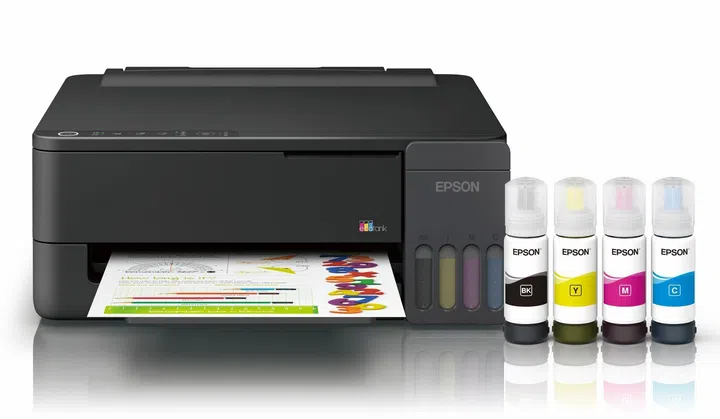
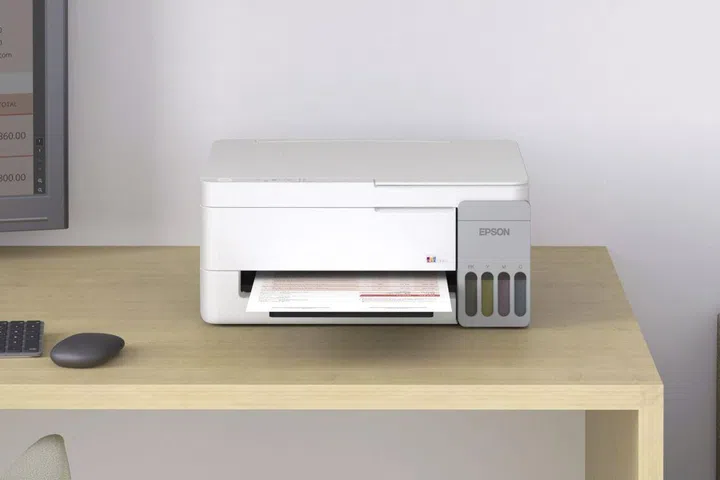
The L1350

The L1350, the most basic model coming to Singapore.

Photo: Epson

The new models, the L1310, L1350, L3310, L3350, L3316, L3356, L5390 and L5396, go on sale from 22 June, aimed squarely at homes and small businesses that print in volume but watch every dollar of their running costs.

Epson says that the timing isn’t accidental, with home-office setups multiplying across Southeast Asia, and with them the demand for printers that can churn through high volumes without the cartridge bills that traditionally come with them. That said, I do find it strange that even the more expensive models lack a paper tray or cassette.

“Epson remains committed to delivering high-quality, efficient printing solutions that empower customers in their daily operations,” said Derek Tan, Head of Sales and Marketing at Epson Singapore. “With the next generation of EcoTank Printer series, we have combined faster performance, enhanced durability and intuitive features to boost productivity in today’s competitive economy, helping businesses stay agile and sustainable. Home workspaces, set up for success and high growth, can also unlock new levels of productivity with our printing solutions, designed for cost and time efficiency.”

Understanding the eight new Epson EcoTank models
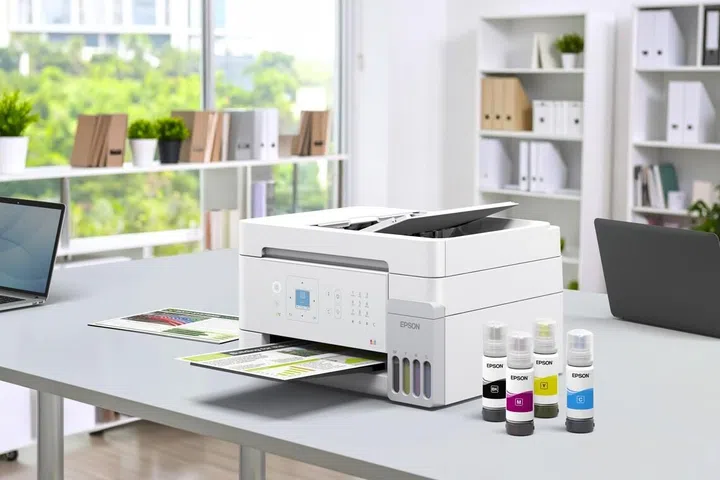
The L5396

The L5396 with the higher capacity ink bottles.

Photo: Epson
The headline number here is yield. Each model uses high-capacity 65ml CMYK dye ink bottles rated for up to 4,700 pages in black and 7,500 in colour. That black figure edges up on the previous generation, where the older L3210 and L3250 line topped out around 4,500 black pages, so you’re getting a little more out of every refill.

Colour-coded tank keys slot only into their matching ink bottles, keeps refilling mess-free and cuts down on waste, and that matters more because spilt ink is exactly the sort of thing that puts people off refillable ink tank printers in the first place.

Built to keep going

The L3316

The small footprint of the L3316.

Photo: Epson

Durability is where the new printer lineup makes its biggest leap forward. Every model now has a warranty for up to 50,000 pages, printhead included, which dwarfs the 30,000-page cover of the previous models. For a small business running invoices and reports all day, that’s a meaningful jump in peace of mind.

The printers are built for sustained use in other ways. A replaceable Maintenance Box keeps downtime low and lets users handle upkeep themselves rather than booking a service call, and a Semi-Automatic Print Adjustment system fine-tunes alignment and colour calibration over time, so output stays consistent whether you’re printing a wall of text or a photo-heavy slide.

Smaller on the desk, lighter on the bill

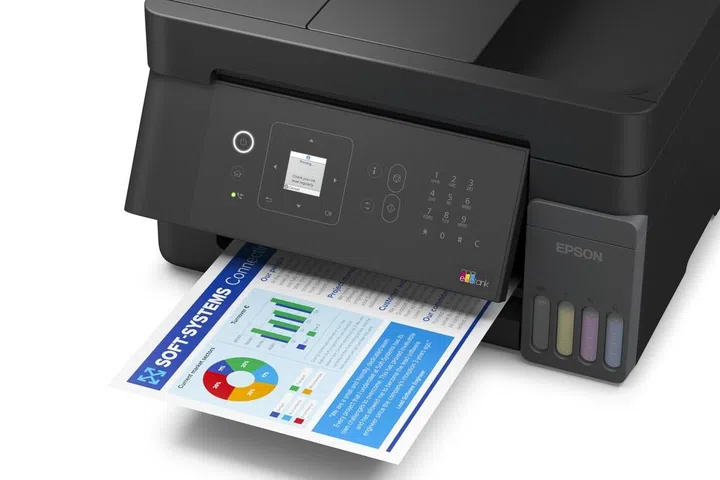
The L5390

The L5390 has a panel that can be tilted to see the LCD.

Photo: Epson

The new design folds the ink tank into the printer body rather than bolting it on the side, which, along with a two-tone finish, gives the range a footprint up to 20 percent smaller than before. For anyone working off a cramped home desk, that’s a real win. Epson has also rethought the paper path, with an extended curving paper support and a wider tray meant to reduce paper bending and keep feeding smooth and stable.

Epson’s Heat-Free Technology also contributes to lower running costs by skipping the heat element traditional inkjets use to fire ink and drawing less power as a result. 

Mobile tricks, but not for everyone

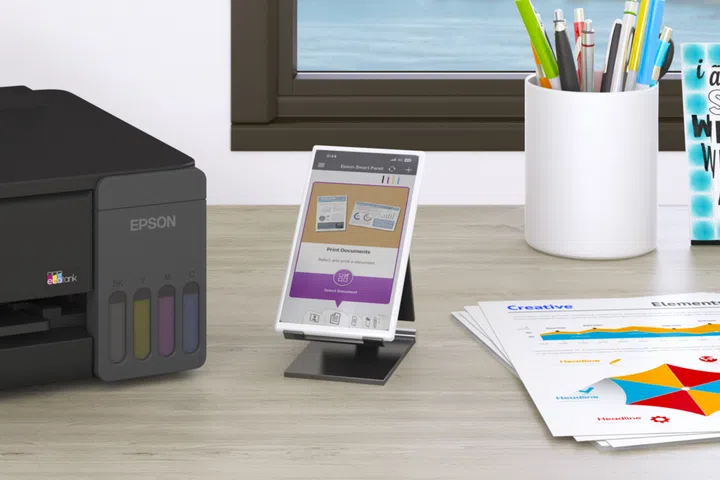
The printing app

Printing via the mobile app

Photo: Epson

Here’s where the models split. The L1350, L3350, L3356, L5390 and L5396 work with the Epson Smart Panel app, so you can set up, monitor, scan and copy straight from your phone, scan several pages into a single PDF, and preview or edit files on the go. These same models support AirPrint and Mopria for wireless printing from compatible devices. Two models, the L5390 and L5396, also include an automatic document feeder (ADF) that handles up to 30 A4 sheets, plus fax, for anyone still pushing multi-page documents through in one go. 

The more basic L1310, L3310 and L3316 stick to a USB 2.0 connection, which is tried and true.

In terms of print quality, all eight are designed to produce sharp text, smooth colour gradation, and detailed images across both document and photo work, without the operating costs that usually come with that kind of output.

Specs / model L1310 L1350 L3310 (Black) L3316 (White) L3350 (Black) L3356 (White) L5390 (Black) L5396 (White)
Type Print Only Print Only Print, Scan, Copy Print, Scan, Copy Print, Scan, Copy Print, Scan, Copy Print, Scan, Copy, Fax with ADF Print, Scan, Copy, Fax with ADF
Print Speed [Black / Colour] Up to 11.0ipm / 6.0ipm Up to 11.0ipm / 6.0ipm Up to 7.0ipm / 1.7ipm Up to 7.0ipm / 1.7ipm Up to 7.7ipm / 3.8ipm Up to 7.7ipm / 3.8ipm Up to 11.0ipm / 6.0ipm Up to 11.0ipm / 6.0ipm
Copy Speed [A4 – Black / Colour, Flatbed] NA NA Up to 7.0ipm / 1.7ipm Up to 7.0ipm / 1.7ipm Up to 7.7ipm / 3.8ipm Up to 7.7ipm / 3.8ipm Up to 7.7ipm / 3.8ipm Up to 7.7ipm / 3.8ipm
Scanning Optical Resolution NA NA 600 x 1,200 dpi 600 x 1,200 dpi 1,200 x 2,400 dpi 1,200 x 2,400 dpi 1,200 x 2,400 dpi 1,200 x 2,400 dpi
Scan Speed [Flatbed (Black/Colour)], 200dpi NA NA Approx. 11 Sec / 32 Sec Approx. 11 Sec / 32 Sec Approx. 11 Sec / 28 Sec Approx. 11 Sec / 28 Sec [Flatbed (Black/Colour)], 200dpi: Approx. 12 Sec / 29 Sec ADF (Black / Colour), 200dpi: Up to 4.5ipm / 4.5ipm [Flatbed (Black/Colour)], 200dpi: Approx. 12 Sec / 29 Sec ADF (Black / Colour), 200dpi: Up to 4.5ipm / 4.5ipm
Fax Speed (Data Transfer Rate) NA NA NA NA NA NA Up to 33.6 kbps, Approx. 3 sec/page Up to 33.6 kbps, Approx. 3 sec/page
ADF Paper Capacity NA NA NA NA NA NA 30 Sheets (A4 Paper), 10 Sheets (Legal) 30 Sheets (A4 Paper), 10 Sheets (Legal)
Paper Handling Friction Feed Input Capacity: Up to 100 sheets of 80g/m2 Output Capacity: Up to 30 sheets of 80g/m2 Friction Feed Input Capacity: Up to 100 sheets of 80g/m2 Output Capacity: Up to 30 sheets of 80g/m2 Friction Feed Input Capacity: Up to 100 sheets of 80g/m2 Output Capacity: Up to 30 sheets of 80g/m2 Friction Feed Input Capacity: Up to 100 sheets of 80g/m2 Output Capacity: Up to 30 sheets of 80g/m2 Friction Feed Input Capacity: Up to 100 sheets of 80g/m2 Output Capacity: Up to 30 sheets of 80g/m2 Friction Feed Input Capacity: Up to 100 sheets of 80g/m2 Output Capacity: Up to 30 sheets of 80g/m2 Friction Feed Input Capacity: Up to 100 sheets of 80g/m2 Output Capacity: Up to 30 sheets of 80g/m2 Friction Feed Input Capacity: Up to 100 sheets of 80g/m2 Output Capacity: Up to 30 sheets of 80g/m2
Interface USB: USB 2.0 USB: USB 2.0 Network: Ethernet, Wi-Fi, Wi-Fi Direct (up to 8 devices) USB: USB 2.0 USB: USB 2.0 USB: USB 2.0 Network: Ethernet, Wi-Fi, Wi-Fi Direct (up to 8 devices) USB: USB 2.0 Network: Ethernet, Wi-Fi, Wi-Fi Direct (up to 8 devices) USB: USB 2.0 Network: Ethernet, Wi-Fi, Wi-Fi Direct (up to 8 devices) USB: USB 2.0 Network: Ethernet, Wi-Fi, Wi-Fi Direct (up to 8 devices)
Mobile and Cloud Printing NA Epson Smart Panel; Email Print; Remote Print Driver; Apple AirPrint Mopria Print Services; Chrome OS NA NA Epson Smart Panel; Email Print; Remote Print Driver; Apple AirPrint Mopria Print Services; Chrome OS Epson Smart Panel; Email Print; Remote Print Driver; Apple AirPrint Mopria Print Services; Chrome OS Epson Smart Panel; Email Print; Remote Print Driver; Apple AirPrint Mopria Print Services; Chrome OS Epson Smart Panel; Email Print; Remote Print Driver; Apple AirPrint Mopria Print Services; Chrome OS

Pricing and availability

The new EcoTank printers are now on sale in Singapore through Epson’s online stores on Lazada and Shopee, and authorised dealers. The pricing for the various models is as follows:

  • L1310 – Not available in Singapore
  • L1350              – S$209
  • L3310 / L3316 – S$221
  • L3350              – S$249
  • L3356              – S$249
  • L5390 / L5396 – S$419 (there is an online and in-store promotion that offers a S$20 CapitaLand Voucher with purchase)


Read Full Article At Source

Share. Save. Don't Miss The Buzz: XFacebookRedditLINETelegramWhatsAppGmail