Microsoft Surface devices get Snapdragon X2

Microsoft Surface devices get Snapdragon X2


Microsoft has refreshed its Surface line-up with three new Snapdragon X2-powered devices, and the pitch is pretty clear: more performance, more flexibility and more AI work happening locally on the device instead of always waiting on the cloud.

The new line-up consists of the Surface Pro 13-inch, Surface Laptop 13.8-inch and Surface Laptop 15-inch. All three are powered by Qualcomm’s newer Snapdragon X2 processors, making them the next step in Microsoft’s Copilot+ PC push.

The short version? Surface is still Surface. The Pro is still the tablet-laptop hybrid for people who like detachable keyboards and pen input. The Laptop is still the cleaner, more traditional clamshell option. But Microsoft is now giving both lines a faster Arm-based platform, better graphics performance claims, and a stronger case for local AI workloads.

Three new Surface devices, one Snapdragon X2 push

Microsoft says the new Surface Pro and Surface Laptop are built for people who move between everyday productivity, creative work, collaboration and AI-assisted workflows. That sounds like the standard laptop launch line, sure, but the Snapdragon X2 upgrade is the main hardware story here.

According to Microsoft, the Surface Pro 13-inch with Snapdragon X2 delivers up to 53% faster graphics performance than the previous generation. The Surface Laptop gets an even bigger claim, with up to 58% more graphics performance than before.

That matters because the previous Surface Pro and Surface Laptop generation had already moved Microsoft’s consumer Surface line deeper into Windows on Arm with Snapdragon X processors. The new models do not throw away that playbook. They double down on it.

Surface Pro 13-inch: still the most Surface-y Surface
You need to buy everything individually

As usual, the accessories are separate

Photo: Microsoft

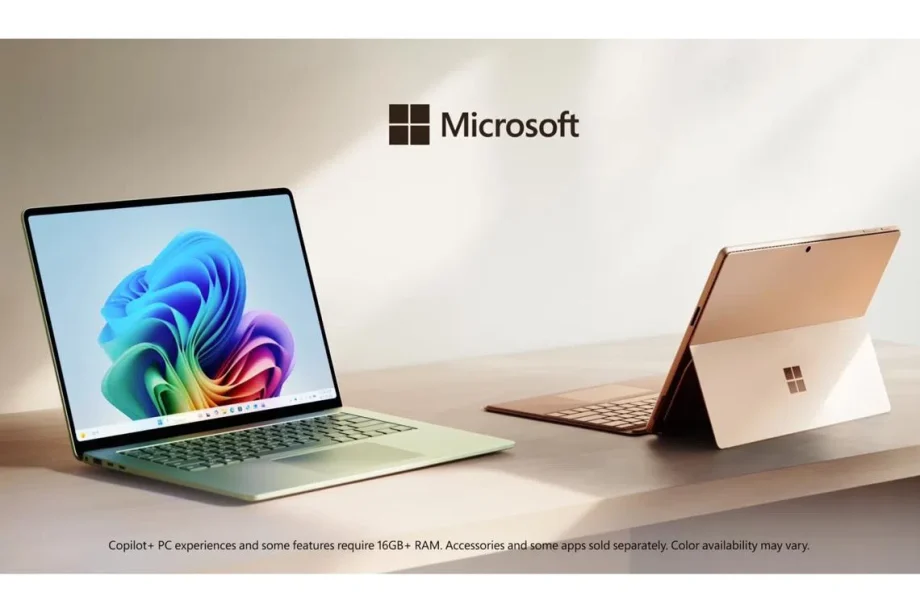
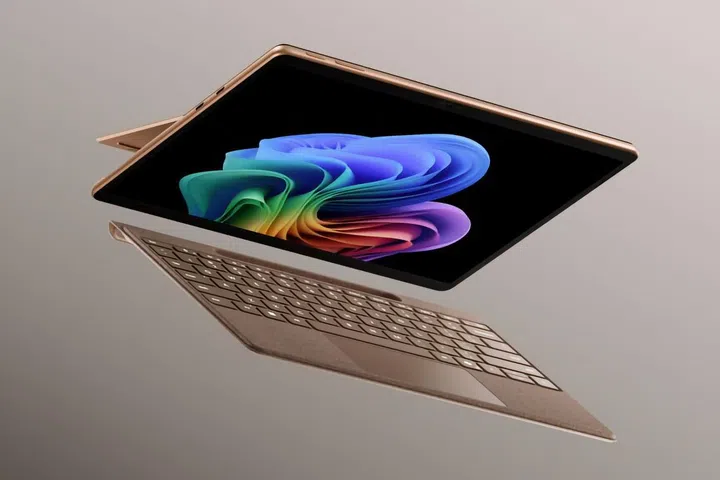
The new Surface Pro 13-inch (12th edition) is the flexible one, because of course it is. It keeps the familiar 2-in-1 idea: a Windows tablet with an adjustable kickstand, optional keyboard and pen support, designed to move between couch, desk, meeting room and aeroplane tray table without asking too many questions.

It comes in Platinum, Black and Dune, depending on market and configuration. It can be configured with a Snapdragon X2 Plus or Snapdragon X2 Elite processor, and Microsoft says battery life reaches up to 15.5 hours for local video playback.

The display is also a big part of the story. Microsoft lists a 13-inch PixelSense touchscreen with either an LCD or an optional OLED, a 2880 x 1920 resolution, and up to a 120Hz refresh rate. That optional OLED panel is the one for users who care about deeper blacks, higher contrast and colour work, while the LCD version keeps the more mainstream route.
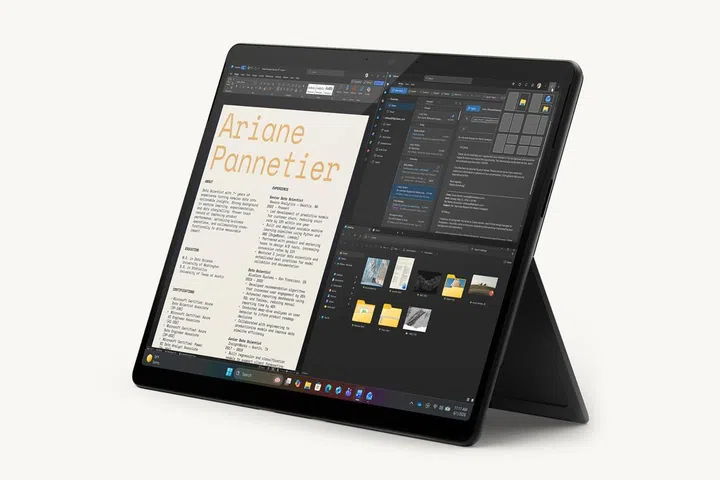
the kickstand

The now familiar kickstand

There is also a 1440p Quad HD camera with an ultrawide field of view, which should matter to anyone still living on video calls. Paired with the optional Surface Pro Flex Keyboard, now also available in Dune, the new Pro is the usual Surface argument: laptop when you need one, tablet when you do not.

The catch is also the usual Surface argument. The keyboard and pen are accessories, not freebies by default. So the advertised starting price is really the start of the conversation, not always the final number on the receipt.

Surface Laptop 13.8-inch and 15-inch: the sensible workhorses

The familiar Surface Laptop

The Surface Laptop has two sizes, 13.8-inch and 15-inch.

Photo: Microsoft

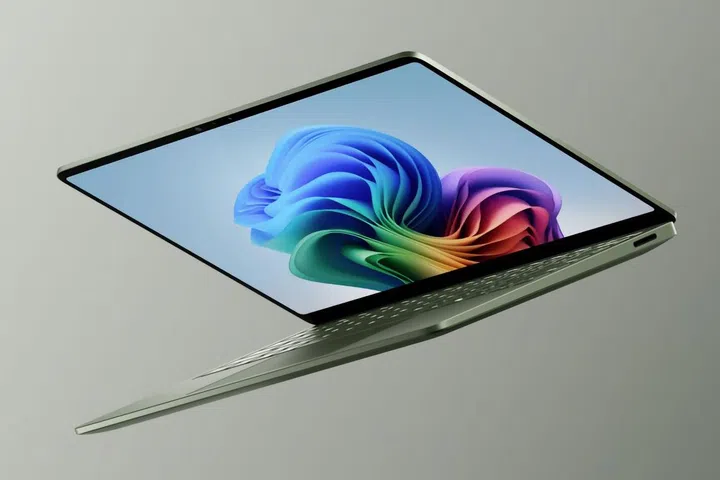
The Surface Laptop 13.8-inch and 15-inch (8th Edition / 7th Edition Business models) are the more straightforward machines. No detachable keyboard, no kickstand gymnastics, no “is this a tablet or a laptop?” debate. They are premium Windows laptops with touchscreens, Snapdragon X2 processors, and all-day battery claims that make people wonder whether they can finally leave the charger at home.

Microsoft says the 13.8-inch model offers up to 20 hours of local video playback, while the 15-inch model offers up to 19 hours.

Both models use bright, colour-accurate LCD screens, but the 15-inch gets a useful display upgrade. Microsoft says the 15-inch model jumps from 201ppi to 262ppi, which should make text and detail look sharper. That may not sound as flashy as an OLED option, but on a larger laptop screen, sharper density is one of those upgrades that people notice every day without thinking too much about it.

The Surface Laptop 13.8-inch also gets a new Jade colour, joining Platinum, Black and Dune. It is a small thing, but Microsoft clearly knows that colour still sells, especially in a sea of silver and black laptops.

A quick specs comparison:

Device Processor options Display Battery life
Surface Pro 13-inch Snapdragon X2 Plus or Snapdragon X2 Elite 13-inch PixelSense touchscreen, LCD or optional OLED, 2880 x 1920, up to 120Hz Up to 15.5 hours local video playback
Surface Laptop 13.8-inch Snapdragon X2 Plus or Snapdragon X2 Elite 13.8-inch PixelSense touchscreen LCD Up to 20 hours local video playback
Surface Laptop 15-inch Snapdragon X2 Plus or Snapdragon X2 Elite 15-inch PixelSense touchscreen LCD, sharper 262ppi display Up to 19 hours local video playback

Built for AI, but not just for AI demos

Microsoft is positioning the new Surface machines as AI-ready PCs, but the more useful way to look at them is that they are designed for hybrid AI work. Some tasks happen locally, using the device’s NPU. Others still go to the cloud. Most real work probably moves between both.

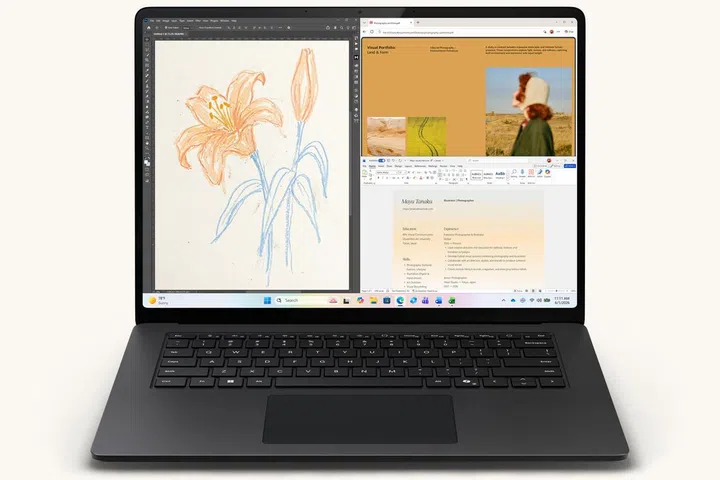
the 15-inch Surface Laptop

The display of the 15-inch Surface Laptop

Photo: Microsoft

That is why the Snapdragon X2 platform matters. These are still Copilot+ PCs, which means they support Microsoft’s local AI experiences and are built around dedicated neural processing hardware. The Surface pitch is not just “ask Copilot a question”. It is more like: run workloads locally when it makes sense, call on cloud scale when it does not, and let Windows handle more of that switching in the background.

There is also a softer hardware detail worth mentioning: haptics. Microsoft says the new Surface Laptop touchpad and the Surface Slim Pen experience on Surface Pro support subtle haptic feedback across Windows and supported apps. It is not the kind of spec that wins a spreadsheet battle, but it can make everyday interactions feel more precise.

Affinity is also pinned to the Start menu on the new Surface devices, giving users access to professional-grade design, photo and publishing tools that Microsoft says are tuned for the hardware.

What changed from the previous generation?

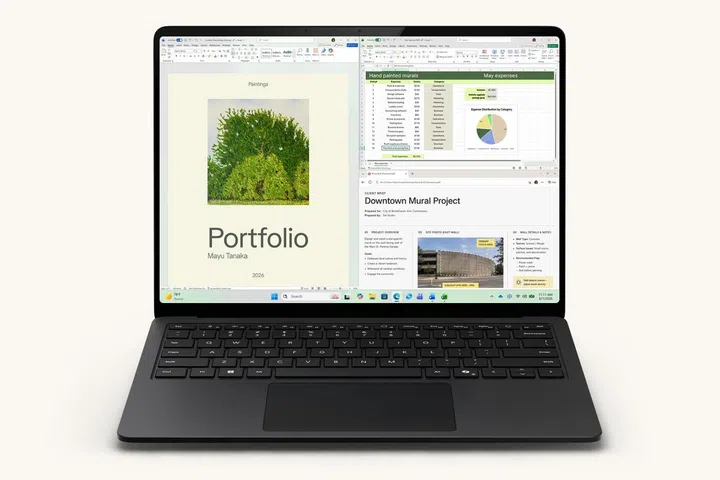
the 13.8-inch Surface Laptop

What the screen looks like on the 13.8-inch Surface Laptop

Photo: Microsoft

Compared with the previous Snapdragon X Surface generation, this refresh is more of an evolution than a revolution.

The designs are familiar. The Surface Pro is still a detachable 2-in-1. The Surface Laptop still looks like the premium clamshell Microsoft has been refining for years. The big change sits inside: the Snapdragon X2 replaces the earlier Snapdragon X platform, and Microsoft claims a notable jump in graphics performance for both product lines.

The Surface Pro gets up to 53% faster graphics performance than the previous generation, while the Surface Laptop gets up to 58% faster graphics performance. The Surface Laptop 15-inch also gets a sharper display, with resolution increasing from 201ppi to 262ppi. Colour options have shifted too, with Dune appearing on the Surface Pro line-up and Jade joining the 13.8-inch Surface Laptop.

Pricing and availability

The new Surface Pro and Surface Laptop models are available in the US from 16 June 2026, with Surface for Business availability beginning on 14 July. Microsoft’s US pricing starts at US$1,499 (~ S$1,928.82) for the Surface Pro 13-inch, US$1,599 (~S$2,057.49) for the Surface Laptop 13.8-inch and US$1,699 (~S$2,186.16) for the Surface Laptop 15-inch.

Singapore pricing and availability were not listed in the Microsoft US launch materials at the time of writing.


Read Full Article At Source

Share. Save. Don't Miss The Buzz: XFacebookRedditLINETelegramWhatsAppGmail