Upgrading your broadband and mobile data for the best sports watching experience? Here’s what to consider

Upgrading your broadband and mobile data for the best sports watching experience? Here’s what to consider


  1. 1. Do you really need 10Gbps broadband? 
  2. 2. What kind of hardware do you need to support the plan? 
  3. 3. Should you buy a plan that comes bundled with a router?
  4. 4. What if you’re watching on the go?
  5. 5. How much data do you need?

Whether you’re a football or basketball fan, the next few months are shaping up to be very exciting with the NBA playoffs and one of the most anticipated global football competitions starting soon. 

To get the best experience, you might be looking at upgrading your broadband and mobile data so you can really enjoy watching your favourite players and teams. Here are some things to keep in mind as you consider the multitude of different plans and options available on the market.

Do you really need 10Gbps broadband? 

Rendition of home network and devices connected

We are fortunate in that we have access to very fast and generally affordable broadband plans.

AI-generated image

While many of us are always tempted to get the latest and greatest, it might not be quite as necessary when it comes to a broadband plan. While 10Gbps plans can sound tempting, you might not always need all that bandwidth. 

Firstly, if you’re still on a 1Gbps broadband plan, there’s no need to immediately run to recontract. While most ISPs have switched to offering larger plans, a 1Gbps plan is actually more than sufficient for streaming videos in 4K. However, broadband plan prices have fallen significantly over the last couple of years, so it might be a better deal to recontract to a newer, faster and cheaper plan.

For smaller families, a 3Gbps plan will be more than sufficient for most, as long as you’re not constantly downloading large files all at the same time with a multitude of devices connected. Large files don’t have to necessarily be work files, but you can also consider game and operating system updates, which are increasingly getting larger. 

However, if there are many users at home who are all engaging in high-bandwidth activities at the same time, like gaming, live streaming and downloading, you might want to consider a 10Gbps plan to help with network congestion and ensure everyone has sufficient bandwidth. (Take note that many concurrent users watching their favourite shows on their devices hardly count towards high bandwidth usage.)

Furthermore, you’ll require appropriate equipment to really take advantage of the faster speeds and bandwidth, which we’ll cover in our next section. 

If you’re wondering about the difference between plans and what you get, we’ve previously compiled how M1’s different broadband plans stack up in our guide here.

What kind of hardware do you need to support the plan? 
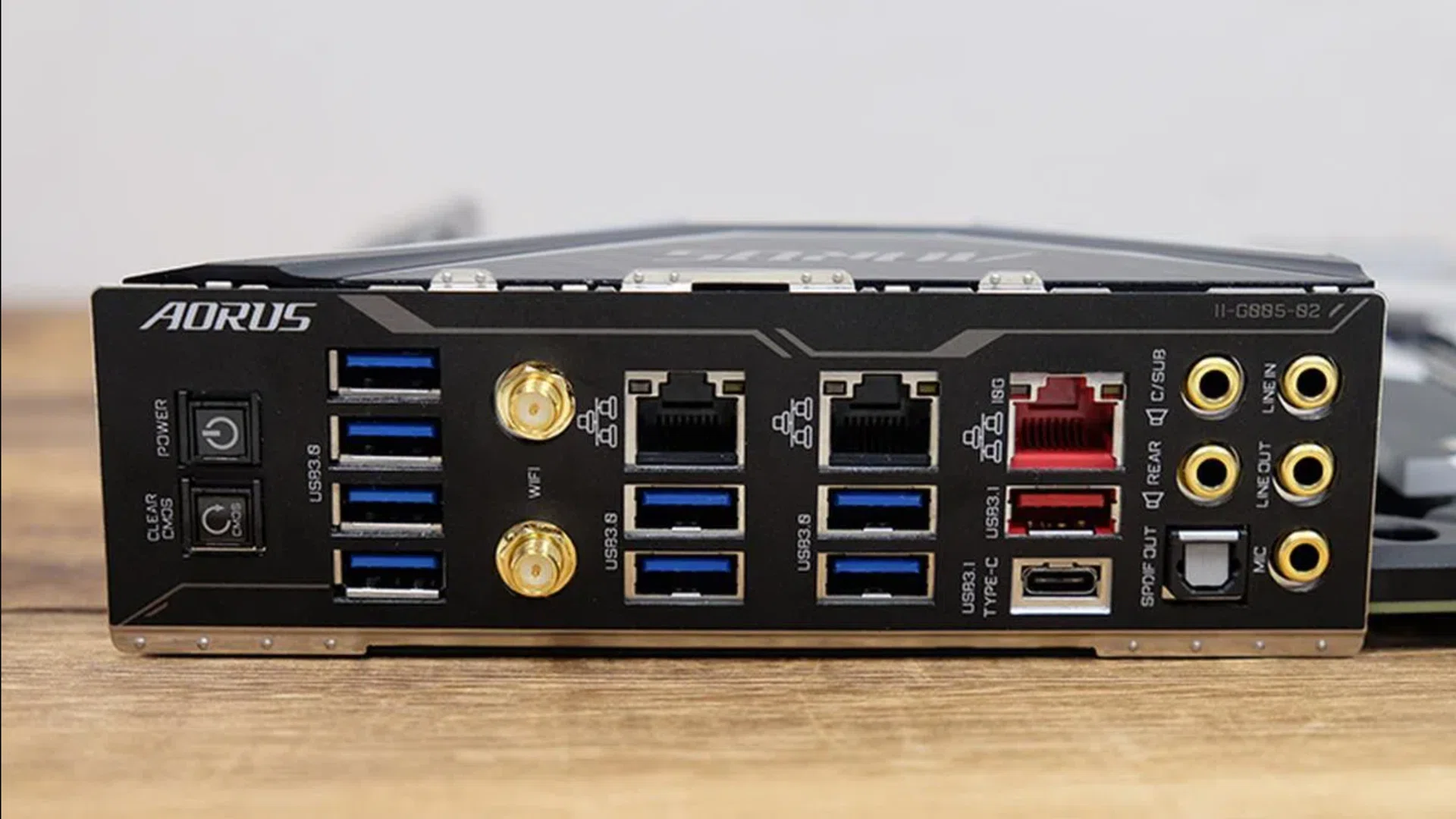
Gigabyte X399 Aorus Xtreme motherboard

One of the crucial components that hardly anyone talks about: A premium motherboard offering a 10G Ethernet port that connects directly with the high-speed PCIe interface onboard, such as this Gigabyte X399 Aorus Xtreme motherboard.

Image: HWZ
Regardless of whether you’re watching on your TV or computer, you’ll need to ensure that your hardware can support the speeds of your plan. If you’re planning to run a wired connection, you’ll want to double check that your home network is running on Cat 6 cables (or higher) to fully support speeds above 1Gbps, as well as whether your device has a high-speed Ethernet port. 

If you’re planning to watch the matches on your computer, then it’s quite simple. Most modern enthusiast motherboards on desktops these days come with at least a 2.5G Ethernet port, which means you’ll be able to take advantage of a faster, more stable wired connection (such as from a 3Gbps broadband plans). 

If you have a premium-tier motherboard/system, you might get a 10Gb Ethernet port, which will provide you with much quicker speeds to fully unleash your 10Gbps broadband plan.

Whatever broadband plan you decide to get, make sure your router and devices have the appropriate Ethernet ports to fully maximise the plan’s performance.

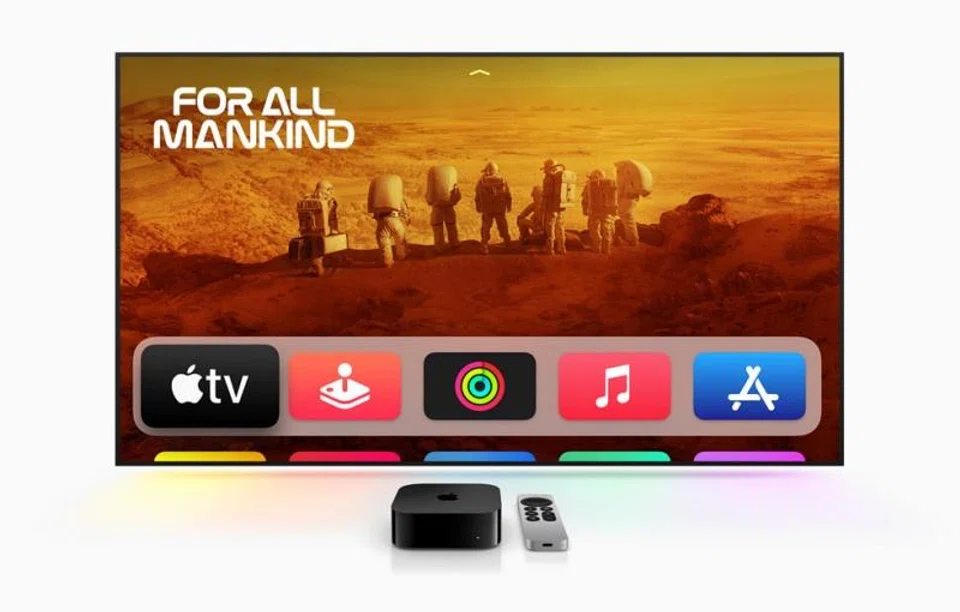
On the TV side of things, most models these days still ship with a 100Mbps Ethernet port, which is enough for the recommended 25-30Mbps for streaming, but it’s far slower than the typical speeds you can get if you’re using a Wi-Fi 7 network at home. The upside of a wired connection is that it’s less at risk for connection dropouts and other stability issues.

Apple TV 4K (Third Generation)

Apple TV 4K (Third Generation)

Photo: Apple

The workaround for the slower Ethernet port is if you have a streaming device connected to your TV, such as a newer model of Apple TV, which includes a true Gigabit Ethernet port.

If not, you should pay more attention to which Wi-Fi standards your TV supports, since you might be better served by a wireless connection, especially if your router is close by and the TV can support either Wi-Fi 6 or Wi-Fi 7.

Should you buy a plan that comes bundled with a router?

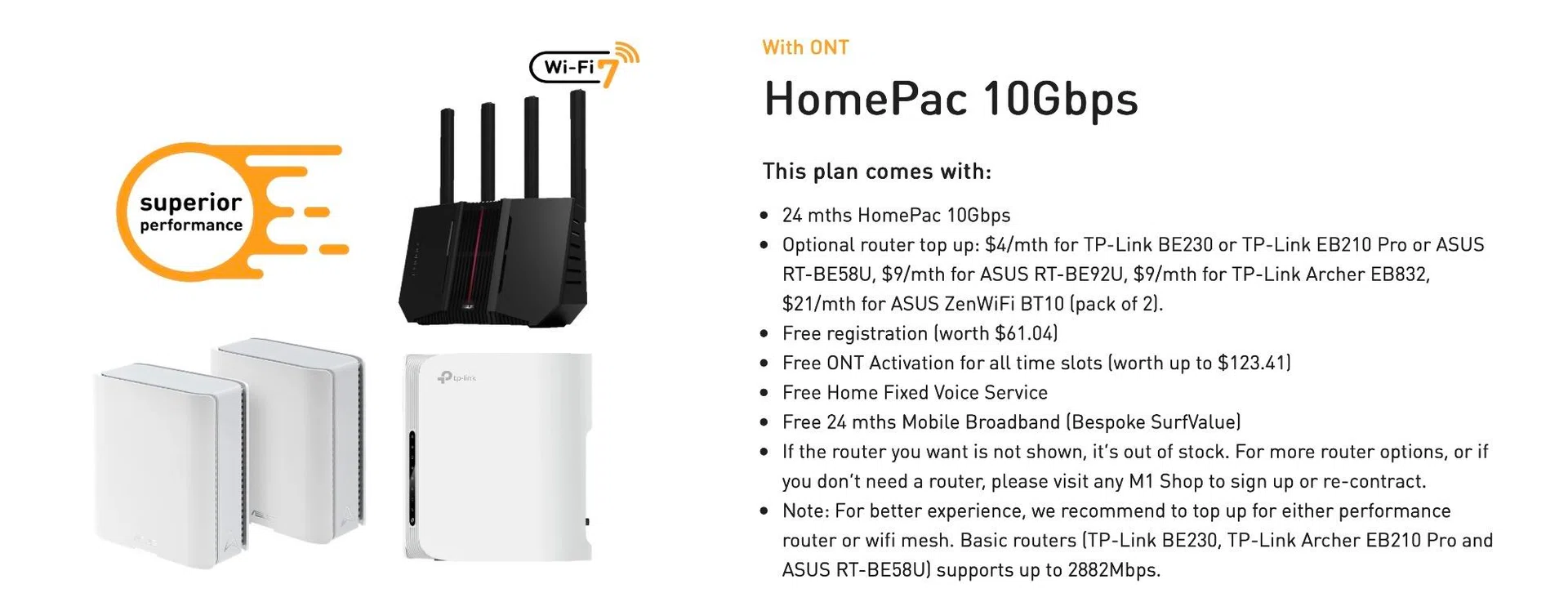
M1 HomePac 10Gbps

For a small top-up each month, you can get M1’s 10Gbps plan with a router.

Photo: HWZ

Most home broadband plans come with the option to bundle in a router for convenience. But is it really worth the extra you’re paying each month? 

The biggest benefit is, of course, the free router and hardware support from your ISP should something go wrong with it. If you don’t want to have to get your own router and set it up yourself, using a free router from your ISP might be a convenient option. Additionally, if anything goes wrong with your router while under warranty, your ISP usually will provide on-site troubleshooting and free replacements.

One that is worth taking a look at is M1’s HomePac 10Gbps plan. On its own, it costs S$29.90 a month for 24 months. However, M1 also offers it with a variety of routers. The router you get depends on how much you are willing to top up. 

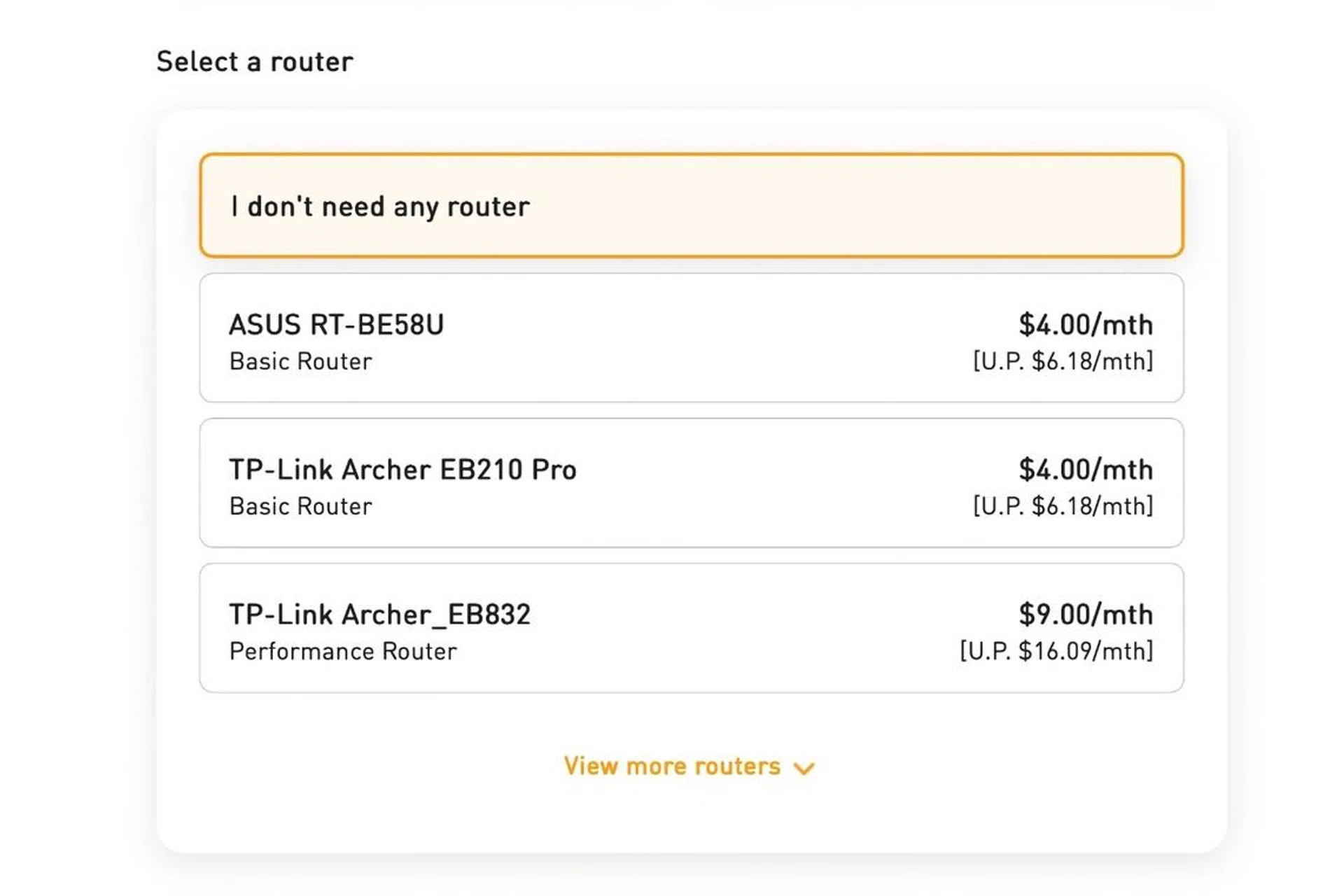
M1 HomePac 10Gbps router top up

It’s worth topping up for these routers because the amount you will pay over 24 months is less than the routers’ retail price.

Photo: HWZ

For example, for an extra S$9 a month, you can get the plan with the ASUS RT-BE92U router. This is a decent router to go with the plan because it’s a tri-band router with 10GbE connectivity and 2.5G LAN ports. Furthermore, if you do the math, S$9 a month for 24 months means S$216. That’s a lot less than the S$399 retail price of the router. In other words, getting a router bundled with the plan is more cost effective.

The potential downside of using a router from your ISP is that those options might not always have the features that you need or want, especially if you’re a power user. Singtel’s bundled routers are one such example, because the one provided is an Optical Network Router (ONR), instead of an Optical Network Terminal (ONT) and a separate router, which doesn’t support features like Bridge Mode.

For people who don’t want to fuss over such things, our advice would be to go for a bundled router, while advanced users should look into purchasing their own routers for more features and better control over settings.

What if you’re watching on the go?

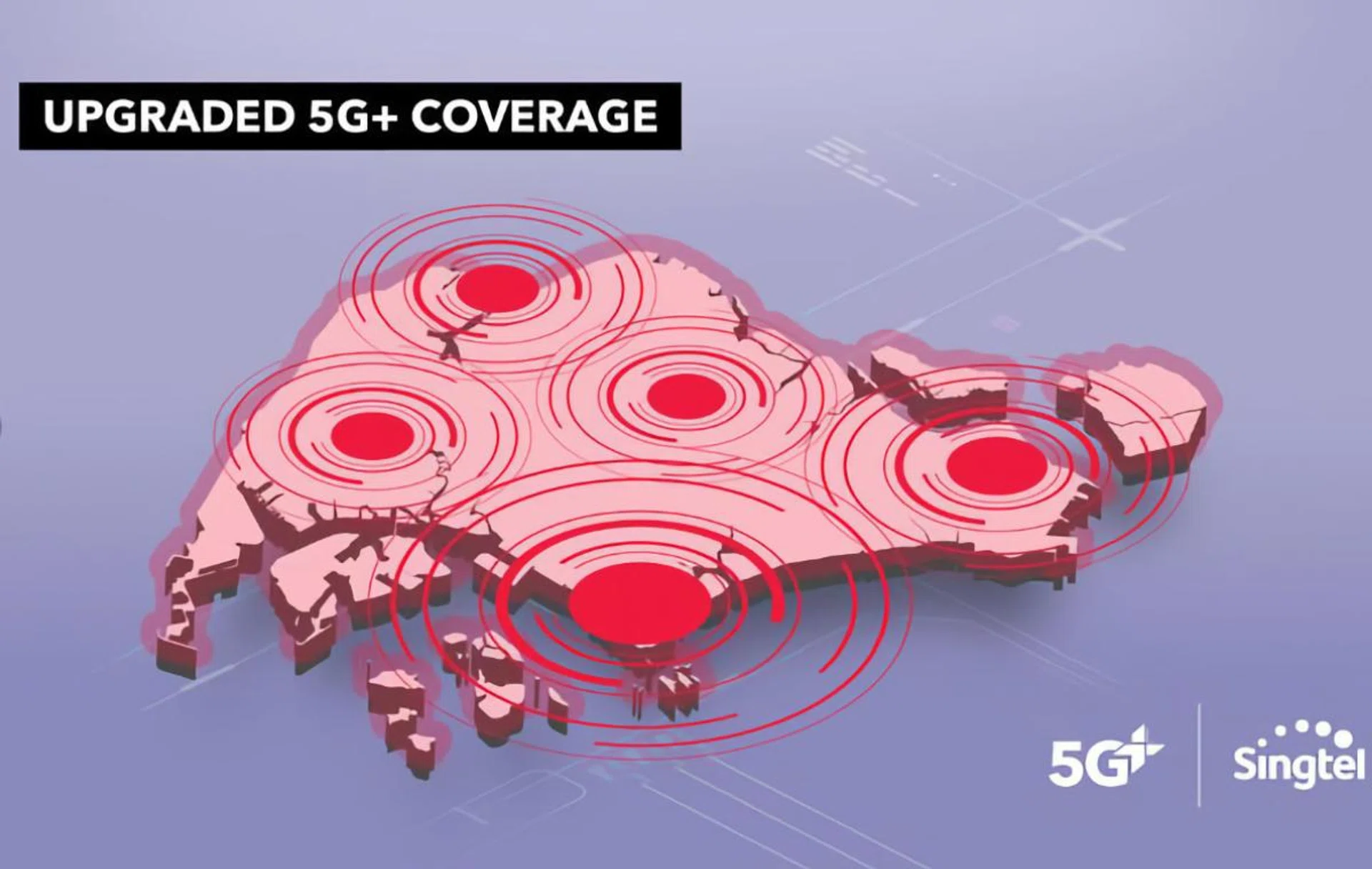
Singtel 5G+ priority plans mobile data

Singtel has islandwide 5G+ coverage.

Photo: Singtel

Of course, one of the biggest pain points of sports fans in Singapore is that most matches typically start at ungodly hours. On the rare occasions when it’s not at 2am or 3am, it’s at rush hour timings in the mornings between 7am and 9am when we’re all squeezed into the MRT trains to get to work. 

Thankfully, 5G mobile plans are the norm these days, which means you’ll most likely have fast enough data to watch when you’re on the go. However, that doesn’t mean much if you’re stuck in a congested train with hundreds of other commuters who are also competing for bandwidth. 

That’s where something like Singtel’s 5G+ Priority mobile plans come in. These mobile plans allow for subscribers to access Singtel’s new “Singtel 5G+” network which uses network slicing to allocate more network bandwidth for priority users. 

Singtel typically claims usual speeds of up to 1Gbps down and 100Mbps up, but with 5G+ Priority plans, subscribers are supposed to get up to 4x faster speeds and lower latency via a “Priority Network Lane”. 

How much data do you need?

Depending on whether you’re streaming in 4K or FHD, the amount of data required for each game will differ greatly. For a typical two-hour game in FHD, you’ll consume around 3GB to 6GB of data.

For fans of multiple sports, you might be watching around 8 to 10 games a month on the go, which means you might need between 30GB to almost 60GB each month for streaming. Here’s a snapshot of offerings from various mobile operators at the time of publishing this guide:-

Thankfully, most mobile plans these days come with extremely generous data allowances like 300GB, 500GB, or even unlimited local data. For most people, having sufficient data to stream games over cellular shouldn’t be a problem.

Regardless, you’ll want to make sure your data plan is capable of handling that amount of data consumption, particularly if you’re subscribed to one of the more affordable SIM-only plans. 

If you want to ensure that everything is all set up and ready for the ultimate watching experience, check out our other guides below on what to consider when upgrading every other part of your set up. 


Read Full Article At Source

Share. Save. Don't Miss The Buzz: XFacebookRedditLINETelegramWhatsAppGmail