If you’re an iPhone user in Singapore, Apple is making it a little harder for scammers to reach you. And given how persistent scam messages have become these days, I think most of us will welcome any additional protection we can get. After all, who hasn’t received one of those suspicious messages claiming that a parcel couldn’t be delivered, or that there’s something wrong with your bank account?
As part of iOS 27.2, Apple is introducing several additional security measures specifically for Singapore users, with the changes primarily targeting scam and phishing attempts through Messages and FaceTime. Now, Apple already has various privacy and anti-spam features built into iOS, but what’s different this time is that some of these protections will be enabled by default. In other words, users won’t have to go digging through their iPhone settings to switch them on.
It’s a sensible move, especially considering how scammers have become increasingly creative in their attempts to trick Singaporeans. And while SMS scams are nothing new, Apple’s iMessage platform has also become another avenue for scammers to send fraudulent messages, sometimes impersonating familiar organisations such as SingPost, DBS bank and even government agencies.
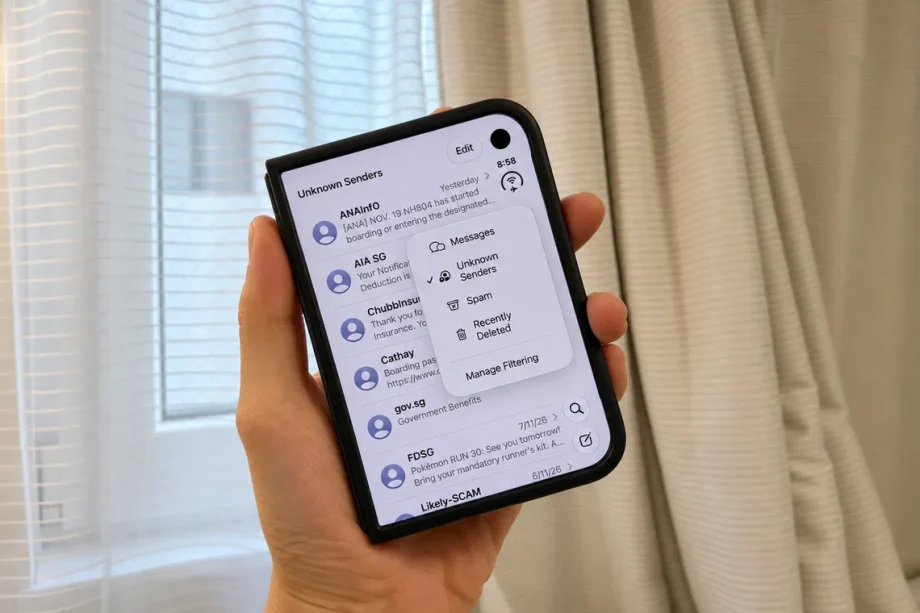
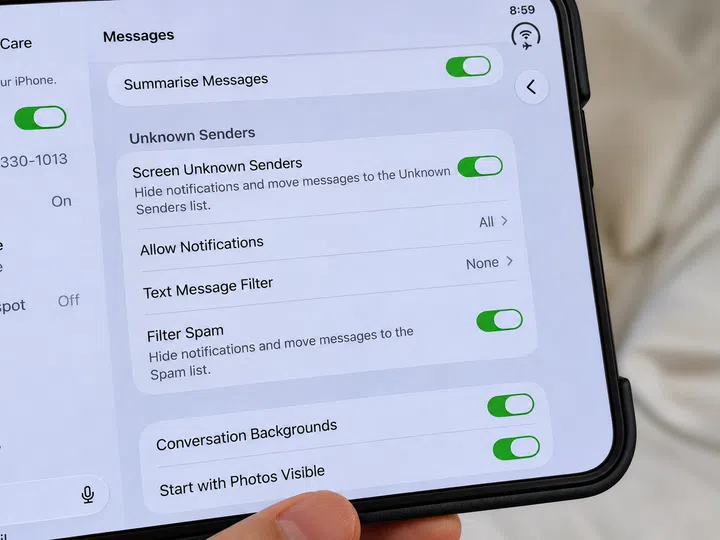
Perhaps the most significant change is that Screen Unknown Senders will now be switched on by default. As its name suggests, this feature automatically separates messages from unfamiliar numbers into a dedicated Unknown Senders folder, keeping them away from your regular conversations. You can still read these messages whenever you want, but they won’t clutter your main inbox, and notifications are generally suppressed unless you’ve allowed certain categories of messages through.
More importantly, Apple is also disabling clickable links in messages received from unknown senders. For me, this is arguably the more useful of the two changes, especially when you consider how many phishing scams rely on getting someone to tap a link without thinking twice.
Read Full Article At Source