Google Maps Gemini chatbot: Ask Maps explained

Google Maps Gemini chatbot: Ask Maps explained


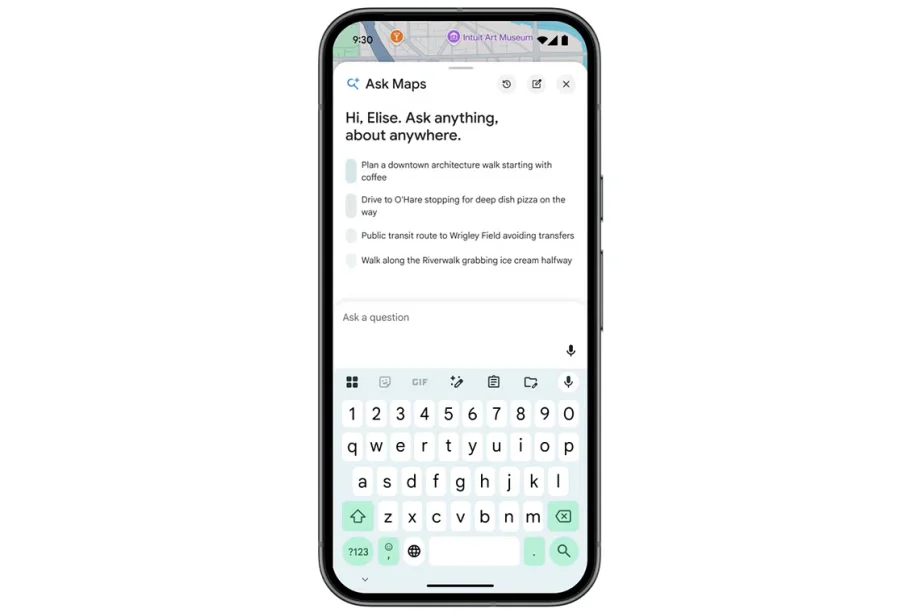
Google Maps’ Gemini-powered Ask Maps feature is finally here in Singapore. As the name entails, Ask Maps is a chatbot that uses information on Maps to answer your queries. Available on mobile and desktop as a button next to the search bar, simply tap or click it to bring up the chat menu. From there, you can ask some of the basic questions you’d already input into Google, such as the classic “Find me an eatery nearby that’s open past 10pm”.

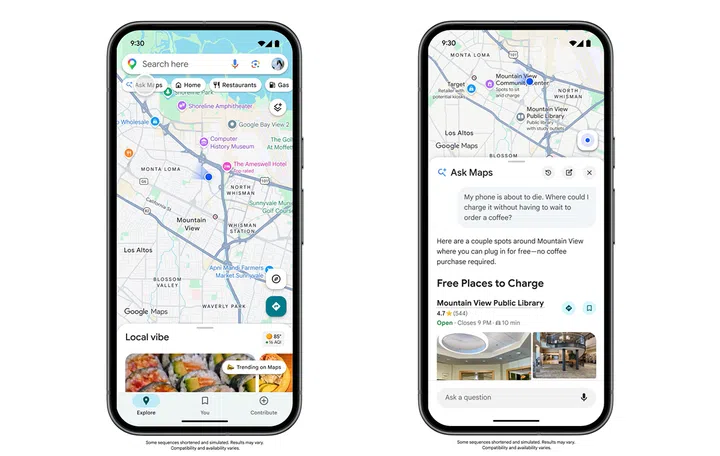
However, you can also get more creative with it. An interesting query that Google showed off was finding a spot to charge your phone without having to wait for coffee, so it’s a bit more conversational than just using a search engine.
Google Maps Ask Maps

You can get a bit creative with what you ask of Ask Maps, such as the nearest place to charge your phone fuss-free.

Images: Google
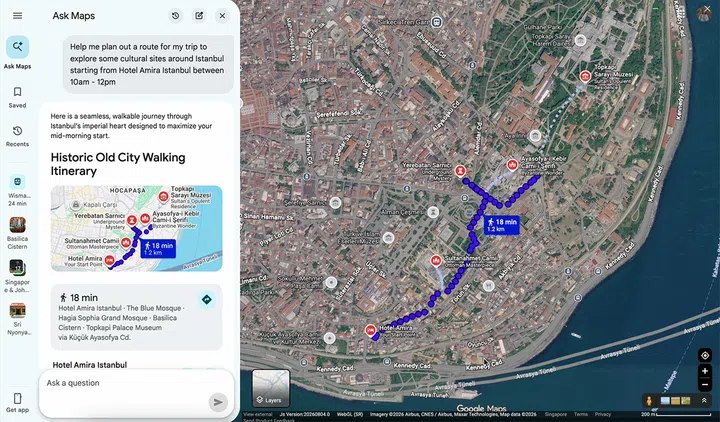
You can also use it to help you with your commute or with route planning. It can be something as simple as what time you should leave to get to your destination in time, or something more complex like planning an itinerary for a walk through a foreign city. 

Ask Maps makes use of real-time information that Google Maps already has, including traffic, public transport timings and hotel prices. When suggesting locations for, say, a dinner or a walkabout, it taps on ratings and reviews left by other Google Maps users, and also knows your saved or searched for places for tailored suggestions.

Google Maps Ask Maps

Ask Maps is also capable of more complex route planning, including planning an itinerary.

Screenshot: Google

Google claims that Ask Maps can also remember past conversations. So if there’s a travel plan that you end up abandoning, it’s possible to pick those plans back up some time in the future.

This feature was officially announced back in March 2026, but it’s only just beginning rollout in Singapore. To check if you have it, you can simply go to your Google Maps app or website and look for the Ask Maps button under the search bar or on the sidebar respectively.


Read Full Article At Source

Share. Save. Don't Miss The Buzz: XFacebookRedditLINETelegramWhatsAppGmail

Leave a Reply