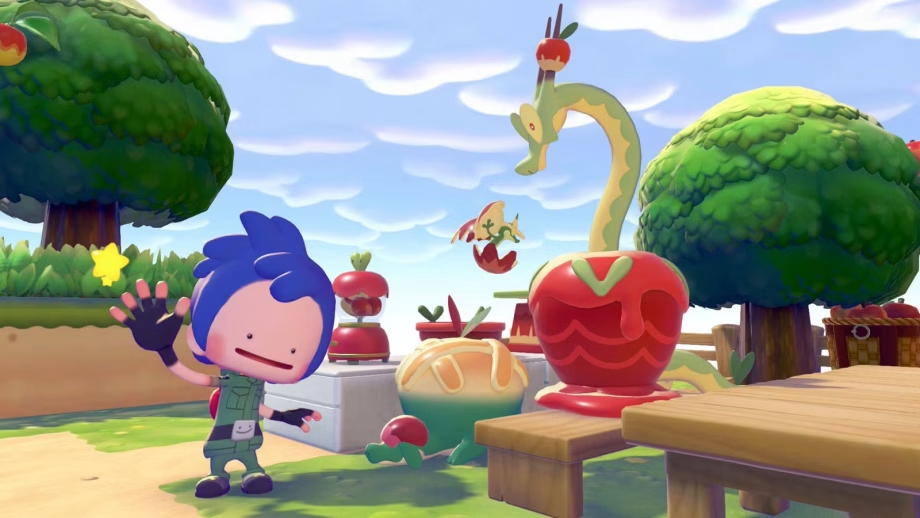
Pokémon Pokopia‘s “Apples to Applin” event comes to make your islands sweeter with the help of Applin. The cute little apple Pokémon is excited about checking new places, but it wishes to acquire Syrupy Apples, which you’ll only find on some unique islands. But once you collect some, you can exchange Applin’s favorite fruits for beautiful apple-themed decorations.
To learn everything you need to help little Applin, we’ve put this guide together explaining how to complete the Pokémon Pokopia “Apples to Applin” event. Below, you will also find the lists of all the rewards and habitats this event added to the game.
[Ed. note: If you’re viewing this guide on a mobile device, you may have to swipe left and right to see all the information on the tables below.]
How to start the Pokémon Pokopia ‘Apples to Applin’ event
You can gather apples and make picnics with Applin in Pokémon Pokopia‘s “Apples to Applin” event from Nov. 16 at 5 a.m. until Dec. 1 at 4:59 a.m. Since the time and date of this event is based on your Nintendo Switch’s console time, you can time travel and participate in the event if you missed it.

The only prerequisite for participating in the “Apples to Applin” event is to have rebuilt at least one Pokémon Center in any of the main areas. If you meet this requirement, as soon as you boot up the game, you will receive a message telling you that “a Pokémon is the talk of the town,” indicating that you should visit a Pokémon Center to find Applin.
Talk to Applin, and it will tell you that it wants to find some apples, more specifically Syrupy Apples. If you find some, you can return to the Pokémon Center and exchange them for unique items.
How to get Syrupy Apples in Pokémon Pokopia
The Syrupy Apples are the real stars of the “Apples to Applin” event, and you can only find them by visiting one of Drifloon’s Dream Islands. Like regular apples, you need to pick them from the trees you will find on the islands. You can collect between two and three Syrupy Apples per tree. In a single run, we found around 50 Syrupy Apples.

Just keep in mind that not every tree on a Dream Island will have syrupy apples. If you have checked all the trees on the island and no apples are left, you can wait for around one hour — or time travel — for them to respawn.
All Pokémon Pokopia ‘Apples to Applin’ event rewards
The “Apples to Applin” event adds seven different decoration items to the game, all following Applin’s theme. To obtain one of each of the seven items, you will need a total of 80 Syrupy Apples. You don’t need all the items if your objective is to only make new habitats and find the new Pokémon, though. In this case, prioritize the kitchen scale, harvest basket, Dipplin mixing bowl, apple pie, and appley blender.
You can also save some apples to buy additional copies of the other items by getting Syrupy Apple seeds from the trees on the Dream Island instead of buying them. After collecting the apples, use the Cut ability to, well, cut the tree down and collect its seed. Doing so prevents more apples from respawning on that specific tree, so consider leaving this step until after you’ve collected the number of apples you need.
Here are all the rewards and their cost:
|
Decoration |
Item |
Cost |
Description |
|---|---|---|---|
|
Appley blender |

|
15 Syrupy Apples |
A blender that looks like Applin. It’s full of apples. |
|
Apple pie |
10 Syrupy Apples |
An apple pie with a golden crust. It looks just like Appletun’s body! |
|
|
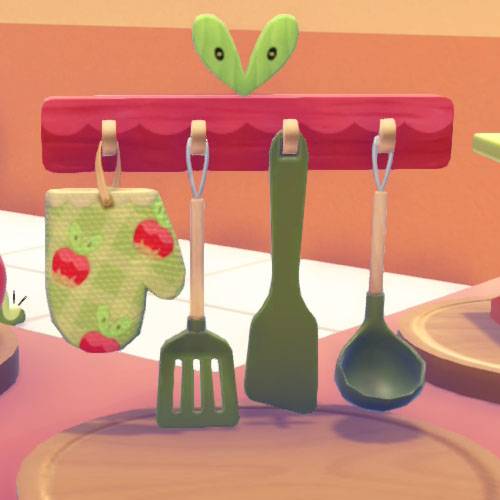
Cooking utensils |
|
10 Syrupy Apples |
Kitchen utensils hanging from a rack that looks like Applin. The rack can be attached to a wall. |
|
Dipplin mixing bowl |

|
15 Syrupy Apples |
A bowl that looks like Dipplin. It would look great in a kitchen. |
|
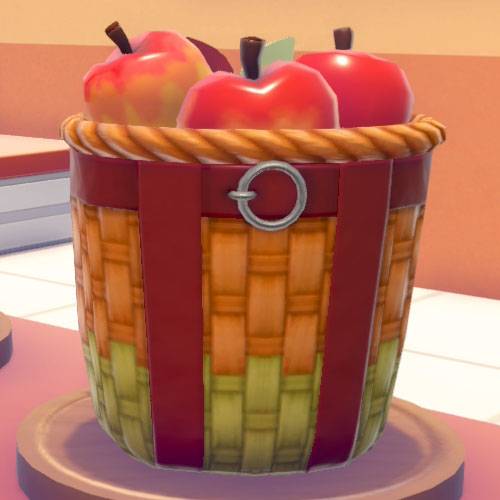
Harvest basket |
|
10 Syrupy Apples |
A basket bursting with harvested Sweet Apples, Tart Apples, and Syrupy Apples. |
|
Kitchen scale |

|
15 Syrupy Apples |
This is actually a tool for weighting food, but you can also use it as a plate! |
|
Syrupy Apple seeds |

|
5 Syrupy Apples |
Seeds that grow into Syrupy Apple trees. Try planting them in some soil. |

Table images: Image: Koei Tecmo, Game Freak/Nintendo, The Pokémon Company
All Pokémon Pokopia ‘Apples to Applin’ event habitats
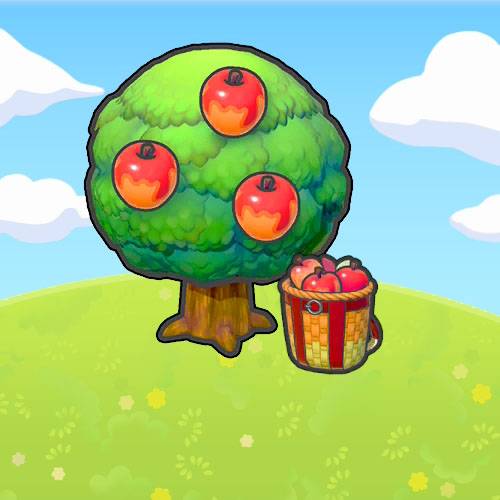
Along with the new decoration items, the “Apples to Applin” event introduces three new habitats. Their descriptions and list of requirements won’t show up in the Habitat Dex until you have discovered them. Below, we explain exactly how to make each one of the “Apples to Applin” habitats:
|
# |
Habitat |
In-game appearance |
Requirements |
Pokémon |
|---|---|---|---|---|
|
10 |
Abundant apples |
|
1 Syrupy Apple tree, 1 harvest basket |
Applin, Dipplin, Hydrapple |
|
11 |
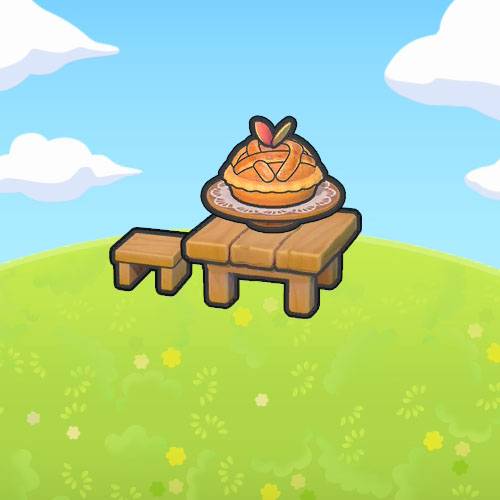
Sweet apple pie |
|
1 Apple pie, 1 table (any), 1 seat (any) |
Applin, Appletun |
|
12 |
Apple kitchen |

|
3 kitchen tables, 1 dipplin mixing bowl, 1 appley blender, 1 kitchen scale |
Applin, Flapple |
Table images: Koei Tecmo, Game Freak/Nintendo, The Pokémon Company via Polygon
If you’re starting out in Pokémon Pokopia, we have guides to help you spruce up your island. We have both a Pokédex and Habitat Dex to assist in figuring out what can spawn where, and what you need to build to summon your favorite creatures. If you’re feeling overwhelmed, you can also check out our beginner’s guide for some early tips and tricks to help smooth out your journey.
We also have walkthroughs for the important requests that progress the story: “Yawn up a Storm!,” “Brighten Things Up!,” “Time to Party!,” and “Build the Huge Building!” If you’re looking to play with friends, know that there are restrictions for the regular Pokopia multiplayer and for the GameShare version.
Read Full Article At Source